
×

Excel VBA IsObject Function

VBA IsObject Function: The IsObject function in VBA returns a Boolean value showing whether the specified variable represents an Object variable type or not.

Syntax

IsObject (Expression)

Parameter

Expression (required)- This parameter represents the variable that you want to check.

Return

This function returns a Boolean value True if the given expression represents an Object variant type else it returns False.

Example 1

Sub IsObject_Example1()
 Dim var As Object
 Dim is_Obj As Boolean
 Is_Obj = IsObject(var)
 ' The variable isObj will return True.
 MsgBox (is_Obj)
 End Sub 

Output

True
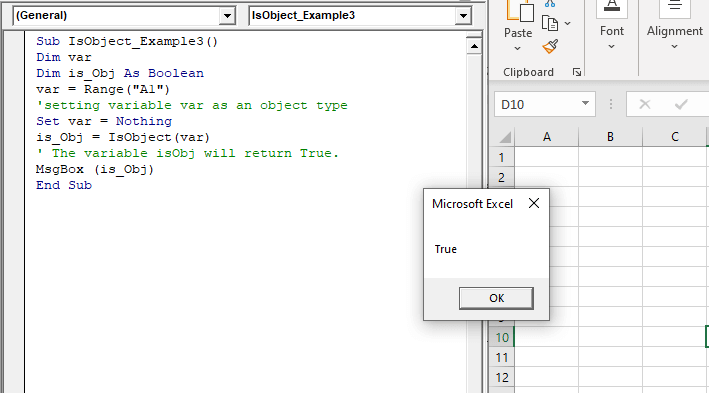
VBA IsObject Function

Example 2

Sub IsObject_Example2()
 Dim var
 Dim is_Obj As Boolean
 var = Range("A1")
 is_Obj = IsObject(var)
 ' The variable isObj will return False.
 MsgBox (is_Obj)
 End Sub 

Output

False
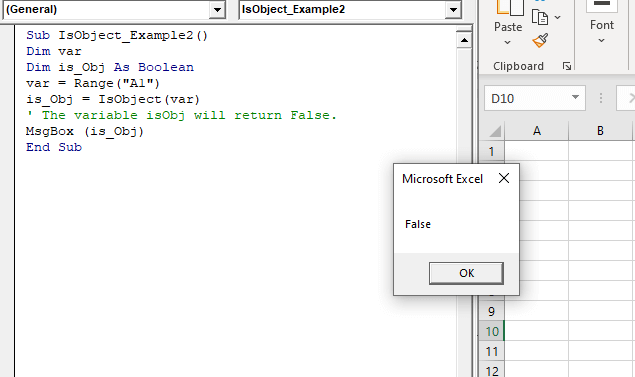
VBA IsObject Function

Example 3

Sub IsObject_Example3()
 Dim var
 Dim is_Obj As Boolean
 var = Range("A1")
 'setting variable var as an object type
 Set var = Nothing
 is_Obj = IsObject(var)
 ' The variable isObj will return True.
 MsgBox (is_Obj)
 End Sub 

Output
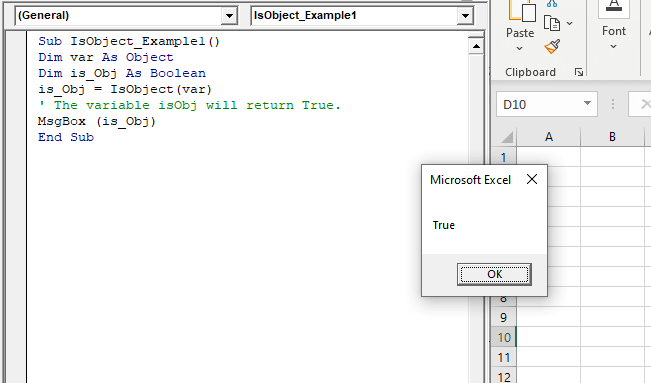
VBA IsObject Function

Related Topics

Excel VBA CVar Function

VBA CVar Function: The CVar function in VBA converts an expression into a Variant data type. Syntax CVar (Expression) Parameter Expression (required) – This parameter represents the expression that that you want to convert...

1 minute read.

Excel VBA Second Function

Excel VBA Second Function: The Second function in VBA returns the second element for the specified time.  Syntax Second (Time) Parameter Time (required) – This parameter represents the time. Return This function returns the second...

1 minute read.

Excel VBA Hour Function

The hour function in VBA returns the hour element for the specified time. Syntax Hour (Time) Parameter Time (required) – This parameter represents the time. Return This function returns the hour element for the specified time. Example 1 Sub HourFunction_Example1() ...

1 minute read.

Excel VBA StrComp Function

VBA StrComp Function: The StrComp function in VBA compares two strings and returns an integer value displaying the result of the comparison. Syntax StrComp (String1, String2, [Compare]) Parameter String1 (required)- This parameter represents the first string to...

2 minutes read.

Excel VBA IsError Function

VBA IsError Function: The IsError function in VBA returns a Boolean value showing whether the specified Expression represents an error or not. Syntax IsError (Expression) Parameter Expression (required)- This parameter represents the variant that you...

1 minute read.

Four VBA Clear methods

Four VBA Clear methods In Microsoft Excel, many times, a situation arises where the user wants to clear the data or any specific range of data. What if the user automates this task with...

6 minutes read.

Excel VBA FormatDateTime Function

VBA FormatDateTime Function: The FormatDateTime function in VBA returns the result as a string after applying a date and/or time format to the supplied expression. Syntax FormatDateTime (Expression, [NamedFormat]) Parameter Expression (specified) – This parameter...

2 minutes read.

Excel VBA Replace Function

VBA Replace Function: The Replace function in VBA searches for a substring within the specified string and replaces its occurrences with a second substring. Syntax Replace (Expression, Find, Replace, [Start], [Count], [Compare]) Parameter Expression (required) – This parameter represents...

2 minutes read.

How to save Macro Workbook?

Saving Macro Workbook Default Excel File Extension The default excel file extension is “.xlsx”. But the standard file extension “.xlsx” cannot contains macros. So, the workbook contains macro when save din.xlsx file, all VBA...

1 minute read.

Finding Last Row or Column in Excel VBA

Finding Last Row or Column in VBA Finding the last used row, column, or cell is one very commonly used task when we write macros and VBA applications.  Like other codes...

5 minutes read.

Excel VBA CByte Function

VBA CByte Function: The CByte function in VBA converts an expression into a Byte data type. Syntax CByte (Expression) Parameter Expression (required) - This parameter represents the expression that that you want to convert to...

1 minute read.

Excel VBA IsNumeric Function

VBA IsNumeric Function: The IsNumeric function in VBA returns a Boolean value showing whether the specified Expression contains a numeric value or not. Syntax IsNumeric (Expression) Parameter Expression (required)- This parameter represents the variant that...

1 minute read.

Excel VBA : With End-with Constructs

With End-with Constructs The With-End With construct enables the user to perform multiple operations on a single object. If you are going to perform several different actions on the same object and typing the same...

4 minutes read.

Excel VBA Hex Function

VBA Hex Function: The Hex function in VBA converts the given number into hexadecimal notation and returns the result as a string. Syntax Hex (Number) Parameter Number (required) – This parameter represents the numeric value...

1 minute read.

VBA Pivot Table Grouping

VBA- Pivot Table Grouping For an instance, if in our pivot table, we have 11 different age groups from 20 to 30 -  but there might be a possibility that we...

2 minutes read.

VBA Not Equal Operator

What is VBA Not Equal Operator? VBA Not Equal binary operator (“<>”) is a logical function that is used to check if the specified values are not equal or not. This...

5 minutes read.

Excel VBA DatePart Function

The DatePart function in VBA returns a part (day, month, week, etc.) for the specified date and/or time. Syntax DatePart (Interval, Date, [FirstDayOfWeek], [FirstWeekOfYear]) Parameter Interval (required) – This parameter represents a string specifying the interval to be used. It can...

2 minutes read.

Excel VBA: DO WHILE….Loop

DO WHILE….Loop The “Do While” Loop is the same, unlike the FOR statement, just that it will keep on looping till the specified condition is true. It is used when we want to...

3 minutes read.

Excel VBA Month Function

The Mont function in VBA returns the month number for the specified date. Syntax Month (Date) Parameter Time (required) – This parameter represents the date. Return This function returns the month number for the specified date. Example 1 Sub MonthFunction_Example1() ...

1 minute read.

Excel VBA AutoFilter

One of the reasons for Excel VBA’s popularity is its capability to filter and analyze data from huge database with the help of a method known as AutoFilter. This method permits a...

4 minutes read.