
×

Ionic Refresher

Refresher means updating the currently showing page so that the user can see the latest view. It is also known as re-loading in web technology.

It provides a pull- to-refresh feature on a content component. The pull-to-refresh feature allows the user to pull or drag a page down to some limit, and then the current page view is automatically got a refresh. The Ionic permits you to use this pattern on a list of data using touch to get more data.

Ionic provides the <ion-refresher> component to add a pull-down feature. The <ion-refresher> component gives pull-to-refresh feature on a content component. The data should be modified through refresher’s output events. Once the refresher of pages end, then call the complete() method.

Ionic Refresher Content  

The ionic refresher content is the child component of the <ion-refresher> component that includes the text, icon, and spinner to show during a pull-to-refresh. The ionic gives the pulling icon and the refreshing spinner based on the various platforms. There are many properties used in the ionic refresher content that are as follows:

  • pullingIcon
  • pullingText
  • refreshingSpinner
  • refreshingText

Example: This example explains how you can use the refresher in the ionic application.

Home.page.html

Here, you are required to add the <ion-refresher> component where you call the refresh event. To contain the custom properties, you need to add the <ion-refresher-content> component inside the <ion-refresher> component. 

<ion-header>  
   <ion-toolbar color="primary">  
     <ion-title>Ionic Refresher</ion-title>  
   </ion-toolbar>  
 </ion-header>   
 <ion-content class="ion-padding" color="light">  
   <ion-refresher slot="fixed" (ionRefresh)="doRefresh($event)">  
     <ion-refresher-content  
     pullingIcon="arrow-down"  
     pullingText="Pull to refresh"  
     refreshingSpinner="bubbles"  
     refreshingText="Refreshing....."></ion-refresher-content>  
   </ion-refresher>  
 </ion-content>   

Home.page.ts

import { Component } from
'@angular/core';  
 @Component({  
   selector: 'app-home',  
   templateUrl: 'home.page.html',  
   styleUrls: ['home.page.scss'],  
 })  
 export class HomePage {   
   constructor() { }  
   doRefresh(event) {  
     console.log('Pull Event Triggered!');  
   }  
 }   

Output: After executing this code, you will get the output, as shown below:
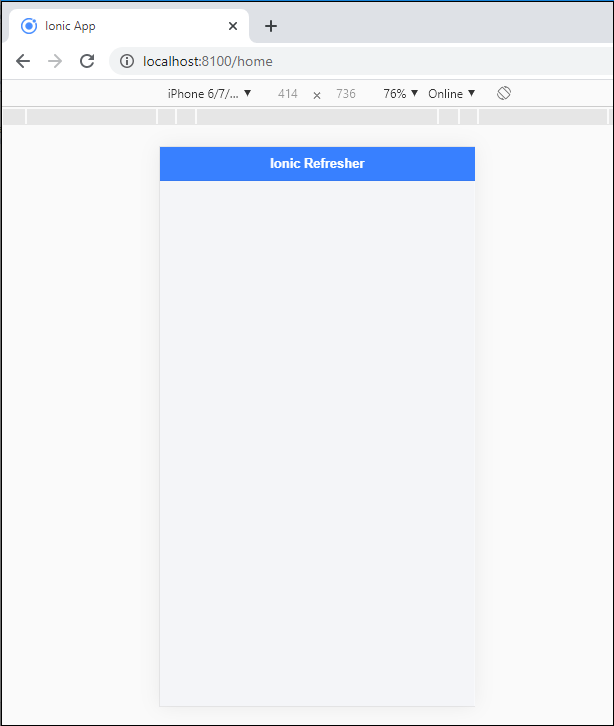
Ionic Refresher

If you scroll down then, it starts refreshing, as shown below:
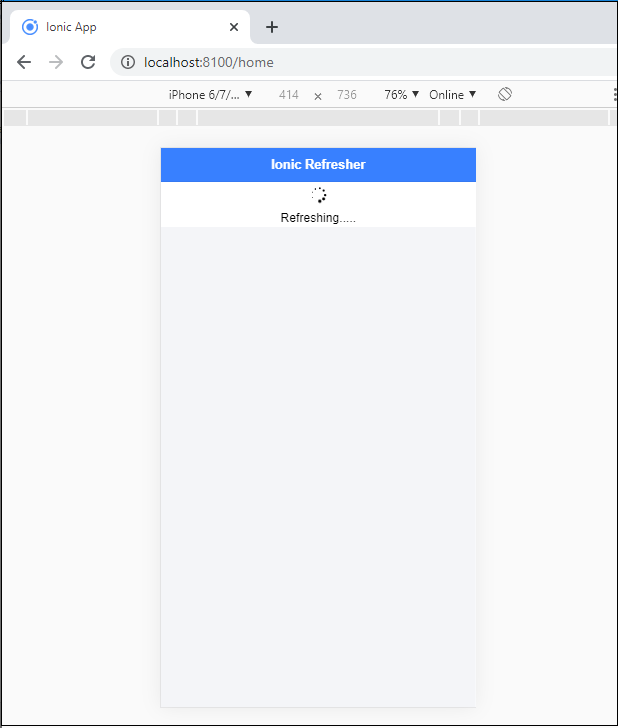
Ionic Refresher2

Refresher Progress

The refresher progress used the number of values to set the refresher. The number shows how far down the user has pulled the refresher. If the number is 0, then it displays the user has not pulled down the refresher. If the number is one or greater than 1, then it represents that the user has pulled far down the refresher. If the number is less than 1, then the content will return in its actual position.

Example: This example explains how you can use the refresher progress in the ionic application.

Home.page.html 

<ion-header>  
   <ion-toolbar color="primary">  
     <ion-title>Ionic Refresher Example</ion-title>  
   </ion-toolbar>  
 </ion-header>  
 <ion-content class="ion-padding" color="light">  
   <h1>Pull to Refresh</h1>  
   <ion-refresher slot ="fixed" disabled="false" (ionRefresh)="doRefresh($event)" pullFactor="0.5" pullMin="100" pullMax="200">  
     <ion-refresher-content  
     pullingIcon="arrow-down"  
     pullingText="Pull to refresh"  
     refreshingSpinner="bubbles"  
     refreshingText="Refreshing....."></ion-refresher-content>   
   </ion-refresher>  
   <ion-list>    
     <ion-item *ngFor="let item of dummyList; let i=index">    
       Item {{ i+1 }}  
     </ion-item>    
   </ion-list>  
 </ion-content>   

Home.page.ts

import { Component } from
'@angular/core';  
 @Component({  
   selector: 'app-home',  
   templateUrl: 'home.page.html',  
   styleUrls: ['home.page.scss'],  
 })  
 export class HomePage {   
   constructor() { }  
   doRefresh(event) {  
     console.log('Pull Event Triggered!');  
     setTimeout(() => {
       this.dummyList = Array(5);
       event.target.complete();
     }, 1500); 
   }  
 }   

Output: After executing this code you will get the output, which is shown below:
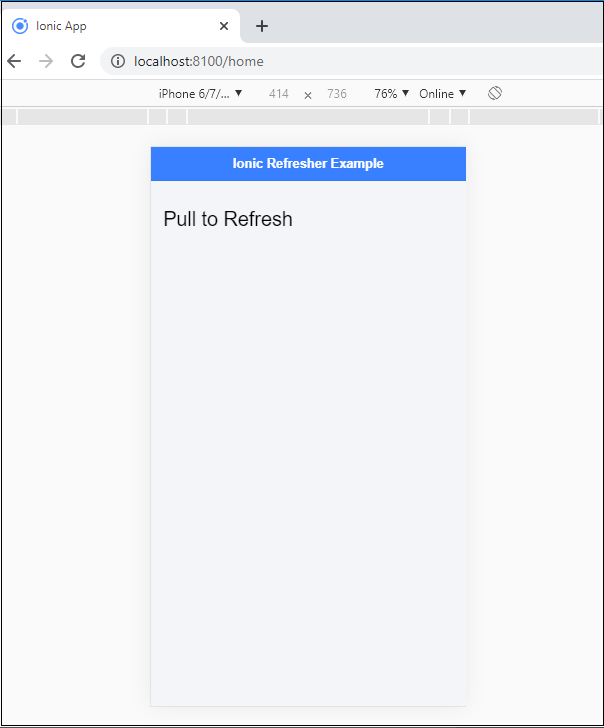
Ionic Refresher3

Here, pull down or drag the pointer in the content area, then the following screen comes. After scrolling or drag down the pointer, it refreshes the current page and display the new content on the screen.
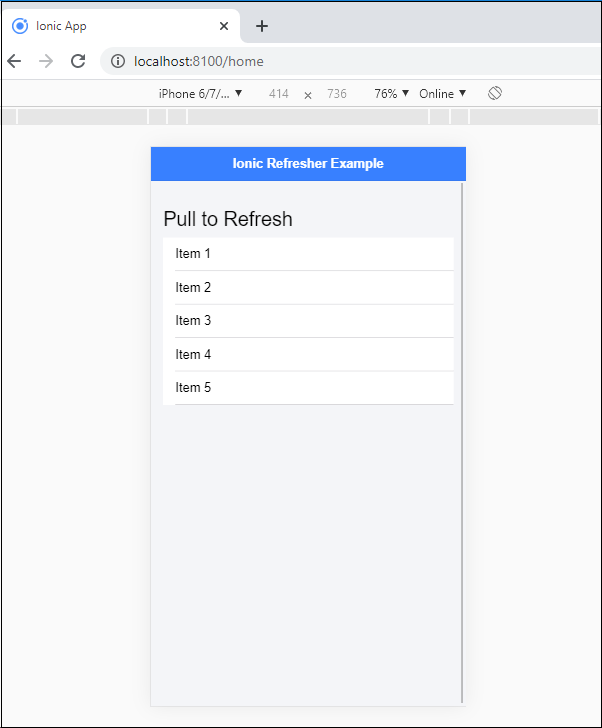
Ionic Refresher4

Related Topics

Ionic Tutorial for Beginners

What is Ionic? Ionic is an open-source framework that is used for the development of mobile applications. It is also used to build android applications, iOS, applications, desktop applications, and web applications using web...

4 minutes read.

Ionic Actionsheet

Ionic Actionsheet The Action sheet is a dialog box that displays a group of options. It is shown on the top of the application content and must be dismissed manually before the user can resume...

3 minutes read.

Ionic vs Xamarin

Ionic vs Xamarin Ionic and Xamarin are both the most popular frameworks used to develop a hybrid mobile application. Both frameworks are used in large enterprises by the developers. Here, we will discuss the...

4 minutes read.

Difference between Ionic 4 and Ionic 3

The ionic framework is an open-source platform that is used to develop mobile applications. It is also used to build android applications, desktop applications, iOS, and web applications using web technologies like HTML,...

5 minutes read.

Ionic Alert

Ionic Alert An Alert is a dialog box that presents the users with important information, or it stores the data from the user by using the inputs. Alerts are a great way to provide...

5 minutes read.

Ionic Editors

Editors are software programs that permit the users to create and edit the text files. In the development field, editors are usually used to create the source code editors that includes many specific...

3 minutes read.

Ionic Contents

Ionic Contents The content component provides an easy-to-use content area with some useful ways to control the scrollable region. There should be only one content in one view. Content, along with several other Ionic...

2 minutes read.

Ionic Segment

A segment is a collection of buttons, sometimes which are known as segmented controls. The segment buttons are displayed at horizontal rows. These segment buttons can be shown in a toolbar or the...

2 minutes read.

Ionic Tabs

The ionic tabs mostly used for mobile navigation. It means that tabs are placed at the top of the display on android devices, while at the bottom on IOS. It does not provide...

2 minutes read.

Ionic Popover

The Ionic popover is a small dialog box that displays at the top of the screen. It can be used for anything, but it is usually used for a button, an action,...

4 minutes read.

Ionic vs Apache Cordova

Ionic Vs Apache Cordova Ionic and Cordova are two popular technology going on in the market for mobile application development. The combination of these two technologies creates a development platform that is known as...

3 minutes read.

Ionic Range

The Range slider lets users choose from a range of values by moving the slider knob. You can accept two knobs, but by default, one-knob controls the range value. Range labels You can put down on...

2 minutes read.

Ionic Modal

Ionic modal is displayed as a temporary UI that slides into the screen. The ionic modal is a dialog box that is displayed at the top of the app’s content, and it...

5 minutes read.

Ionic vs PhoneGap

Ionic Vs PhoneGap Ionic and PhoneGap are both used to develop the mobile application. Both Frameworks are used in large enterprises by the developers. Here, we are going to compare the important differences between ionic...

3 minutes read.

Ionic Date Time

Ionic Date Time The DateTime component is used to display an interface that makes it simple for users to select dates and times. Tapping on <ion-datetime> will display a slider up from the...

4 minutes read.

Features of Ionic Framework

The Ionic Framework is based on the AngularJS framework that permits a programmer to use a combination of many other programming languages, like HTML5, CSS, and JavaScript. Some of the...

4 minutes read.

Ionic framework Installation

Installation of Ionic Before proceeding with the ionic application, you'll need to install node.js and NPM (Node Package Manager), the code editor, and Ionic CLI. Installation of node.js and NPM These are the primary...

5 minutes read.

Ionic Select

The Ion Selection component is similar to the HTML <select> element. However, the Ionic Selection component makes it easy for users to categorize and choose the preferred option or other options. You must...

3 minutes read.

Ionic Splash Screen

The Apache Cordova plugin helps to displays and hides a splash screen during the application launch. The Ionic Splash Screen is similar to a home page on a website. The ionic splash...

2 minutes read.

Ionic Infinite Scroll

The infinite scroll permits you to perform an action when the user scrolls a particular content from the bottom or top of the page. When you display the large collection of data...

3 minutes read.