React Component API
React Component API
It is a top-level API. It provides reusability to the code in the application and makes it completely individual. It has several methods for:
- Creating Elements.
- Transforming Elements.
- Fragments.
Now, we are explaining the three important methods that are available in the React component API:
- findDOMNode()
- setState()
- forceUpdate()
findDOMNode()
For manipulating the DOM, you have to use ReactDOM.findDOMNode() method. This method helps us to find or access the underlying DOM node.
Syntax:
ReactDOM.findDOMNode(component);
Example:
App.js
import React, { Component } from 'react';
import ReactDOM from 'react-dom';
class App extends React.Component {
constructor() {
super()
this.findDomNodeHandler1 = this.findDomNodeHandler1.bind(this);
this.findDomNodeHandler2 = this.findDomNodeHandler2.bind(this);
};
findDomNodeHandler1() {
var div1 = document.getElementById('One');
ReactDOM.findDOMNode(div1).style.color = 'red';
}
findDomNodeHandler2() {
var div2 = document.getElementById('Two');
ReactDOM.findDOMNode(div2).style.color = 'blue';
}
render() {
:return (
ReactJS Find DOM Node Example
Red Color
Blue Color
)
}
}
export default App;
Output:
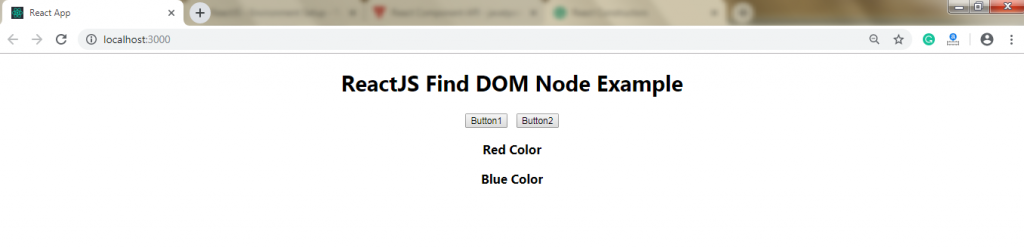
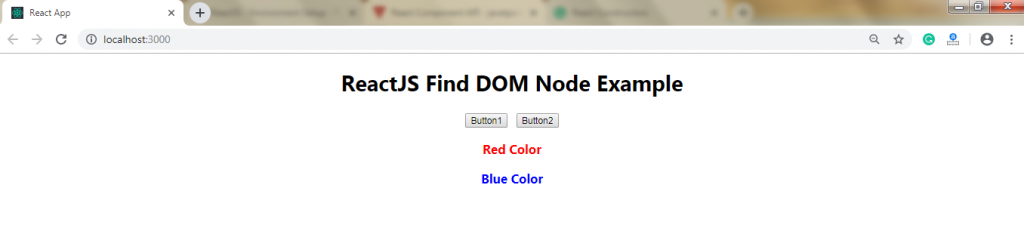
When you click on the button, the color of the text gets changed. The output after clicking on the button is as follows:
setState()
This method is used for updating the state of the component. Instead of replacing the state immediately, it only adds changes to the original state. It is a primary method that is used for updating the user interface (UI) as a response to the event handlers and the responses of the server.
Syntax:
this.stateState(object newState[, function callback]);
Example:
App.js
import React, { Component } from 'react';
import PropTypes from 'prop-types';
class App extends React.Component {
constructor() {
super();
this.state = {
data: "!!!! Hello World !!!!"
}
this.updateSetState = this.updateSetState.bind(this);
}
updateSetState() {
this.setState({
data:"Welcome to tutorialandexample.com"
});
}
render() {
return (
{this.state.data}
)
}
}
export default App
Main.js
import React from 'react';
import ReactDOM from 'react-dom';
import App from './App.js';
ReactDOM.render(, document.getElementById('app'));
Output:

After clicking on the SET STATE button, you will get the following output:

forceUpdate()
This method allows the manually updating of the components.
Syntax:
Component.forceUpdate(callback);
Example:
App.js
import React, { Component } from 'react';
class App extends React.Component {
constructor() {
super()
this.forceUpdateState = this.forceUpdateState.bind(this);
}
forceUpdateState() {
this.forceUpdate();
};
render() {
return (
Example of Force Update method
Example to Generate Random Number
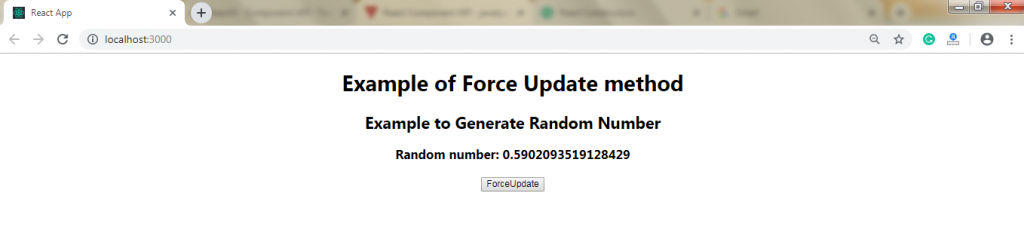
Random number: {Math.random()}
);
}
}
export default App;
Output:
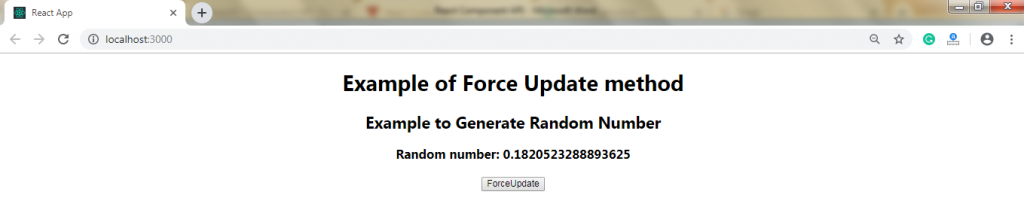
When you click on the ForceUpdate button, you will always get the new random number. It is shown in the following image: