HTML Layouts
HTML Layouts
HTML templates provide a way for well-managed, well-structured responsive web pages to be organized. We could say that the HTML layout specifies how web pages can be set up. Web page architecture operates with the visual elements of an HTML document being structured.
Web page layout is the most important thing to bear in mind when designing a website so that with the great, look our website will look professional. We can also use the CSS and JAVASCRIPT based framework to build a responsive and interactive website design models.
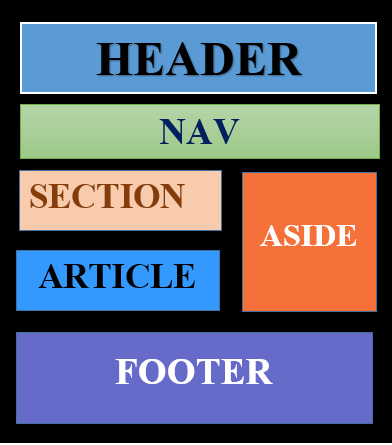
Each website has a specific style to look at the contents in a particular way.
The following are various elements of HTML5 used to describe the different sections of the webpage.
- <header>: It is used to define a document header or section header.
- <nav>: It is used to define a navigation link container.
- <section>: It is used to identify a document section.
- <article>: It is used to define a self-contained, independent article.
- <aside>: It is used to define content in addition to the content (like a sidebar).
- <footer>: It is used to describe a footer or section of a text.
- <details>: It is used to define additional data.
- <summary>: It is used to define the heading for the < details > element.
Description of various Layout elements
HTML <header>
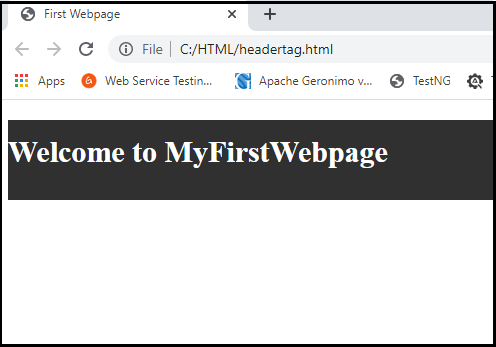
The < header > element is used to create a web page header section. The header contains the webpage introductory content, heading part, logo or icon, and information about authorship.
Example:
<!DOCTYPE html>
<html>
<head>
<title>First Webpage</title> </head>
<body>
<header style="background-color: #303030; height: 80px;width: 100%">
<h1 style="font-size: 30px; color: white;text-align: center; padding-top: 15px;">Welcome to MyFirstWebpage</h1>
</header>
</body>
</html>
Output:
HTML <nav>
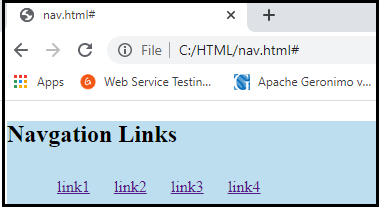
< nav > is the container for the main navigation link block. It may contain links to the same page or to other pages.
Example:
<!DOCTYPE html>
<html>
<head>
  <style> li{  display: inline-block;   padding: 10px}  </style>
</head>
<body>  <nav style="background-color:#bcdeef;">
<h1 style="text-align: center;">Navgation Links</h1>  <ul>
<li><a href="#">link1</a></li>
<li><a href="#">link2</a></li>
<li><a href="#">link3</a></li>
<li><a href="#">link4</a></li>
</ul>
</nav>
</body>
 </html>
Output:
HTML <section>
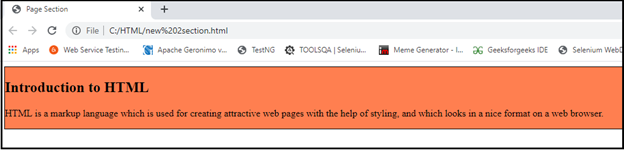
HTML < section > elements are a separate section of a web page that contains a related group of elements. It may include text, photos, tables, videos, etc.
Example:
<!DOCTYPE html>
<html>
<head>
<title>Page Section</title>
</head>
<body>
<section style="background-color:#ff7f50; width: 100%; border: 1px solid black;">             <h2>Introduction to HTML</h2>
<p>HTML is a markup language which is used for creating attractive web pages with the help of styling, and which looks in a nice format on a web browser.</p>
</section>
</body>
</html>
Output:
HTML <article>
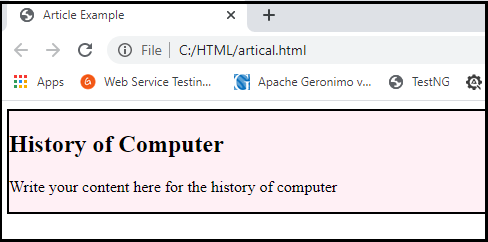
The HTML tag is used to contain a self-contained article, such as a big story, a big article, etc.
Example:
<!DOCTYPE html>
<html>
<head>
<title>Article Example</title>
</head>
<body> <article style="width: 100%; border:2px solid black; background-color: #fff0f5;">             <h2>History of Computer</h2>
<p>Write your content here for the history of computer</p>
</article>
</body>
</html>
Output:
HTML <aside>
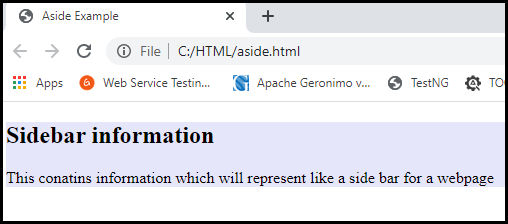
HTML < aside > Set aside content related to primary content. The content of the < aside > must be linked to the primary content. It can be used as a sidebar for the main content of the web page.
Example:
<!DOCTYPE html>
<html>
<head>
<title>Aside Example</title>
</head>
<body> <aside style="background-color:#e6e6fa">
<h2>Sidebar information</h2>
<p>This contains information which will represent like a side bar for a webpage</p>
</aside>
</body>
</html>
Output:
HTML <footer>
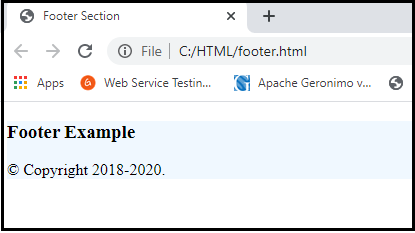
The HTML < footer > element defines the footer for this document or web page. It mostly includes author information, copyright information, other links, etc.
Example:
<!DOCTYPE html>
<html>
<head>
 <title>Footer Section</title>
 </head>
<body>
<footer style="background-color:#f0f8ff; width: 100%; text-align: left;">
<h3>Footer Example</h3>
 <p>© Copyright 2018-2020. </p>
</footer>
</body>
</html>
Output:
HTML <details>
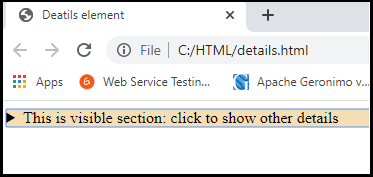
The HTML < details > element is used to add extra details to the web page and can be used to hide or display the details as required.
Example:
<!DOCTYPE html>
<html>
<head>
<title>Deatils element</title>
</head>
<body>
<details style="background-color: #f5deb3">
<summary>This is visible section: click to show other details</summary>
<p>This section only shows if user want to see it. </p>
</details>
</body>
</html>
Output:
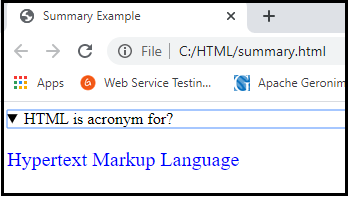
HTML <summary>
The HTML < summary > element is used with the < details > element on the web page. It is used as a summary of the content of the < details > element.
Example:
<!DOCTYPE html>
<html>
<head>
<title>Summary Example</title>
</head>
<body>
<details>  <summary>HTML is acronym for?</summary>
<p style="color: blue; font-size: 20px;">Hypertext Markup Language</p>
</details>
</body>
</html>
Output: