Bootstrap 4 Content
Typography
Typography is used for styling and formatting the content. It also helps in creating customized headings, sub-headings, lists, paragraphs, etc.
Headings
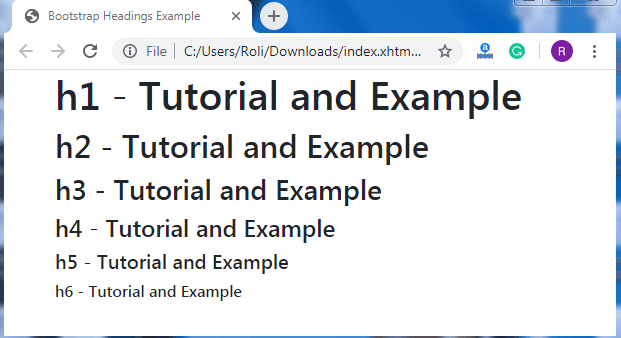
Bootstrap 4 offers HTML heading <h1> to <h6> that has bolder font-weight and larger font-size.
Example
<!DOCTYPE html>
 <html lang="en">
 <head>
   <title>Bootstrap Headings Example</title>
   <meta charset="utf-8">
   <meta name="viewport" content="width=device-width, initial-scale=1">
   <link rel="stylesheet" href="https://maxcdn.bootstrapcdn.com/bootstrap/4.4.1/css/bootstrap.min.css">
 </head>
 <body>
 <div class="container">
   <h1>h1 - Tutorial and Example</h1>
   <h2>h2 - Tutorial and Example </h2>
   <h3>h3 - Tutorial and Example </h3>
   <h4>h4 - Tutorial and Example </h4>
   <h5>h5 - Tutorial and Example </h5>
   <h6>h6 - Tutorial and Example </h6>
 </div>
   <script src="https://ajax.googleapis.com/ajax/libs/jquery/3.4.1/jquery.min.js"></script>
   <script src="https://cdnjs.cloudflare.com/ajax/libs/popper.js/1.16.0/umd/popper.min.js"></script>
   <script src="https://maxcdn.bootstrapcdn.com/bootstrap/4.4.1/js/bootstrap.min.js"></script>
 </body>
 </html>
Output
Display Headings
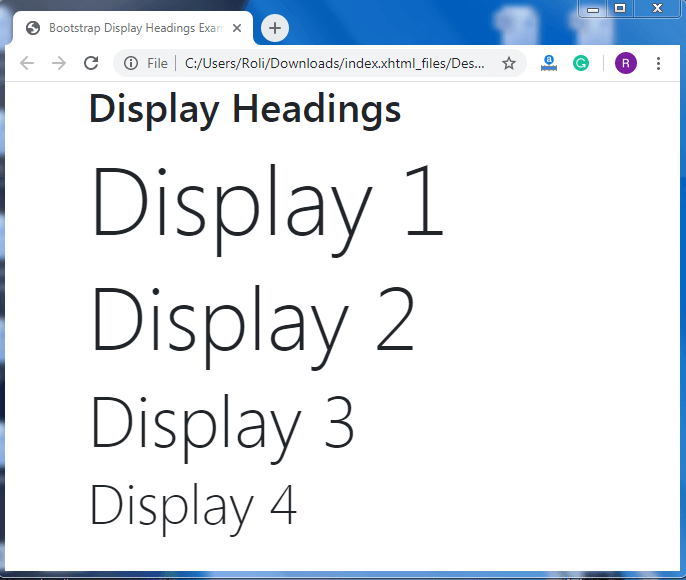
Bootstrap offers display headings that are used for creating headings with bigger font-size and lighter font-weight. There are four classes in display headings, which are .display-1, .display-2, .display-3, .display-4
Example
<!DOCTYPE html>
 <html lang="en">
 <head>
   <title>Bootstrap Display Headings Example</title>
   <meta charset="utf-8">
   <meta name="viewport" content="width=device-width, initial-scale=1">
   <link rel="stylesheet" href="https://maxcdn.bootstrapcdn.com/bootstrap/4.4.1/css/bootstrap.min.css">
   </head>
 <body>
 <div class="container">
   <h1>Display Headings</h1>
   <h1 class="display-1">Display 1</h1>
   <h1 class="display-2">Display 2</h1>
   <h1 class="display-3">Display 3</h1>
   <h1 class="display-4">Display 4</h1>
 </div>
   <script src="https://ajax.googleapis.com/ajax/libs/jquery/3.4.1/jquery.min.js"></script>
   <script src="https://cdnjs.cloudflare.com/ajax/libs/popper.js/1.16.0/umd/popper.min.js"></script>
   <script src="https://maxcdn.bootstrapcdn.com/bootstrap/4.4.1/js/bootstrap.min.js"></script>
 </body>
 </html>
Output
<mark>
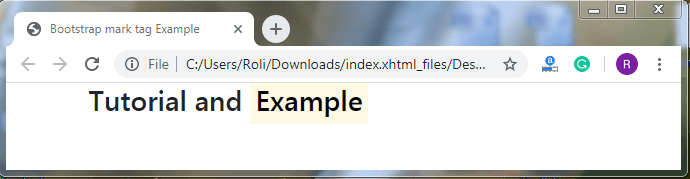
Bootstrap 4 offers HTML <mark> tag which is used to highlight any text.
Example
<!DOCTYPE html>
 <html lang="en">
 <head>
   <title>Bootstrap mark tag Example</title>
   <meta charset="utf-8">
   <meta name="viewport" content="width=device-width, initial-scale=1">
   <link rel="stylesheet" href="https://maxcdn.bootstrapcdn.com/bootstrap/4.4.1/css/bootstrap.min.css">
 </head>
 <body>
 <div class="container">
   <h3>Tutorial and <mark>Example</mark></h3>
 </div>
   <script src="https://ajax.googleapis.com/ajax/libs/jquery/3.4.1/jquery.min.js"></script>
   <script src="https://cdnjs.cloudflare.com/ajax/libs/popper.js/1.16.0/umd/popper.min.js"></script>
   <script src="https://maxcdn.bootstrapcdn.com/bootstrap/4.4.1/js/bootstrap.min.js"></script>
 </body>
 </html>
Output
<abbr>
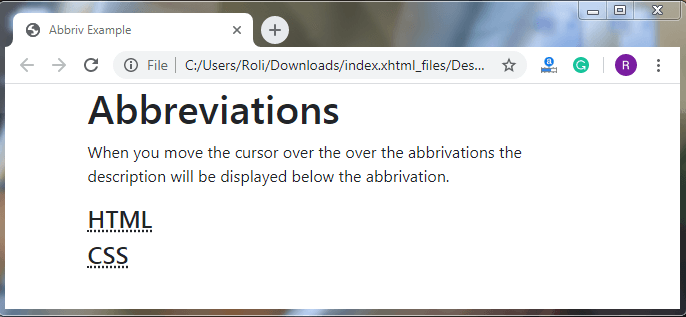
<abbr> tag is used to display the description of the abbreviation when you mouse pointer over the <abbr> element.
Example
<!DOCTYPE html>
 <html lang="en">
 <head>
   <title>Abbriv Example</title>
   <meta charset="utf-8">
   <meta name="viewport" content="width=device-width, initial-scale=1">
   <link rel="stylesheet" href="https://maxcdn.bootstrapcdn.com/bootstrap/4.4.1/css/bootstrap.min.css">
   <script src="https://ajax.googleapis.com/ajax/libs/jquery/3.4.1/jquery.min.js"></script>
   <script src="https://cdnjs.cloudflare.com/ajax/libs/popper.js/1.16.0/umd/popper.min.js"></script>
   <script src="https://maxcdn.bootstrapcdn.com/bootstrap/4.4.1/js/bootstrap.min.js"></script>
 </head>
 <body>
 <div class="container">
   <h1>Abbreviations</h1>
   <p>When you move the cursor over the over the abbrivations the description will be displayed below the abbrivation.</p>
   <h4><abbr title="Hyper Text Markup Language">HTML</abbr> </h4>
   <h4><abbr title="Cascading Style Sheets">CSS</abbr> </h4>
 </div>
 </body>
 </html>
Output
<kbd>
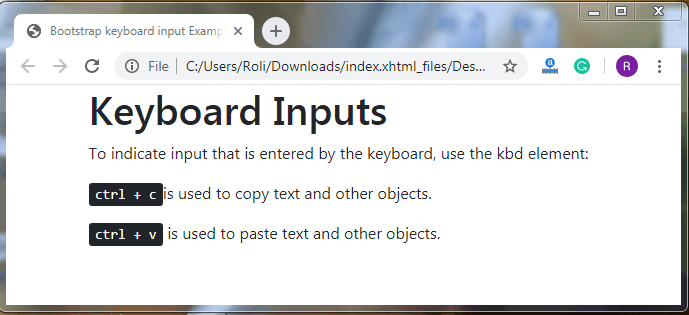
<kbd> tag is used when you want to display any keyboard input like shortcut keys on the screen.
Example
<!DOCTYPE html>
 <html lang="en">
 <head>
   <title>Bootstrap keyboard input Example</title>
   <meta charset="utf-8">
   <meta name="viewport" content="width=device-width, initial-scale=1">
   <link rel="stylesheet" href="https://maxcdn.bootstrapcdn.com/bootstrap/4.4.1/css/bootstrap.min.css">
 </head>
 <body>
 <div class="container">
   <h1>Keyboard Inputs</h1>
   <p>To indicate input that is entered by the keyboard, use the kbd element:</p>
   <p><kbd>ctrl + c</kbd>is used to copy text and other objects.</p>
   <p><kbd>ctrl + v</kbd> is used to paste text and other objects.</p>
 </div>
   <script src="https://ajax.googleapis.com/ajax/libs/jquery/3.4.1/jquery.min.js"></script>
   <script src="https://cdnjs.cloudflare.com/ajax/libs/popper.js/1.16.0/umd/popper.min.js"></script>
   <script src="https://maxcdn.bootstrapcdn.com/bootstrap/4.4.1/js/bootstrap.min.js"></script>
 </body>
 </html>
Output
Lists
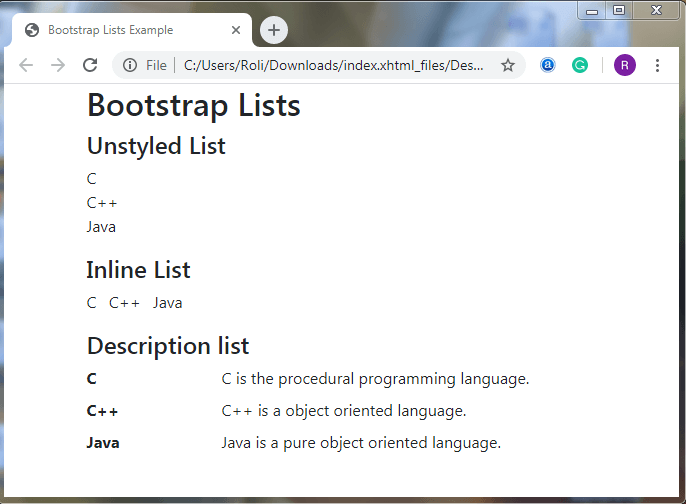
Bootstrap 4 offers different types of lists, which are as follows;
Unstyled List - In unstyled list, we can display the list items without any list-style and left margin.
Inline List – In the inline list, we can display all the list items in a single line.
Description List - In the description list, the list items are displayed along with the description.
Example
<!DOCTYPE html>
 <html lang = "en">
    <head>
       <meta charset = "utf-8">
       <meta name = "viewport" content = "width = device-width, initial-scale = 1">
       <link rel = "stylesheet"
          href = "https://stackpath.bootstrapcdn.com/bootstrap/4.1.3/css/bootstrap.min.css">
       <title>Bootstrap Lists Example</title>
    </head>
    <body>
       <div class = "container">
         <h2>Bootstrap Lists</h2>
          <h4>Unstyled List</h4>
          <ul class = "list-unstyled">
             <li>C</li>
             <li>C++</li>
             <li>Java</li>
          </ul>
          <h4>Inline List</h4>
          <ul class = "list-inline">
             <li class = "list-inline-item">C</li>
             <li class = "list-inline-item">C++</li>
             <li class = "list-inline-item">Java</li>
          </ul>
          <h4>Description list</h4>
          <dl class = "row">              <dt class = "col-sm-3">C</dt>
             <dd class = "col-sm-9">C is the procedural programming language.</dd>
             <dt class = "col-sm-3">C++</dt>
             <dd class = "col-sm-9">C++ is a object oriented language.</dd>
             <dt class = "col-sm-3">Java</dt>
             <dd class = "col-sm-9">Java is a pure object oriented language.</dd>
          </dl>        </div>
       <script src = "https://code.jquery.com/jquery-3.3.1.slim.min.js"></script>
       <script src = "https://cdnjs.cloudflare.com/ajax/libs/popper.js/1.14.3/umd/popper.min.js"></script>
       <script src = "https://stackpath.bootstrapcdn.com/bootstrap/4.1.3/js/bootstrap.min.js"></script>
  </body>
 </html>
Output