
Pointing and Positioning Technique Computer Graphics
Pointing and Positioning Technique: The pointing and positioning are interactions used in computer graphics. A pointing device is also called a Pointing tool. A pointing tool is a hardware component, used to shift the cursor in a computer program or a graphical user interface (GUI) operating system. The standard features of the mouse are click, point, drag, and drop.
According to Fitts’s theorem, we can use the pointing devices to estimate the speed by which we can point at a higher speed. The positioning technique is used to move the object from one position to another position.
There are following pointing and positioning devices given below:
- Mouse
- Light Pen
- Joystick
- Graphics Tablet
- Pointing Stick
Mouse
A mouse is a lightweight, small device used to control the movement of the cursor on a computer screen. Usually, the mouse moves on a flat surface. A mouse contains two or three buttons. Every button performs a different task. The mouse can be considered as a positioning and pointing device.
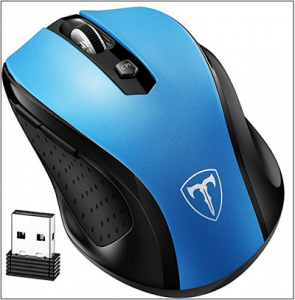
Functions of Mouse
There are following functions of a mouse:
- Clicking
- Right-clicking
- Dragging
- Scrolling
- Double Clicking
Light Pen
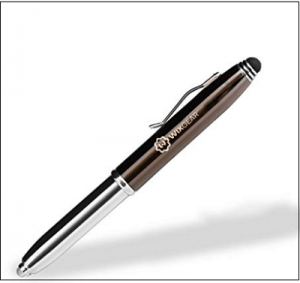
A light pen is a handheld, light-sensitive device. It is like a pen. The light pen connects to the computer by a wire. A light pen contains a device at the tip that emits light. Mostly, light pens are used by graphics designers, engineers, and illustrators. The light pen sends the information to the computer when we touch the pen to the computer screen.
Joystick
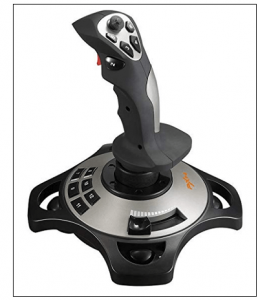
A joystick has two parts a base and a stick. We can move the stick in every direction to shift the object from one position to another position on the computer screen. The joystick is similar to a mouse or trackball. Mostly the joystick is used to play computer games. A joystick has a fast interface and also used in computer-aided design.
Graphics Tablet
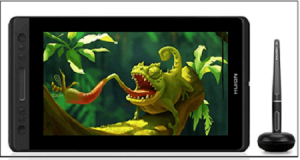
A graphics tablet is also called a digitizer. A graphics tablet contains a flat pad on which we can draw an image or shape with a pen called stylus. The image gets drawn on the screen as we draw on the flat pad. It is mostly used by graphics designers to produce accurate drawings and pictures.
Pointing Stick
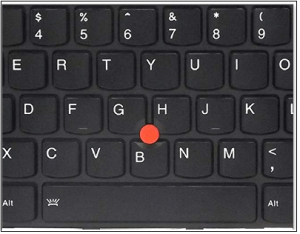
The pointing device is also known as the Pressure-Sensitive device. It exists between the keys of the keyboard. It is similar to a pencil eraser. The pointing stick works like a mouse. When we touch the finger on the pointing stick, the cursor moves on the computer screen. A pointing stick does not need any extra space like a mouse. It is mostly used in notebooks.
Rubber band or Elastic Technique
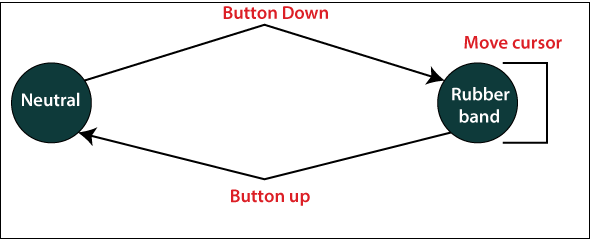
The rubber band technique was introduced by Blaisdell in 1958 and refined by Barron in 1963. It is a positioning method. The rubber band is also named as an elastic band, gum band, or lacky band. It is a loop that is usually used to hold multiple objects together. It is a useful and simple technique for positioning the objects. We can easily draw geometric shapes, i.e., lines, ellipse, circle, and rectangle, etc. on the computer screen by rubber band technique. In this technique, we can perform positioning on the line by positioning the two endpoints. In this, we shift the first point to the last point; the computer draws a line from the first point to cursor point. The technique called rubber band or elastic band because the line stretched among with first point and the cursor.
Advantages of Rubber Band Technique
- It is simple and easy to implement the technique.
- We can draw many geometric shapes by using this technique.
Disadvantages of Rubber Band Technique
- It is quite expensive.
- The rubber band technique needs good software and a fast processor.
Dragging
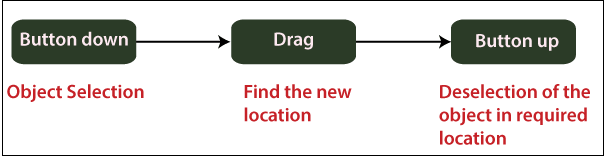
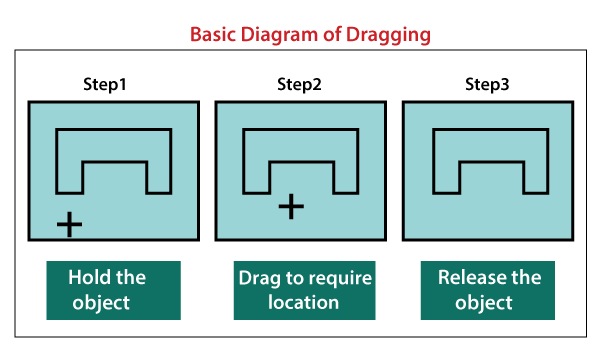
Dragging is a technique used in interactive image drawing. In this process, we can change the position of an object from one to another place. We can drag the shapes or objects with the cursor.
Steps to drag an object
Step 1: First, we choose an object.
Step 2: Now, we shift the cursor in the direction where we want to shift the object.
Step 3: Select the object that follows the cursor path.
Dragging the object to different positions is very useful in applications where we want to show the various possible location before choosing the final location.
Related Posts:
- Homogenous Coordinates in Computer Graphics
- Midpoint Circle Drawing Algorithm in Computer Graphics
- Scan Conversion of a Circle Computer Graphics
- Mid-Point Line Drawing Algorithm in Computer Graphics
- Polygon Clipping in Computer Graphics
- Clipping in Computer Graphics
- 3D Rotation in Computer Graphics
- 3D Shearing in Computer Graphics
- 2D Scaling in Computer Graphics
- 2D Translation in Computer Graphics
- Projection in Computer Graphics
- Output Devices in Computer Graphics