CSS Content Property
Content Property
The content attribute produces dynamic content. It can be applied with any pseudo-element ::after and ::before. These CSS properties are entirely supported inside every browser and applied to include the content over the web page.
It can replace an item with any produces value.
Syntax:
content: normal | none | counter | string | attr | open-quote | close-quote | no-close-quote | no-open-quote | url | initial | inherit;
Property Values
This property of CSS has a lot of values which are specified as follows:
| Values | Description |
| normal | This value is used as a default value. |
| none | It can’t set any content. |
| counter | This value can be used to set any content as a counter. Generally, it is a number. This value can be shown with counters() or counter() function. |
| string | This property value sets the string value. This value must always be wrapped inside quotation masks. These values produce the string before or after any HTML element. |
| attr | This property value includes any specified element’s value before or after any element. The empty string can be added, if the selectors do not contain any particular attribute. |
| open-quote | This value includes any opening quotation mark. It can be used to set the text to be the opening quote. |
| close-quote | This value includes any closing quotation mark. It can be used to set the text to be the closing quote. |
| no-close-quote | When a closing quote is specified, it is applied to eliminate the specified closing quote against the text. |
| no-open-quote | When an opening quote is specified, it is applied to eliminate the specified opening quote against the text. |
| url | This property value sets the text into the media, which can be audio, video, image, and others. |
| initial | The initial value sets the Content property to the default value. |
| inherit | This value acquires the property against its parent item. |
Let’s take a few examples of the above-discussed values as below:
Example: none and normal value
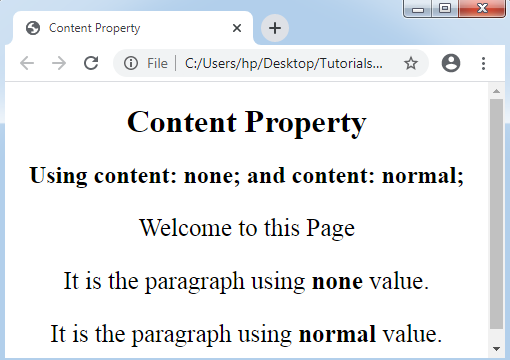
In the following example, we use pseudo-element ::before to add the content “Welcome” before a paragraph element. The content can’t be inserted into those elements of a paragraph where we used none and normal values.
<!DOCTYPE html>
<html>
<head>
<title> Content Property </title>
<style>
body
{
text-align: center;
}
p
{
font-size: 25px;
}
p::before
{
content: "Welcome";
}
#para::before
{
content: none;
}
#para1::before
{
content: normal;
}
</style>
</head>
<body>
<h1> Content Property </h1>
<h2> Using content: none; and content: normal; </h2>
<p> to this Page </p>
<p id= "para"> It is the paragraph using <b> none </b> value. </p>
<p id= "para1"> It is the paragraph using <b> normal </b> value. </p>
</body>
</html>
Output:
Example: url and string value
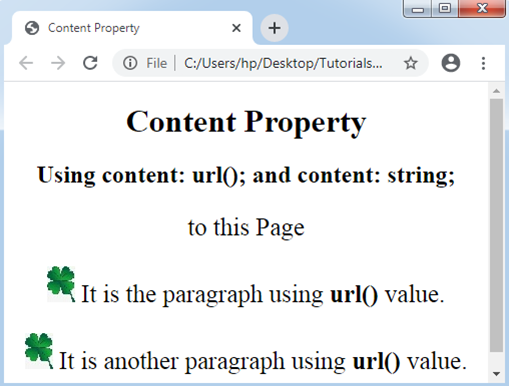
In the following example, the content “Hello all!! Welcome” will be inserted with the use of the content attribute and pseudo-element ::before.
<!DOCTYPE html>
<html>
<head>
<title> Content Property </title>
<style>
body
{
text-align: center;
}
p
{
font-size: 25px;
}
p::before
{
content: “Hello all!! Welcome”;
}
#para::before
{
content: url("img.png");
}
#para1::before
{
content: url("img.png");
}
</style>
</head>
<body>
<h1> Content Property </h1>
<h2> Using content: url(); and content: string; </h2>
<p> to this Page </p>
<p id= "para"> It is the paragraph using <b> url() </b> value. </p>
<p id= "para1"> It is another paragraph using <b> url() </b> value. </p>
</body>
</html>
Output:
Example: close-quote and open-quote value
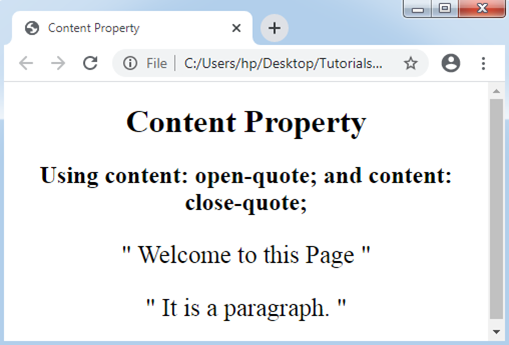
The close-quote can only be applied with the open-quote as follows:
<!DOCTYPE html>
<html>
<head>
<title> Content Property </title>
<style>
body
{
text-align: center;
}
p
{
font-size: 25px;
}
p::before
{
content: open-quote;
}
p::after
{
content: close-quote;
}
</style>
</head>
<body>
<h1> Content Property </h1>
<h2> Using content: open-quote; and content: close-quote; </h2>
<p> Welcome to this Page </p>
<p> It is a paragraph. </p>
</body>
</html>
Output:
Example: no-close-quote and no-open-quote value
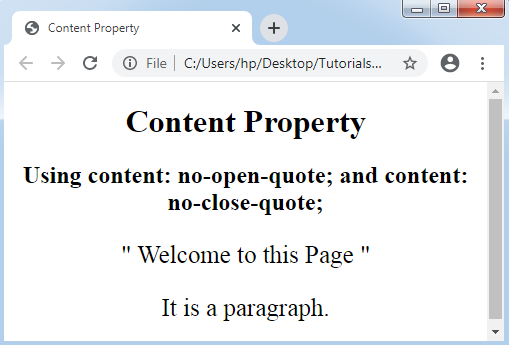
In the following example, we use the close-quote and the open-quote over the paragraph items, and we use the .para class over the paragraph on the no-close-quote and the no-open-quote.
<!DOCTYPE html>
<html>
<head>
<title> Content Property </title>
<style>
body
{
text-align: center;
}
p
{
font-size: 25px;
}
p::before
{
content: open-quote;
}
p::after
{
content: close-quote;
}
p.para::before
{
content: no-open-quote;
}
p.para::after
{
content: no-close-quote;
}
</style>
</head>
<body>
<h1> Content Property </h1>
<h2> Using content: no-open-quote; and content: no-close-quote; </h2>
<p> Welcome to this Page </p>
<p class= "para"> It is a paragraph. </p>
</body>
</html>
Output:
Example: attr() value
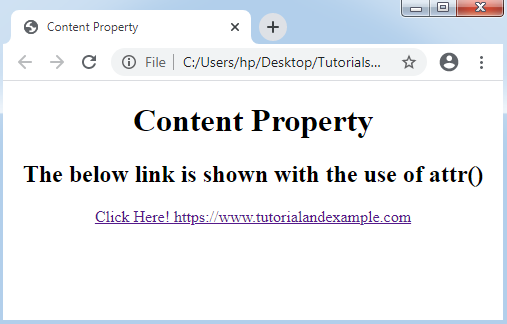
The function attr() allows us to add any particular element’s value. If any corresponding item does not include any attribute, any empty string can be returned.
In the following illustration, we are applying the function attr(), the link shown over the screen.
<!DOCTYPE html>
<html>
<head>
<title> Content Property </title>
<style>
body
{
text-align: center;
}
a::after
{
content: attr(href);
}
</style>
</head>
<body>
<h1> Content Property </h1>
<h2> The below link is shown with the use of <b> attr() </b> </h2>
<a href= https://www.tutorialandexample.com> Click Here!
</a>
</body>
</html>
Output: