CSS Pseudo-class
Pseudo-class
The pseudo-class may be depicted as the keyword which can be mixed to any selector that specifies the elected element’s unique state. It can be included to a selector to insert the effect to an existing element regarding its state. Example, The :hover can be applied to add the unique effects to the element if the user points the cursor on the element.
The pseudo-class name isn’t case-sensitive.
Syntax:
The pseudo-class, along with the colon (:) is used. The syntax is as follows:
selector: pseudo-class
{
property: value;
}
Here, we are defining several pseudo-classes of CSS. We will explain a few most commonly applied and essential pseudo-classes. CSS pseudo-classes are explained in tabular form as below:
| Pseudo-class | Description |
| :active | It can be applied to include style to the active element. |
| :hover | It includes the unique effect to the element if a user points the cursor on the element. |
| :link | It inserts the style to an unvisited link. |
| :visited | It inserts the style to a visited link. |
| :lang | It can be applied to represent a language for use inside any specified element. |
| :focus | This class chooses an element that is focused via a user currently. |
| :first-child | This class includes a unique effect to the element, which are the first children of other elements. |
Let’s consider the pseudo-classes, which are discussed above, with some illustrations.
Pseudo-class- :hover
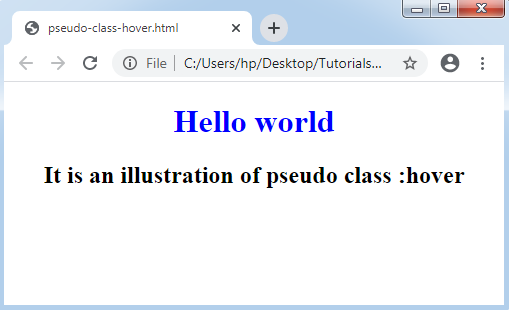
The :hover pseudo-class includes the style to the element if any user points the cursor on it. If we wish to create it useful, then it should be used after two pseudo-classes, i.e., “:visited” and “:link”.
Example:
<!DOCTYPE html>
<html>
<head>
<style>
body
{
text-align:center;
}
h1:hover
{
color: blue;
}
h2:hover
{
color: tomato;
}
</style>
</head>
<body>
<h1> Hello world </h1>
<h2> It is an illustration of pseudo class :hover </h2>
</body>
</html>
Output:
Pseudo-class- :active
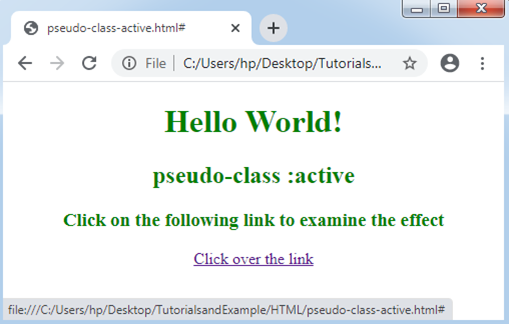
This pseudo-class uses at the time of the element is activated or clicked. It chooses an activated element.
Let’s consider it along with a demonstration as follows:
Example:
<!DOCTYPE html>
<html>
<head>
<style>
body
{
text-align: center;
}
a:active
{
color: red;
}
h1, h2, h3
{
color: green;
}
</style>
</head>
<body>
<h1> Hello World! </h1>
<h2> pseudo-class :active </h2>
<h3> Click on the following link to examine the effect </h3>
<a href="#"> Click over the link</a>
</body>
</html>
Output:
Pseudo-class- :visited
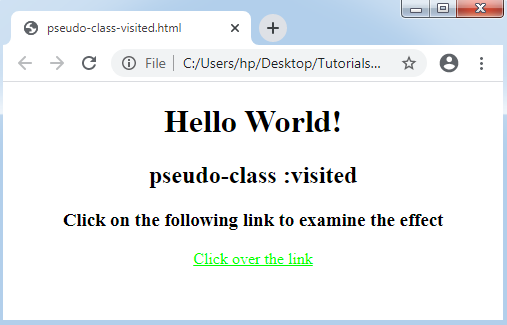
It chooses a visited link and includes a unique style to them. It has possible values that can be the name of the color in any valid format.
Example:
<!DOCTYPE html>
<html>
<head>
<style>
body
{
text-align: center;
}
a:visited
{
color: lime;
}
</style>
</head>
<body>
<h1> Hello World! </h1>
<h2> pseudo-class :visited </h2>
<h3> Click on the following link to examine the effect </h3>
<a href="#"> Click over the link</a>
</body>
</html>
Output:
Pseudo-class- :lang
This class provides support in documents that need several languages. It permits us to portray the unique rules to distinct languages.
Example:
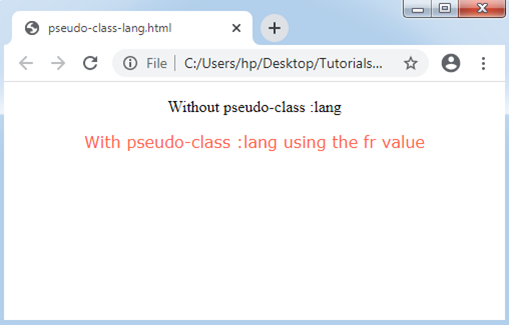
In the following example, we will describe p:lang(fr) that will choose the components having property lang=”fr”.
<!DOCTYPE html>
<html>
<head>
<style>
body
{
text-align: center;
}
p:lang(fr)
{
font-family: Verdana;
color: tomato;
}
</style>
</head>
<body>
<p> Without pseudo-class :lang </p>
<p lang="fr"> With pseudo-class :lang using the fr value </p>
</body>
</html>
Output:
Pseudo-class- :focus
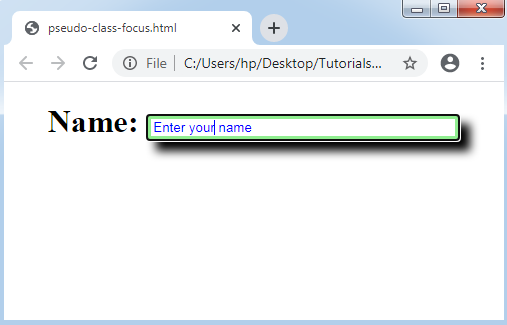
It chooses the components that are focused over via a user currently. Generally, it is applied inside the input components of the triggers and forms if a user clicks over it.
Example:
<!DOCTYPE HTML>
<html>
<style>
form
{
text-align: center;
}
input:focus
{
border:5px solid lightgreen;
box-shadow:10px 10px 10px black;
color: blue;
width:300px;
}
</style>
<body>
<form>
<h1>Name: <input type="text" value="Enter your name"></h1>
</form>
</body>
</html>
Output:
Pseudo-class- :first-child
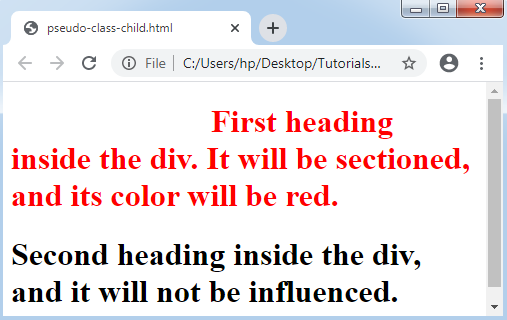
This pseudo-class is used to match the particular component, i.e., the first children of other components. It includes the unique effects to any corresponding component.
Note: We must declare the <!DOCTYPE> on the document’s top to create the pseudo-class, i.e., “:first-child” to implement within the IE8 and its other earlier version.
Let’s consider the following demonstration to understand it.
Example:
<!DOCTYPE HTML>
<html>
<head>
<style>
h1:first-child
{
text-indent: 200px;
color: red;
}
</style>
</head>
<body>
<div>
<h1> First heading inside the div. It will be sectioned, and its color will be red. </h1>
<h1> Second heading inside the div, and it will not be influenced.</h1>
</div>
</body>
</html>
Output:
The general tooltip hover
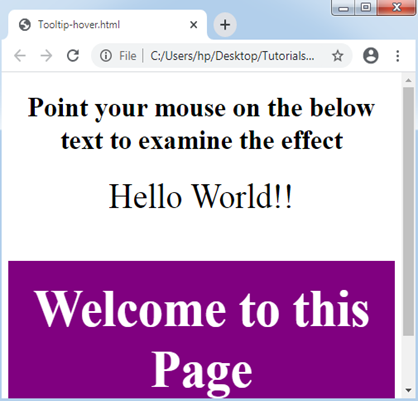
The tooltip describes extra information regarding something if the user points the cursor on the component. Let’s make the tooltip with the use of the pseudo-class “:hover”.
Example:
<!DOCTYPE html>
<html>
<head>
<style>
body
{
text-align: center;
}
h2
{
display: none;
background-color: purple;
color: white;
padding: 20px;
}
div
{
font-size: 40px;
}
div:hover h2
{
display: block;
}
</style>
</head>
<body>
<h1> Point your mouse on the below text to examine the effect </h1>
<div>Hello World!!
<h2>Welcome to this Page </h2>
</div>
</body>
</html>
Output:
CSS pseudo-classes and classes
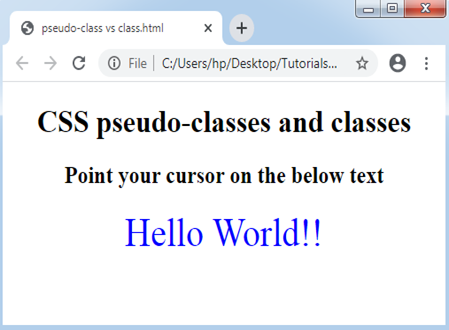
The CSS classes may be connected with the pseudo-classes. The syntax is as follows:
Syntax:
selector.class: pseudo-class {
property: value;  }
We can consider it with an example as follows:
Example:
<!DOCTYPE html>
<html>
<head>
<style>
body
{
text-align: center;
}
div.hello:hover
{
color: blue;
font-size: 40px;
}
</style>
</head>
<body>
<h1> CSS pseudo-classes and classes </h1>
<h2> Point your cursor on the below text </h2>
<div class="hello"> Hello World!! </p>
</body>
</html>
Output: