
CSS Display
CSS Display: The CSS Display property is one of an essential property among all other properties of CSS. The display property specifies how the HTML elements should be displayed on the page.
All the elements of HTML contain a display value as the default value. It leans on the element type, which we use. The inline and block values are used for most of the elements.
Default properties of CSS display
- version: css1
- inherited: no
- animation supporting: no
- default value: inline
- javascript syntax: object.style.display=”none”
Display Values
Some commonly used display values are as below:
- display: none;
- display: inline;
- display: block;
- display: inline-block;
- display: run-in;
Display none
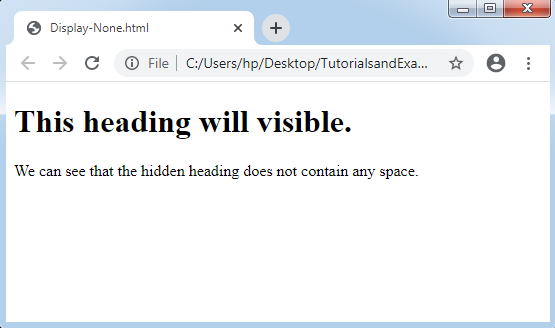
The display none value is used to remove the HTML elements from web pages. They will not hold any space. These elements are generally applied with JavaScript language to show and hide the elements without recreating and deleting them.
 <!DOCTYPE html>
   <html>
   <head>
   <style>   p.none {   display: none;   }   </style>
   </head>
   <body>   <h1>This heading will visible.</h1>
   <p class="none">This will not   visible.</p>
   <p>We can see that the hidden heading does not   contain any space.</p>
   </body>
   </html>
Display inline
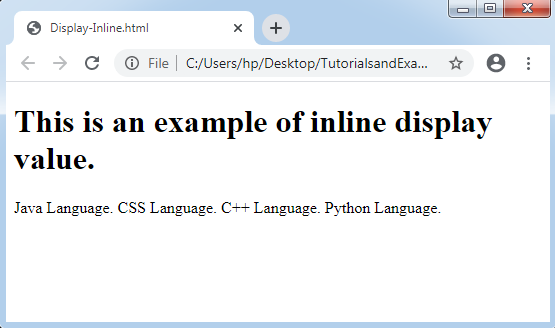
The display inline holds only the width as much as required. These types of elements do not begin on the new line. Hence, the flow of text does not break.
Some inline elements can be as follows:
- <a>
- <b>
- <img>
- <span>
Example:
    <!DOCTYPE html>
   <html>
   <head>
   <style>   p.inline {   display: inline;   }   </style>
   </head>
   <body>
   <h1>This is an example of inline display   value.</h1>
   <p class="inline">Java   Language.</p>
   <p class="inline">CSS   Language.</p>
   <p class="inline">C++   Language.</p>
   <p class="inline">Python   Language.</p>
   </body>
   </html>
Display block
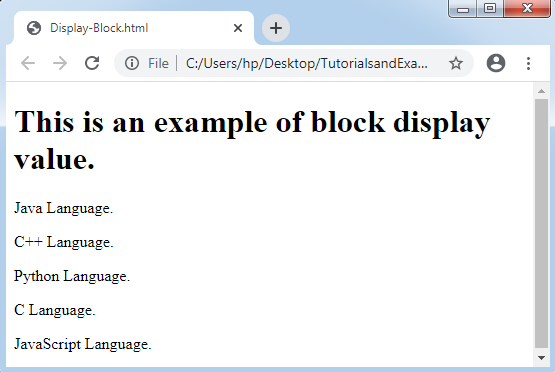
The display block always begins on the new line. It holds-up the entire available width (stretches out towards left and right as much as these elements can). A display block element is a <div> element.
Some examples of display block elements are as below:
- <div>
- <p>
- <form>
- <section>
- <footer>
- <header>
- <h1> - <h6>
Example:
<!DOCTYPE html>
   <html>
   <head>
   <style>   p {   display: block;   }   </style>
  </head>
   <body>
   <h1>This is an example of block display   value.</h1>
   <p>Java Language.</P>
 <p>C++ Language.</P>
  <p>Python Language.</P>
  <p>C Language.</p>
 <p>JavaScript Language.</p>
</body>
</html>
Display Inline-Block
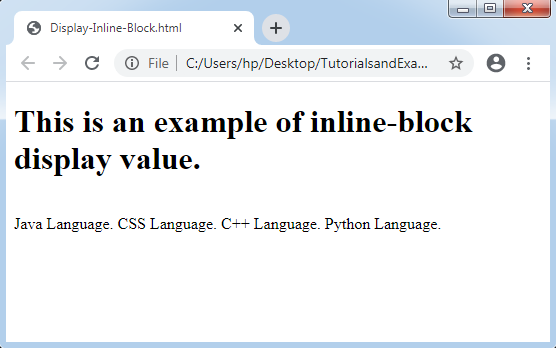
The inline-block CSS elements are quite similar to the inline elements. The main difference between the both is that we can set the height and width in inline-block element.
Example:
 <!DOCTYPE html>
   <html>
   <head>
   <style>  p {   display: inline-block;   }   </style>
   </head>
   <body>
   <h1>This is an example of   inline-block display value.</h1>
   <p>Java   Language.</p>
   <p>CSS   Language.</p>
   <p>C++   Language.</p>
   <p>Python   Language.</p>
</body>
</html>
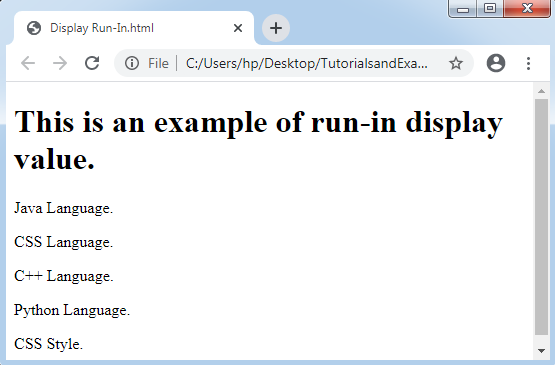
Display run-in
The display run-in elements can’t work with Mozilla Firefox. They don’t generate a particular box.
- If a run-in box includes the block box, it will be similar as block.
- If a block box pursues a run-in box, it will be the block box’s initial inline box.
- If inline box pursues a run-in box, it will become the block box.
Example:
 <!DOCTYPE html>
   <html>
   <head>
   <style>   p {   display: run-in;   }   </style>
   </head>
   <body>
<h1>This is an example of run-in display   value.</h1>
   <p>Java Language.</p>
   <p>CSS Language.</p>
   <p>C++ Language.</p>
   <p>Python Language.</p>
   <p>CSS Style.</p>
   </body>
   </html>
Other Display Values of CSS
| Property-value | Description |
| flex | It is applied to show a tag as a container of block-level flex. Flex is a new value in CCS3. |
| Inline-flex | It is applied to show a tag as a container of inline-level flex. Inline-flex is a new value in CCS3. |
| Inline-table | It shows a tag as a table in the inline-table. |
| list-item | It enables a tag to behave as a <li> tag. |
| table | It enables a tag to behave as a <table> tag. |
| table-caption | It enables a tag to behave as a <caption> tag. |
| table-column-group | It enables a tag to behave as a <colgroup> tag. |
| table-header-group | It enables a tag to behave as a <thead> tag. |
| table-footer-group | It enables a tag to behave as a <tfoot> tag. |
| table-row-group | It enables a tag to behave as a <tbody> tag. |
| table-cell | It enables a tag to behave as a <td> tag. |
| table-row | It enables a tag to behave as a <tr> tag. |
| table-column | It enables a tag to behave as a <col> tag. |