
C++ Call by Value
In this article, we will discuss C++ Call by Value with their syntax, examples, use cases, advantages, and disadvantages.
C++ Function
A function is a set of statements that executes a task. It executes only when it is called. In C++, functions are categorized into two different categories on behalf of argument (parameter) pass.
- Function with parameter (return_type function_name(paramenter);)
A function that takes a parameter in a function is called a function with a parameter.
- Function without parameter (return_type function_name();)
A function that does not take a parameter in the function is called a function without a parameter. Here, we can see the working of C++ functions.

Function with a parameter has further categorized into two different categories. These categories are Call by Value and Call by Reference. Here, we will discuss only Call by Value.
C++ Call by Value
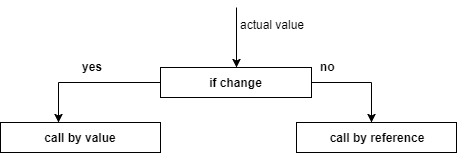
When a function is called, new elements are created in the stack memory to store essential data about the function, including allocated memory for parameters, local variables, and the return value. The Call by value method enables us to copy an actual parameter into a formal parameter. If we wish to modify the value of the function parameter, it is changed only for the current function. It means that any changes nside the parameter do not affect the original variables. It is also known as pass by copy or call by value.
Example:
Let us take an example to illustrate the Call by Value in C++.
#include<iostream>

using namespace std;

void swap(int,int);

int main()

{

int a=5,b=10;

cout<<"Before swapping
Value of a is :"<<a<<"
Value of b is :"<<b;

swap(a,b);

cout<<"
Outside function after swapping
Value of a is :"

<<a<<"
Value of b is "<<b;

return 0;

}

void swap(int a,int b)

{

int temp;

temp=a;

a=b;

b=temp;

cout<<"
Value inside function after swapping
Value of a is

:"

<<a<<"
Value of b is :"<<b;

}
Output:
Before swapping

Value of a is : 5

Value of b is: 10

Value inside function after swapping

Value of a is :10

Value of b is :5

Outside function after swapping

Value of a is : 5

Value of b is: 10
Explanation:
Before the Function Call:
- In this example, we declared two integer variables, a and b and initialized them with values 5 and 10.
Inside the swap() function:
- A copy of a and b is passed to the swap() function.
- temp stores a (5).
- a is assigned b (10).
- b is assigned temp (5).
- Swapped values (a = 10, b = 5) are printed inside the function.
After the Function Call:
- Since the function used Call by Value, the original a and b in the main() function remain unchanged.
- The output still shows a = 5 and b = 10.
Example 2:
Let us take another example to illustrate the Call by Value in C++.
#include <iostream>

using namespace std;


int fun(int a)

{

    a += 18;

    return a;

}


int main()

{

    int a = 2;


    cout << "Before function Calling the value of A: " << a << endl;


    a = fun(a);

    cout << "After function Calling the value of A: " << a << endl;


    return 0;

}
Output:
Before function Calling the value of A: 2

After function Calling the value of A: 20
Uses of Call by Value in C++:
Several uses of Call by Value in C++ are as follows:
- It is mainly utilized for passing simple data types, including integers, Boolean, floats, and characters.
- It is very useful when we do not wish to alter the actual parameters of the function.
- It is also useful when we do not deal with backtracking or recursion.
- When we wish to create copies of essential data.
- It is useful when we wish to perform calculations without changing the actual parameter values.
- It is very important when multiple threads access the shared data.
- It prevents one function call from modifying another value.
Advantages of Call by Value:
Several advantages of Call by Value in C++ are as follows:
- It is easy to understand and debug because values do not change unexpectedly.
- Call by value functions are free to alter the passed data without affecting the actual data.
- It is useful in parallel processing when multiple threads work on the same function.
- There is no risk of memory leaks or dangling pointers.
- Because the function cannot alter the actual data, it aids in preventing unintended changes.
- When a function is called, it does not affect the actual data of the actual parameter.
Disadvantages of Call by Value:
Several disadvantages of Call by Value in C++ are as follows:
- If the parameter is huge, it takes a lot of time to copy the data.
- It does not work effectively with dynamic memory allocation.
- Each function call makes a new copy in recursive functions, which consumes more stack memory.
- Huge memory space is required while using array, vector, string, etc.
- If a function is invoked too many times using Call by Value, new copies are made for each call, resulting in a stack overflow.
Frequently Asked Questions (FAQ’s)
1. What is Call by Value?
Call by Value is a function of passing arguments to a function where copies of the original values are passed. It means that any changes inside the parameter do not affect the original variables.
2. Does Call by Value work with arrays in C++?
No, Arrays are only passed by reference in C++.
3. Does Call by Value work with objects?
Yes, but it is inefficient because it makes a copy of the complete object.
4. Is Call by Value faster than Call by Reference?
No, Call by Value is slower for large data types (structs, classes, arrays) because it makes copies of actual parameters. Call by Value is fast for simple data types (int, char, boolean, float) because they are small in size.