
×

_name_ in Python

Introduction:

The code at level 0 indentation is to be performed when the command to run a Python program is supplied to the interpreter because Python does not have a main() function like the C language. Before that, though, it will define a few unique variables. One such unique variable is __name__. If the source file is launched as the main program, the interpreter changes the value of the name variable to " main ". If this file is imported from another module, name will be set to the name of the module.

What is _name_ in Python?

_name__ is a built-in variable that evaluates the name of the current module.

Note: By combining it with an if statement, as demonstrated below, it may be used to determine if the current script is being executed independently or being imported into another script.

Code:

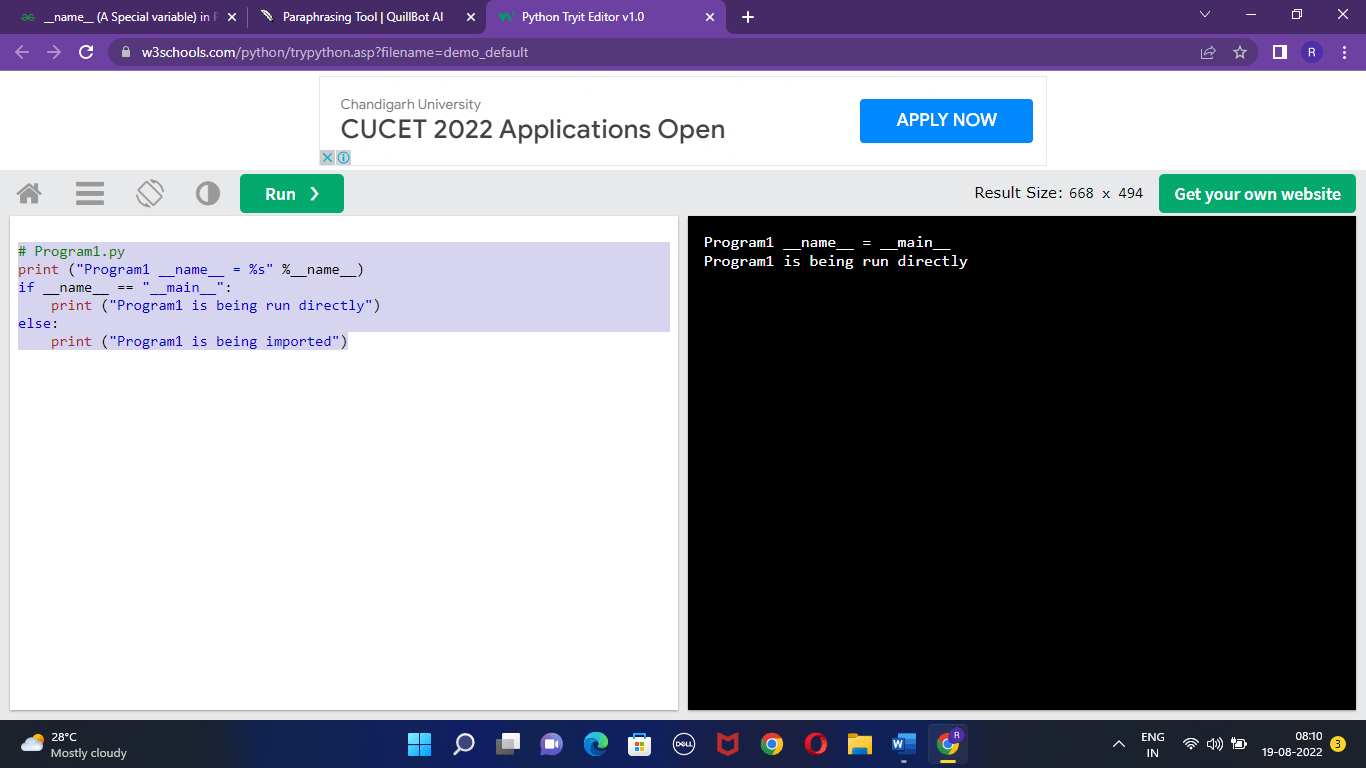
# Program1.py 
print ("Program1 __name__ = %s" %__name__) 
if __name__ == "__main__": 
    print ("Program1 is being run directly")
else: 
    print ("Program1 is being imported")

Output:
_name_ in Python

Why is the Variable "_name_" Used?

One of the unique Python variables is _name   . Depending on how we run the contained script, it derives its value.

There are occasions when you write a script that has functionalities that might be applied to other scripts as well. That script can be imported into another script in Python as a module.

You can choose whether to execute the script using this unique variable. Or perhaps you wish to import the script's defined functions.

What Types of Values may the Variable _name_  Hold?

The __name__ variable takes on the value __main__ when your script is executed. When you import the enclosed script, the name of the script will be shown.

Understanding This through an Example:

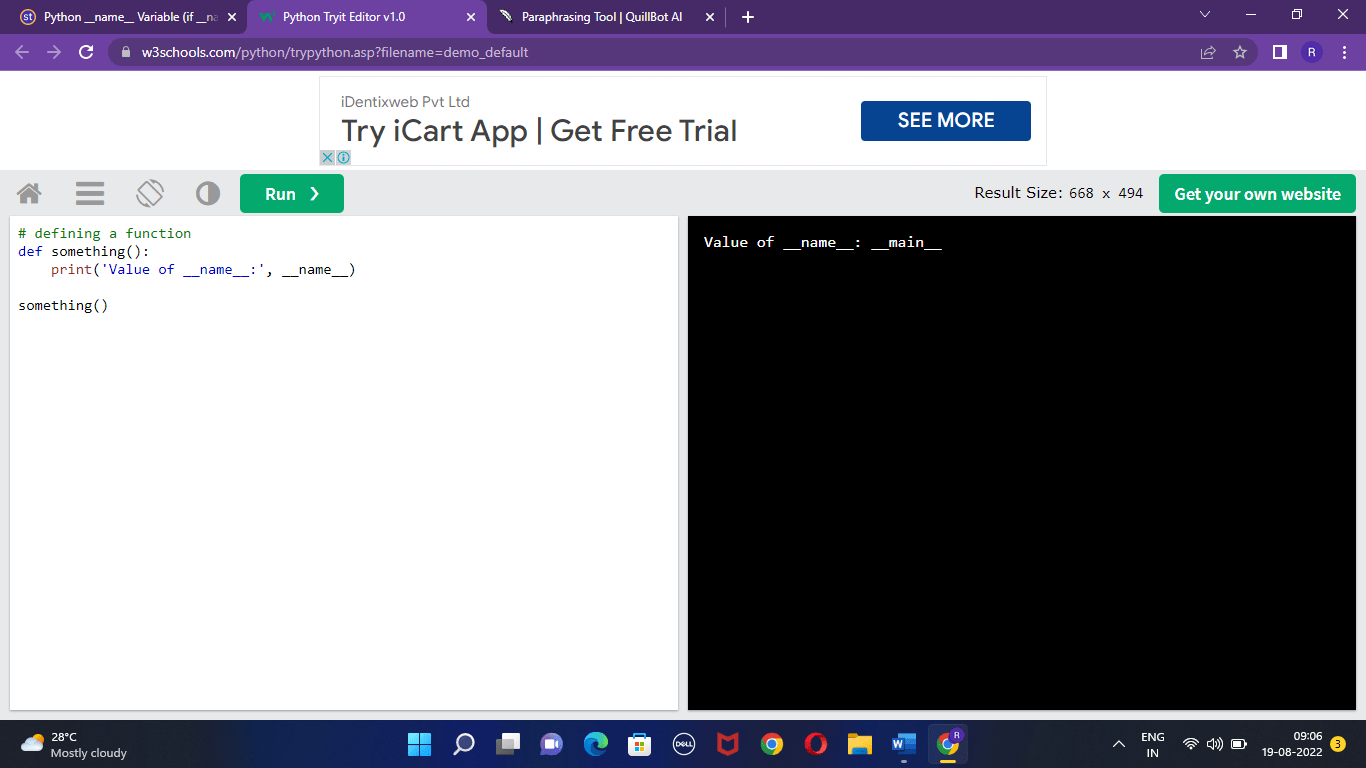
Make a script in Python called Script1.py, and add the following code to it:

Code:

#Script1.py
# A function is defined 
def Valuestored():
print('Value of __name__:', __name__)
Valuestored()

Output:
_name_ in Python

The value for the __name__ variable was set to __main__ when we ran the Script1.py script.

Let's now build another Python script called Script2.py to which you can import the previous one.

Code:

#Script2.py
# importingScript1.py
import Script1
Script1.Valuestored()

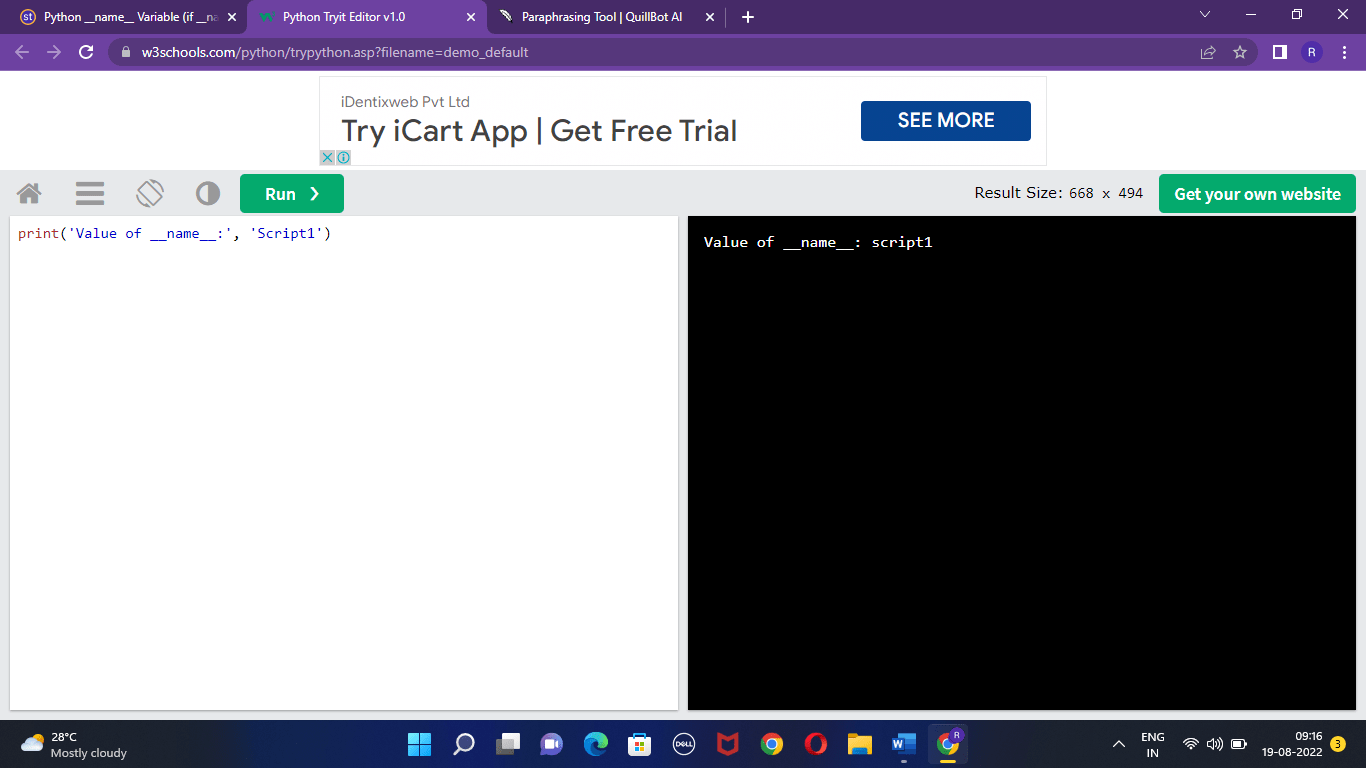
Output:
_name_ in Python

The Script1.py module's name variable's value was printed, therefore you can see from the output of the code above that the variable's value is Script1.

If __name__ == __main__ is Used:

If you want to restrict the execution of certain Python code to only when the script is run directly, use the if statement with the condition name == main .

As an example;

Code:

# importingScripy1.py
import Script1
if __name__ == __main__:
Script1.Valuestored()

Here, it is possible to tell whether the current module or script is running independently or not using the string main. The name variable has two underscores on either side of the name to indicate to the Python interpreter that it is a reserved or special term.

_name_ in Python: Example using Code:

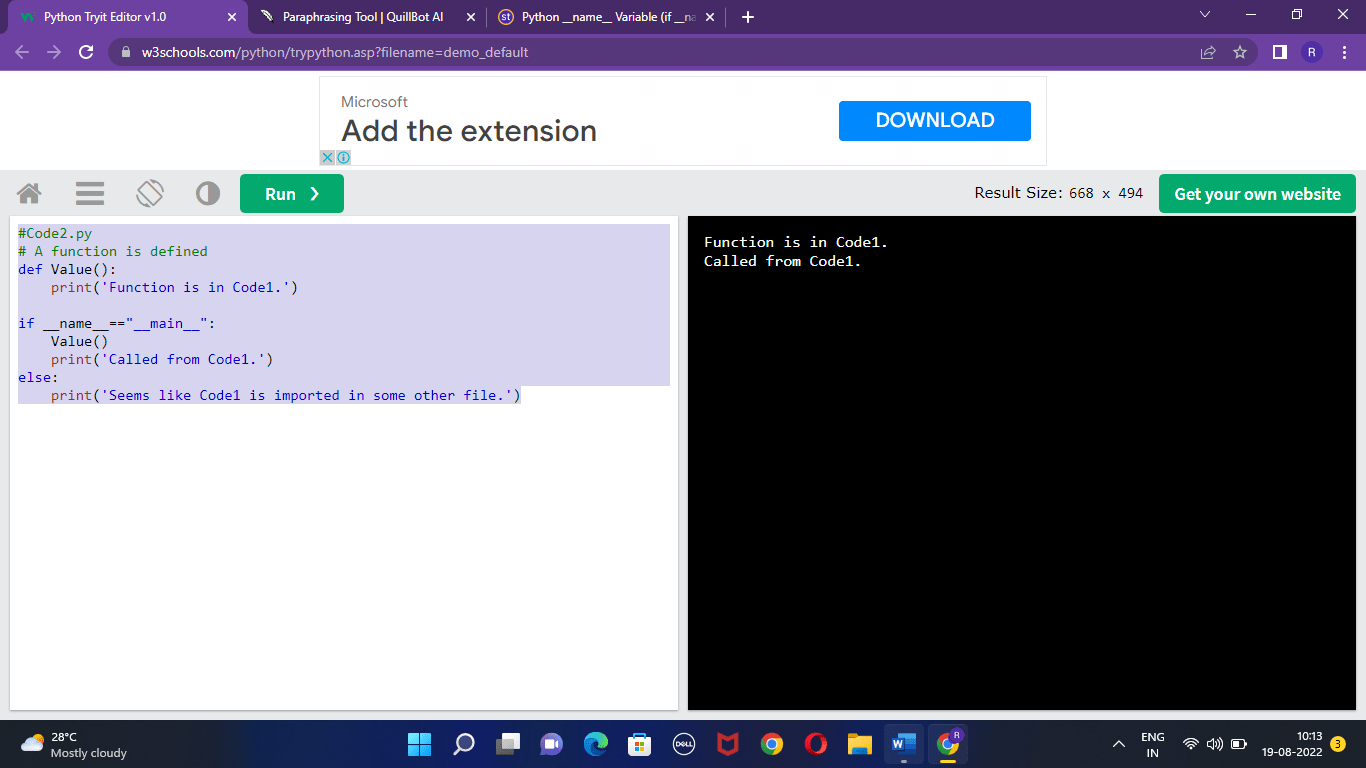
It has already been mentioned that when we run a code file, the value of the name variable changes to main since the code is executed directly rather than being imported into another file.

Code:

#Code1.py
# A function is defined 
def Value():
print('Function is in Code1.')
    if __name__=="__main__":
Value()
print('Called from Code1.')
else:
print('Seems like Code1 is imported in some other file.')

Output:
_name_ in Python

Let's now create a new Python script file called Code2.py, import Code1.py into it, and attempt to invoke the function Values() that is defined in Code1.

Code:

import Code1
if __name__=='__main__':
Code1.Value()
print(' This is Called from Code2.')

Output:
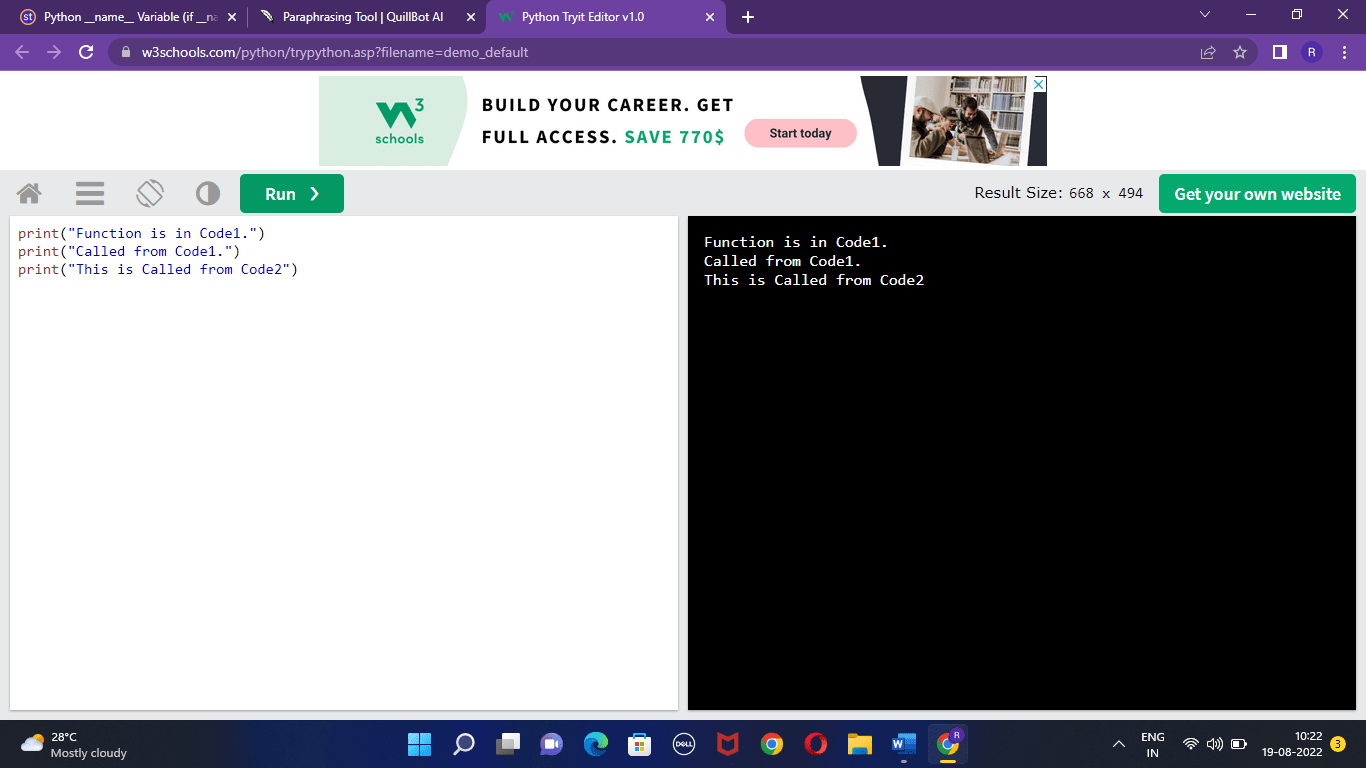
_name_ in Python

When the import statement for Code1 was run inside Code2, the name variable had the value Code1 (the name of the module), but since Code2 was the first script to be run, it now has the value main.

Conclusion

  • The scope of the code being run is stored as a string in the Python special variable __name__.
  • In most programming languages, the main method or function is often utilised as the point at which any program is performed. But what about Python? The first line, which represents the program's indentation level 0, is often where a Python program (script) starts to run.
  • The creation of a named variable occurs before a Python program is run, though. This variable can be utilized in Python in place of the main method.
  • When you execute the script directly in Python, it assigns the '__main__' variable to the __name__ variable, and if you import the script as a module, it assigns the module name.

Related Topics

Iterate through the list in Python

One of the six basic data types of the Python computer language is the list. You must be familiar with the methods and functions that deal with lists in order...

7 minutes read.

Commands in Python

In this tutorial, we will see some of the widely used python commands along with their syntaxes and examples. To make Python more user-friendly, developers have provided these commands to...

12 minutes read.

Programs for Printing Pyramid Patterns in Python

<!-- wp:paragraph --><p>Python supports printing patterns using basic for loops. The number of rows is handled by the first outer loop, while the number of columns is handled by the...

9 minutes read.

Python vars() Function

Python vars() Function The vars() function in Python returns the __dict__ attribute for a module, class, instance, or any other object with a __dict__ attribute. Syntax vars([object]) Parameter object: This parameter represents any object with a __dict__attribute Return This function returns...

1 minute read.

Python Project Ideas for Advanced Developers

Best Python Project Ideas for Advanced Developers Python is an object-oriented, high-level, interpreted programming language created by a developer known Guido Van Rossum. Python is one of the languages that gathered...

9 minutes read.

Python Set intersection_update() method

Python Set intersection_update() method The set.intersection_update() method in Python removes the items that is not present in both sets. It is different from the set.intersection() method, because the intersection()method returns a new set, with only  the common elements...

2 minutes read.

Python Errors and exceptions

Exceptions and errors are the obstacles a programmer constantly faces while writing a program. Firstly, we need to understand what are errors and exceptions and the difference between these two...

6 minutes read.

Python String expandtabs() method

Python String expandtabs() method The string.expandtabs() method in Python returns a copy of the string where all tab characters are expanded using spaces. Syntax String.expandtabs([tabsize]) Parameter tabsize: This parameter specifies the number of characters to...

1 minute read.

Difference between Python and CPP

Difference between Python and C++ We all know that both C++ and Python are two of the most popular programming languages. Both C++ and Python shares some basic similarities such as...

6 minutes read.

API Requests using Python

What is an API? API stands for Application Programming Interface. It is commonly known as API. It provides an environment that helps two or more computer programs to contact each other....

5 minutes read.

Spyder (32-bit) - Free download

Spyder is a free and open-source scientific environment created by and for Python engineers, scientists, and data analysts. It is a robust scientific environment created in Python by and for...

3 minutes read.

Python Dictionary clear() method

Python Dictionary clear() method The dictionary.clear() method in Python removes all the elements from a dictionary. Syntax dictionary.clear() Parameter NA Return None Example 1 # Python program explaining # the dictionary.clear() method # initialising the dictionary fruits =...

1 minute read.

Python program to check whether a given number is prime or not

Python program to check whether a given number is prime or not A positive integer greater than 1 is called a prime number if it is divisible by one and number...

1 minute read.

Find key from value in dictionary python

Python: Python programming language is one of the most used programming languages, as it is used widely in software and data analysis, web development, etc. It is said to be a...

5 minutes read.

Attributes in python

In this article, we shall learn about attributes in python. Classes are a mix of data and functions, which in reality mean attributes and methods respectively. Typically, the body of a...

3 minutes read.

Python Operators

Operators in Python programming An operator is a symbol that operates on one or more operands. An operand is a value or a variable on which we perform the operation....

5 minutes read.

Convert uppercase to lowercase in Python

Python String lower() By using the built-in string lower() method, all the uppercase characters can be converted into lowercase characters in a string, The lowercased string from the given string is returned...

1 minute read.

Compound Interest GUI Calculator using Tkinter in Python

GUI: One of the most significant factors that increased the usability of computer and digital technologies for common, less tech-savvy users is likely the development and widespread adoption of GUIs. GUIs...

6 minutes read.

Python Interface

When creating an application, it is important to continuously keep track of its changes. As an application grows, sometimes it gets hard to manage its updates and changes. Often, you...

4 minutes read.

XXhash Python Examples

XXhash Python: xxHash is an extremely rapid hash calculation that operates inside the confines of RAM. Code is incredibly convenient, and hashes (almost nothing/large endian) are same at all levels. Execution of...

4 minutes read.