Java Clone Array
We frequently need to copy an array to back up its original components. We have a few unique numbers and strings, including Armstrong numbers, palindrome numbers, and palindrome strings. To test their uniqueness, we must clone the array. For instance, to determine whether or not a string is a palindrome, we first transform the string into a character array and create a temporary copy of the char array. The char array's elements are now reversed and compared to the temporary file containing the original string.
Using Array Elements to Copy
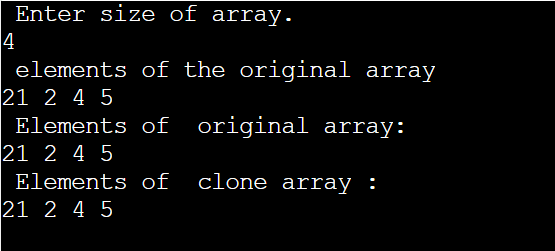
It is a simple-minded method of array cloning. This approach involves iterating the initial array and putting each piece into a different array.
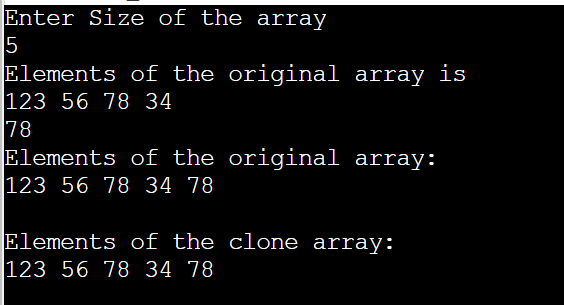
CloneArray1.java
// import packages
import java. Util. Scanner ;
public class CloneArray1 {
    // Main method where execution of the program starts
    public static void main ( String [ ] args )
    {
         int original [ ] ;
         int clone [ ] ;
         int s ;
         Scanner sc = new Scanner ( System . in) ;
         System . out. println ( " Enter Size of the array " ) ;
         s = sc . nextInt ( ) ;
         original = new int [ s ] ;
         clone = new int [ s ] ;
         System . out . println ( " Elements of the original array is " ) ;
         for ( int i = 0 ; i < s ; i++ )
         {
             original [i] = sc . nextInt ( ) ;
         }
         sc . close ( ) ;
         for ( int i = 0 ; i < original . length ; i++ )
         {
             clone [ i ] = original [ i] ;
         }
         System . out . println ( " Elements of the original array: " ) ;
         for (int i = 0 ; i < original . length ; i++ )
         {
             System . out . print ( original [ i ] + "  " ) ;
         }
         System . out . println ( " \n \n Elements of the clone array : " ) ;
         for (int i = 0; i < clone . length ; i++ )
         {
             System . out . print ( clone [ i ] + " " ) ;
         }
    }
}
Output
Java clone() method
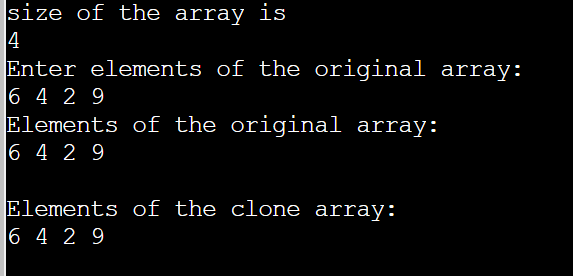
The original array was iterated in the function above to create a copy of it. The clone() function of the Object class is another option that may be used to duplicate the provided array quickly.
Clone2.java
//import packages
import java . util . Scanner ;
public class Clone2 {
    public static void main ( String [ ] args )
    {
         int original [ ] ;
         int clone [ ] ;
         int s ;
         Scanner sc = new Scanner ( System . in ) ;
         System . out . println ( " size of the array is " ) ;
         s = sc . nextInt ( ) ;
         original = new int [ s ] ;
         clone = new int [ s ] ;
         System . out . println ( " Enter elements of the original array : " ) ;
         for ( int k = 0 ; k < s ; k++ ) {
             original [ k ] = sc . nextInt ( ) ;
         }
         sc . close ( ) ;
         clone = original . clone ( ) ;
         System . out . println ( " Elements of the original array : " ) ;
         for ( int j = 0 ; j < original . length ; j++ ) {
             System . out . print ( original [ j ] + " " ) ;
         }
         System . out . println ( " \n\n Elements of the clone array: " ) ;
         for ( int k = 0 ; k < clone . length ; k++ ) {
             System . out . print ( clone [ k ] + " " ) ;
         }
    }
}
Output
Java arraycopy() method
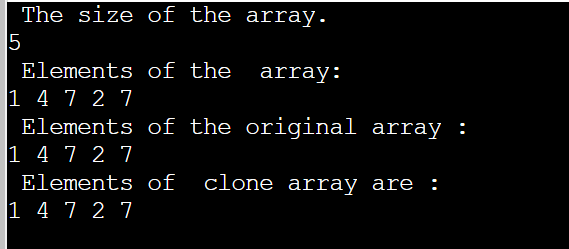
The arraycopy() function may be found in the System class in the java.lang.* package. This technique copies a specific area of one array into another array. Copies an array, starting at the specified position in the source array, to the specified position in the destination array. A subsequence of array components are transferred from the source array identified by src to the destination array indicated by dest.
Program for clone array using arraycopy() method
ArrayCopy.java
//import  packages
import java . util . *;
public class ArrayCopy {
    // Main section where execution of the program starts
    public static void main(String[] args)
    {
        // declaring array variables
         int original[];
         int clone[];
         // size of the array
         int s;
         // creating object for scanner class
         Scanner sc = new Scanner(System.in);
         System . out . println ( " size of the array is " ) ;
         s = sc . nextInt ( ) ;
         original = new int[s];
         clone = new int[s];
         System . out . println ( " the  array elements are " ) ;
         for ( int k = 0 ; k < s ; k++ )
         {
             original [ k ] = sc . nextInt ( ) ;
         }
         // closing the scanner class
         sc . close ( ) ;
         System . arraycopy ( original , 0 , clone , 0 , s ) ;
         System . out . println ( " the original array elements are " ) ;
         for (int j = 0 ; j < original . length ; j++ )
         {
             System . out . print ( original [ j ] + " " ) ;
         }
         System . out . println ( "\n Elements of  clone array :" ) ;
         for ( int k = 0 ; k < clone . length ; k++ )
         {
             System . out . print ( clone [ k ] + " " ) ;
         }
    }
}
Output
Java CopyOf() Method
The copyOf() function of the Arrays class, found in the java.util package, is comparable to the clone() and arraycopy() methods.Here, len designates the length of the array that will be copied, while arr designates the original array.
Program for clone array using copyOf() method
CopyOf.java
//import packages
import java.util.*;
public class CopyOf {
    public static void main(String[] args)
    {
         int original[];
         int clone[];
         int s;
         Scanner sc = new Scanner(System.in);
         System . out . println ( " size of array  the array is" ) ;
         s = sc . nextInt ( ) ;
         original = new int [ s ] ;
         clone = new int [ s ] ;
         System . out . println ( " the original array elements are " ) ;
         for ( int k = 0 ; k < s ; k++ )
         {
             original [ k ] = sc . nextInt ( ) ;
         }
         sc.close();
         clone = Arrays . copyOf ( original , s ) ;
         System . out . println ( " The original array  elements are : " ) ;
         for ( int j = 0 ; j < original . length ; j++ )
         {
             System . out . print ( original [ j ] + " " ) ;
         }
         System . out . println ( " The cloned array elements are " ) ;

         for  ( int j = 0 ; j  <  clone . length ; j++ ) {
             System . out . print (clone [ j ] + " " ) ;
         }
    }
}
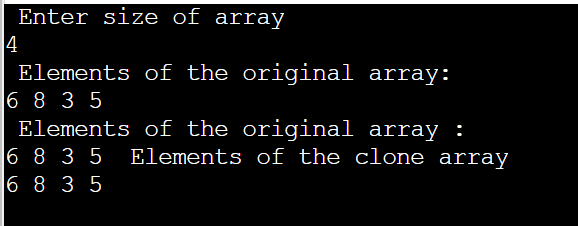
Output
Java copyOfRange() Method
Arrays class has copyOfRange() function to clone an array, which is similar to copyOf() method. The original array's elements from the specified range are copied into the new array using the copyOfRange() function. Here, the element's starting and end indexes are defined.
Program for clone array using copyOfRange() method
CopyOfRange.java
//import packages
import java.util.Scanner;
import java.util.Arrays;
public class CopyOfRange {
    public static void main(String[] args)
    {
         int original [ ] ;
         int clone [ ] ;
         int s ;
         Scanner sc = new Scanner(System.in);
         System . out . println ( " Enter  array size ." ) ;
         s = sc.nextInt ( ) ;
         original = new int [ s ] ;
         clone = new int [ s ] ;
         System . out . println ( " The original array elements are " ) ;
         for ( int j = 0 ; j < s ; j++ ) {
             original [ j ] = sc . nextInt ( ) ;
         }
         clone = Arrays.copyOfRange ( original , 0 , s ) ;
         System . out . println ( " Elements of  original array: " ) ;
         for ( int j = 0 ; j < original . length ; j++ )
         {
             System . out . print (original [ j ] + " " ) ;
         }
         System . out . println ( " \n New  cloned array elements are : " ) ;
         for ( int k = 0 ; k < clone . length ; k++ )
         {
             System . out . print ( clone [ k ] + " " ) ;
         }
    }
}
Output