Java DatagramSocket and Java DatagramPacket
Datagrams
TCP/IP style networking specifies a serialized, predictable, and reliable stream of data in the form of a packet. Servers and clients communicate through a reliable channel, such as TCP socket, have a dedicated point-to-point channel between themselves. They make a connection, transmit the data, and then close the connection. All of the data visit over the channel and are received in the same order in which it is sent.
Datagrams are groups(bundles) of information passed from one device to another over the network. When the datagram has been released for its intended target, there is no assurance that it will arrive or even that someone will be there to catch the datagram packets. Likewise, when the datagram is received, there is no assurance that it has not been damaged in the transit or that whosoever sent it, is still there to receive a response.
The applications that communicate through datagrams send and receive completely independent packets of information. These applications of the clients and servers do not have a dedicated point-to-point channel. The order of the datagrams and their delivery to their destinations is not guaranteed.
A datagram is self-contained, and an independent message is sent over a network whose arrival time, and content is not guaranteed.
Java implements datagrams on top of the UDP protocol by using two classes: the
DatagramPacket object is the data container, while the DatagramSocket is the mechanism used to send or receive the DatagramPackets. Java provides the DatagramSocket class and DatagramPacket class for implementing UDP connections. DatagramSocket objects are used to create sockets through which UDP traffic can be passed as DatagramPacket objects. When using DatagramSockets, the server waits for the client to make a request. Once the client makes this request, the server sends its UDP traffic via Datagram packets to the client.
DatagramSocket class
This class represents a socket for sending and receiving a datagram packet. A datagram socket provides sending or receiving ends for a connectionless packet. Each packet is sent or received on the socket. Many packets are sent from one machine to another and maybe routed differently in any order. DatagramSocket defines many methods.
Creation of the DatagramSocket class
Syntax:
DatagramSocket ds =DatagramSocket();
Commonly used the constructor of DatagramSocket class
| Constructor | Description |
| DatagramSocket()throws SocketException | It instantiates a datagram socket and binds it with any unused port number on the local machine. |
| DatagramSocket(int port)throws SocketException | It creates a datagram socket and associates it with the specified port on the local host machine. |
| DatagramSocket(int port, int,InetAddress)throws SockeEexception | It creates a datagram socket, bound to the specified port and InetAddress. |
| DatagramSocket(SocketAddress address)throws SocketException | It constructs a DatagramSocket bound to the specified SocketAddress. |
Method of DatagramSocket class
| Method | Description |
| public void send(DatagramPacket packet)throws IOException | It is used to send a UDP packet to the port specified by the packet. |
| public synchronized void receive(DatagramPacket packet)throws IOException | The receive method waits for a packet to be received from the port specified by the packet and returns the result. |
| public void close() | It closes the datagram socket. |
| public int getLocalPort() | It returns the port number on the local host to which this socket is bound. |
| public synchronized void setSOTimeout ( int)throws SocketException | It set SO_TIMEOUT with the specified timeout in milliseconds. |
| public synchronized int getSOTimeout()throws SocketException | It retrieves the setting for SO_TIMEOUT. It returns 0, which implies that the option is disabled(i.e., timeout of infinity). |
| public getLocalAddress() | It gets the local address to which the socket is bound. |
| public InetAddress getInetAddress() | If the socket is connected, then the address is returned. Otherwise, null is returned. |
| public int getPort() | It returns the number of the port to which the socket is connected. |
| public boolean isConnected() | It returns true if the socket is connected to a server. |
| public boolean isBound() | It returns true if the socket is bound to an address. |
DatagramPacket class
This class represents a datagram packet. The DatagramPacket class provides a connectionless packet delivery service. Each message routes from one machine to another based on the information contained within that packet. Numerous packets are sent from one host to another that may route differently and may arrive in random order.
Creation the object of the DatagramPacket class
Syntax:
DatagramPacket dp=DatagramPacket(byte[] b, int length)
Commonly used constructor
| Constructor | Description |
| DatagramPacket(byte[] b, int size) | It specifies a buffer that will receive the data and the size of a packet. |
| DatagramPacket(byte[] b, int offset, int size) | It allows you to specify an offset into the buffer at which data will be stored. |
| DatagramPacket(byte data[], int size, InetAddress add1 , int port1) | It specifies a target address and port, which are used by a DatagramSocket to determine where the data in the packet will be sent. |
| DatagramPacket(byte data[],int offset , int size, InetAddress add) | It transmits packets beginning at the specified offset into the data. |
Methods of DatagramPacket class.
| Method | Description |
| public byte[] getData() | It returns the buffer in which the data is stored. |
| public InetAddress getAddress() | It returns an IP address of the machine where the packet is to be received from the socket. |
| public int getLength () | It returns the length of data being sent or received. |
| public int getPort() | It returns the port number on the remote host where the packet is being sent to or derives from the socket. |
| public int getOffset() | It returns the starting index of the data. |
| public void setAddress(InetAddress inet) | It sets the address to which the packet will be sent. The address is specified by the inet. |
| public void setData(byte[] data,int x, int size) | It sets the data to data, the offset to x, and the length to size. |
| public void setLength(int size) | It sets the length of the packet to size. |
| public void setPort(int port) | It sets the port to port. |
Note: ServerSocket and Socket class use TCP protocol(Connection-oriented).
DatagramSocket and DatagramPacket use UDP (Connectionless Protocol).
Example1: Sending the UDP packets to the server.
Client side:
import java.io.*;
import java.net.*;
class UdpClient
{
public static void main(String s1[])throws Exception
{
DatagramSocket ds=new DatagramSocket();
String s="india is a good country";
byte b[]=s.getBytes();
InetAddress i=InetAddress.getLocalHost();
DatagramPacket dp=new DatagramPacket(b,b.length,i,8);
ds.send(dp);
}
}
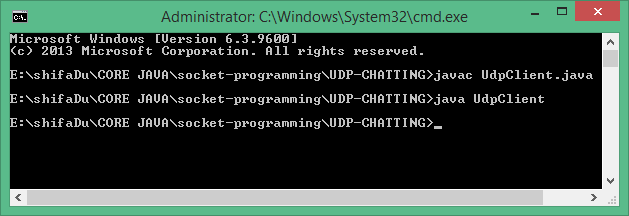
The output of the program:
Receiver side: Receiving the UDP packets from the clients.
import java.net.*;
import java.io.*;
class UdpServer
{
public static void main(String s2[])throws Exception{
DatagramSocket ds=new DatagramSocket(8);
byte b[]=new byte[1024];
DatagramPacket dp=new DatagramPacket(b,b.length);
ds.receive(dp);
String r=new String(dp.getData());
System.out.println(r.trim());
}
}
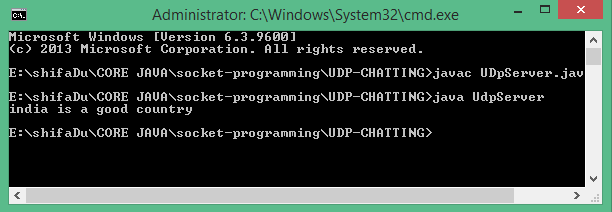
The Output:
Example 2: The following example implements a very simple networked communication between the client and server. Messages are typed at the server-side that is written to the client-side, where they are displayed.
import java.net.*;
class UDPDemo
{
public static int  serverPort=922;
public static int clientPort=988;
public static int buffer_size=2000;
public static DatagramSocket ds;
public static byte buffer[]=new byte[buffer_size];
public static void TheServer() throws Exception {
int pos=0;
while(true)
{
int c=System.in.read();
switch(c)
{
case -1:
System.out.println("Server Quits.");
return;
case '\r':
break;
case '\n':
ds.send(new DatagramPacket(buffer,pos,InetAddress.getLocalHost(),clientPort));
pos=0;
break;
default:
buffer[pos++]=(byte)c;
}
}
}
public static void TheClient()throws Exception
{
while(true)
{
DatagramPacket p=new DatagramPacket(buffer, buffer.length);
ds.receive(p);
System.out.println(new String(p.getData(), 0, p.getLength()));
}
}
public static void main(String s8[])throws Exception
{
if(s8.length==1)
{
ds=new DatagramSocket(serverPort);
TheServer();
}
else
{
ds=new DatagramSocket(clientPort);
TheClient();
}
}
}
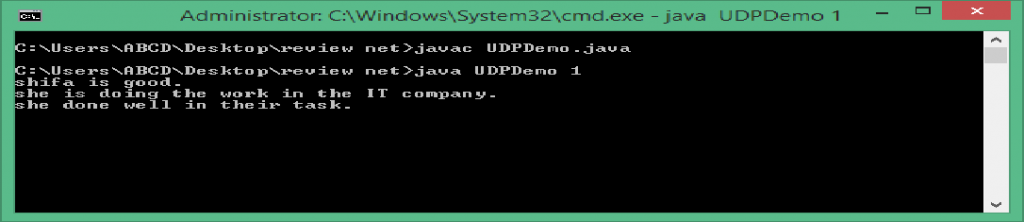
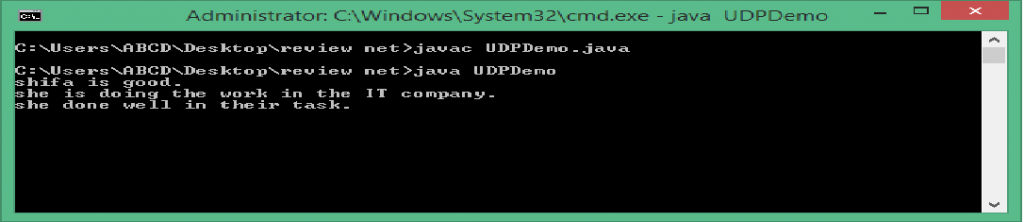
Anything that is typed in the server window will be sent to the client window after a newline is received.
The output of the Server side:
The output of the Client side:
Example 3: Sending the UDP packets to the server.
Sender class:
import java.net.DatagramPacket;
import java.net.DatagramSocket;
import java.net.InetAddress;
public class Sender
{
public static void main(String s1[])throws Exception
{
DatagramSocket ds=new DatagramSocket();
String str="shifa is good";
InetAddress ip=InetAddress.getByName("localhost");
byte[] b=str.getBytes();
DatagramPacket dp=new DatagramPacket(b,b.length,ip,2000);
ds.send(dp);
ds.close();
}
}
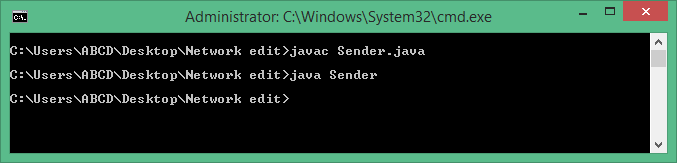
The output of the above program:
Receiver class: Receiving the UDP packets from the clients.
import java.net.DatagramPacket;
import java.net.DatagramSocket;
public class Receiver
{
public static void main(String s[])throws Exception
{
DatagramSocket ds=new DatagramSocket(2000);
byte[] b1=new byte[1024];
DatagramPacket dp=new DatagramPacket(b1,b1.length);
ds.receive(dp);
String str1=new String(dp.getData());
System.out.println(str1);
ds.close();
}
}
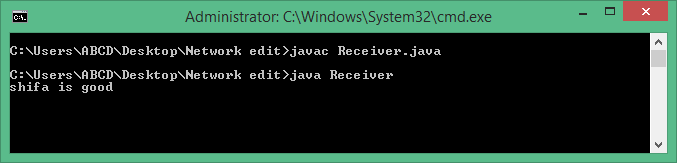
The output of the program: