Python TypeError
What is TypeError in python?
TypeError is one of the exceptions in the python programming language. This exception occurs when an operation is performed on an unsupported object type or can say not a valid object type.
- It is raised or occurs whenever there is an exception.
- Also, as the name suggests, this type of error arises whenever there is a wrong object, and we perform an unrelated operation on it.
- There are mainly three types of errors in the Python programming language: syntax error, logical error, and exception.
- This type of error lies in the category of exception error.
- The user can easily handle the type error using the raise keyword.
TypeError: string indices must be an integer
- As we all know, the basic structure of the string consists of index values.
- The starting value of the string begins with the index value 0, and it will continue till the length of the given string.
- TypeError arises whenever we want to fetch out the particular character of the string with the specified index value. Still, instead of entering the integer value in the index, we will enter another value of a different object type.
- For example, if we want to fetch character 2 from the string, we enter the index as an integer instead of an integer, which will raise a type error string indices must be an integer.
Let us understand it with the help of examples:
Examples of TypeError: String indices must be an integer
Example 1: Given a string named “ JavaTpoint ” and you are required to fetch out the particular character “ T ” from it.
(Here, we will discuss all the cases in which the type error arises for the above example, along with its solution.)
Case 1: We pass the number in string format instead of an integer value in the index.
# Python program to fetch the particular character from the string


print("Enter a string: ")                                      # Enter string JavaTpoint
s=input()
print("To fetch out the character 'T'  from the string")
s["4"]                                                              # As the string begans with index value 0,
# after onwards it will go further by adding 1 to it.
Explanation:
In the above case, if we observe that, it generates a type error: string indices must be an integer because, to fetch out the character ‘ T 'from the alphabet JavaTpoint, we have to pass the index value 4 in integer form instead of a string.
Here, we pass the value 4 but not in the integer form, but in the string form as we have assigned it in double-quotes.
The output of case 1:

Let us understand it in detail, with the help of the correction mentioned below:
Correction of case 1:
# Python program to fetch the particular character from the string


print("Enter a string: ")                                      # Enter string JavaTpoint
s=input()
print("To fetch out the character 'T'  from the string")
s[4]                                                              # As the string begins with index value 0,
# after onwards it will go further by adding 1 to it.
The output of the correction of case 1:

Case 2: We pass the index's string value instead of an integer value.
# Python program to fetch the particular character from the string


print("Enter a string: ")                                      # Enter string JavaTpoint
s=input()
print("To fetch out the character ' o '  from the string")
s[‘o’]                                                              # As the string begans with index value 0,
# after onwards it will go further by adding 1 to it.
Explanation:
In the above case, if we observe that, it is generating a type error: string indices must be an integer because, here, to fetch out the character ‘ o ', from the alphabet JavaTpoint, we have to pass the index value 6 in integer form instead of a string.
Here in the above program, we pass the alphabet directly rather than the integer value, but in the string form as we have assigned it in double-quotes.
Let us understand it in detail, with the help of the correction mentioned below:
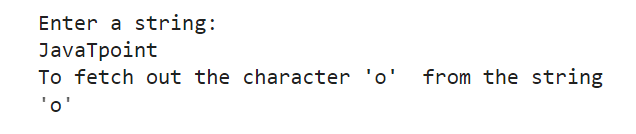
The output of case 2:

Correction of case 2:
# Python program to fetch the particular character from the string


print("Enter a string: ")                                      # Enter string JavaTpoint
s=input()
print("To fetch out the character ' o '  from the string")
s[6]                                                              # As the string begins with index value 0,
# after onwards it will go further by adding 1 to it.
The output of the correction of case 2:
Example 2: Given a string named “ Wonderful ” and you are required to fetch out the particular slice from the string or can say a part of string “ der ” from it, which we called string slicing.
Case 1: We pass the number in string format instead of an integer value in the index.
# Python program to fetch the particular part from the string


print("Enter a string: ")                                      # Enter string Wonderful
s=input()
print("To fetch out the particular slice ' der '  from the string")
s["3":"6"]                                                              # As the string begans with index value 0,
# after onwards it will go further by adding 1 to it.
Explanation:
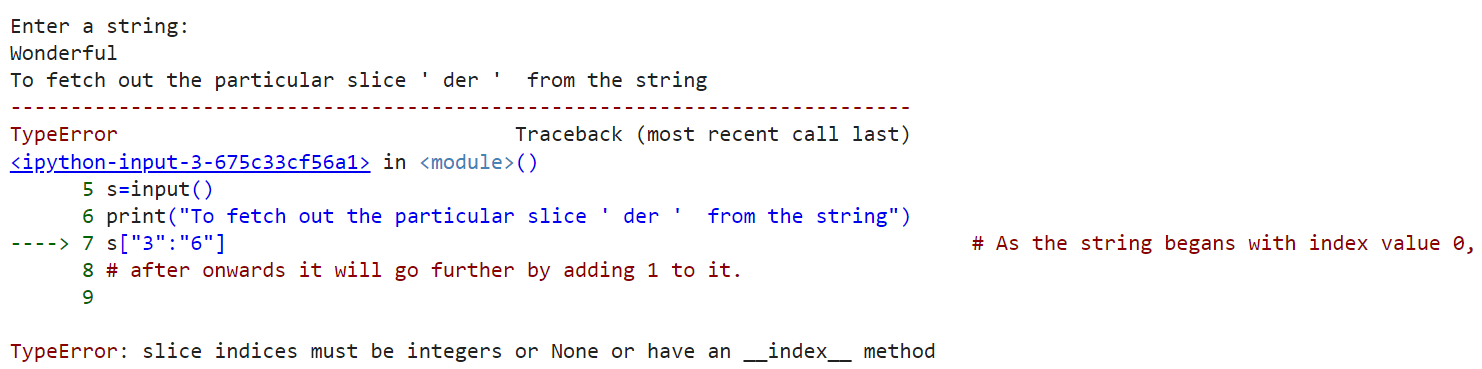
In the above case, it is generating a type error: string indices must be an integer because, here, to fetch out the particular part of the string ‘ der ’, from the alphabet Wonderful, we have to pass the index value 3: 6 in integer form instead of a string.
In the above program, we need to pass the value 3: 6 not in the integer form, but in the string form as we have assigned it in double-quotes.
The output of case 1:
Let us understand it in detail, with the help of the correction mentioned below:
Correction of case 1:
# Python program to fetch the particular part from the string


print("Enter a string: ")                                      # Enter string Wonderful
s=input()
print("To fetch out the particular slice ' der '  from the string")
s[3:6]                                                              # As the string begans with index value 0,
# after onwards it will go further by adding 1 to it.
The output of the correction of case 1:

Example 3: For a dictionary example, we have given a dictionary set from which we are required to fetch out the particular key with its corresponding value from the dictionary.
Case 1: When we pass the string value in the index, instead of the integer value
# Python program to fetch out the particular key with its corresponding value


d1 = { "Shivani" : 19, "Sneha" : 31, "Preeti" : 8, "Abhi" : 50}   # declaring a dictionary
for i in d1:
  print("Sneha: " + i["Sneha"])
  print("Abhi: " + i["Abhi"])
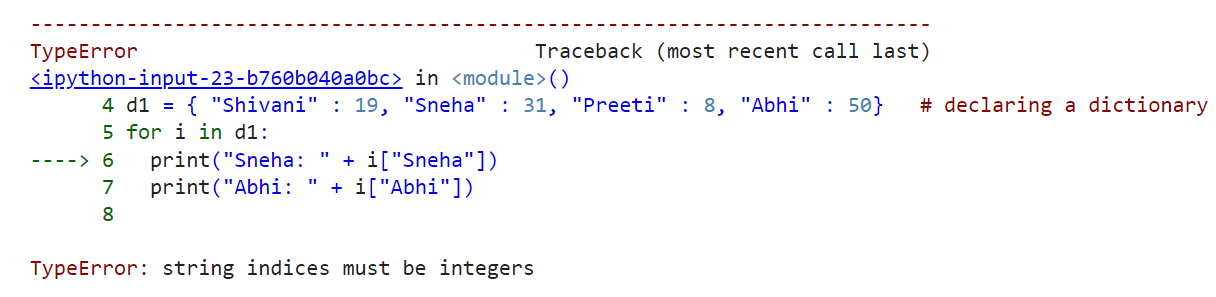
In the above case, it is generating a type error: string indices must be an integer because, here to fetch out the particular key say “ Sneha ”, from the dictionary d1, we have to pass the index i, which already in integer form instead of a string.
Here in the above program, we pass the string directly rather than the integer value, but in the string form as we have assigned it in double-quotes.
The output of case 1:
Let us understand it in detail, with the help of the correction mentioned below:
Correction of case 1:
# Python program to fetch out the particular key with its corresponding value


d1 = { "Shivani" : 19, "Sneha" : 31, "Preeti" : 8, "Abhi" : 50}   # declaring a dictionary
for i in d1:
  print(i)
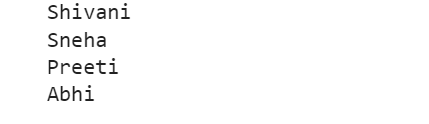
The output of the correction of case 1:
Handling TypeError: String indices must be an integer
In the above examples, we saw that typeError could be generated when we enter the string in the wrong format other than integer values. Although we have seen the correction of all the examples, we must know how to handle all such exceptions.
To handle these exceptions in the python programming language, we will generally use the ' try ' and ' except ' keyword, try block. We will enter all the test cases, which are mainly as much as possible, in which this is the possibility of generating type error. We will enter the way we handle the above exceptions in except block by printing the user-defined error message.
Let us understand in more detail with the help of an example
Example:
# python program to handle the type error exception


l1 = ["Apple", "Mango", "Banana", "Grapes"]             # declaring a list
indices = [0, 1, 2, "2", 3]
for i in range(len(indices)):
    try:
        print(l1[indices[i]])                                        # case which generates TypeError
    except TypeError:
        print("TypeError: Check list of indices")
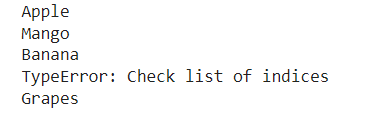
The output of the above example of exception handling: