
×

Difference between File and folder

File:

A file is a unit of Storage for comparative data. A document can be a picture, video, executable record, framework, or application document.

Secondary storage options include DVDs, flash drives, SSD drives, and many more. Depending on the storage device it is stored in, a file can be of any size.

The user can access, open, read, change, and close files. Different file types exist. JPG or PNG images can be copied from a camera or smartphone to a computer

File extensions:

You can save files with a filename and an extension. The most common file extensions include .txt, .mp3, .pd, .zip, .xml, .doc, and .mp4. .zip extension is used to store zip compressed archives, .txt extension is used to store text files like ASCII text, .pdf extension is used to store Acrobat -Portable document format, .java extension for java files, etc. are the extensions and where they are used.

If you can't find your File's extension in the filename, then file extensions are hidden.

Here is a text file shown.

Difference between File and folder

Folder:

A folder is a storage unit that contains files or some subfolders. A folder can be empty, or other files and subfolders can be found. The folder can be saved with the user's desired name.

A directory is also the name of the folder. You can find the desktop folder contains all desktop files and folders.

A folder is not a file; it is merely a storage and organization method for multiple files on the hard drive. You could, for instance, have a folder called "preferred" or "loved" that contains the music, movies, or pictures you like best. The pictures and movies are stored as files in the "preferred" or "loved" folder. You can give the folder any name you want to make it easier to find the contents. Any number of folders you create can contain any number of files and subfolders.
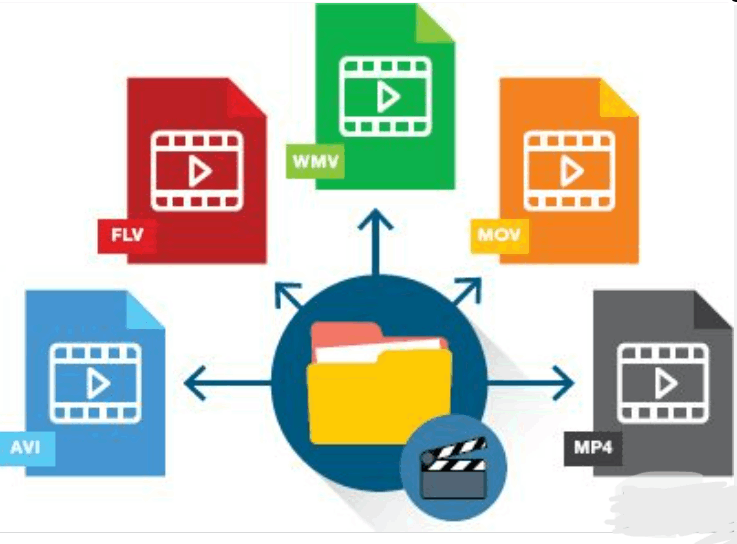
Difference between File and folder

The difference in their Storage:

A file is a single unit storing data or information in your computer's memory. A file is represented by program icons and the name you gave it at the time of saving it. And, it can be either a data file or a program file. File storage and identification are made simple by this.

Contrarily, a folder holds several file kinds or additional folders (called subfolders). A folder may contain any number of files and directories inside of folders. On the hard disc, folders offer a mechanism to arrange files.

The difference in their Characteristics:

Each File has a unique file type, indicated by the file extension. In essence, it identifies the application program to which it belongs. The computer can identify an application software or File by its extension, which may also be used to obtain the File's contents. The File's contents are expressly described in the filename. A folder or directory is a hierarchical structure containing other directories or files. Its purpose is to organize files or folders under a single heading.

The difference in their functionality:

A file functions as a storage medium for data. On the other hand, a folder serves as a container for keeping related files and folders together.

Operations:

Users can make, read, edit, remove, and rename files. Additionally, he has the ability to email and print file information. In contrast, the user can create, rename, remove, and copy folders.

The table given below shows some other differences between Files and Folder:

Serial number               File                   Folder
1.A file is a collection of linked data or information kept in a secondary storage device...A folder is a way to organize files into groups and put them under a common heading. 
2.On a computer, files occupy memory in RAM.No folder takes up space on computer memory.
3.A file generally holds data or information in a certain sequence in a single unit.A folder can contain many file kinds and subfolders inside folders.
4.Files can have extensions to indicate the type of programs they belong to.Folders do not have such extensions.
5.A file can’t hold another file inside of it.A folder may include other additional folders.
6.File organizations include serial, sequential, indexed sequential, and direct file organization.Directory organizations include a single directory, one directory per user, and multiple directories per user organization.

Related Topics

What is a Kensington Lock?

A Kensington Lock is a security device similar to the lock, which is used to secure bicycles. Kensington Lock consists of a metal cable insulated with rubber. One end of...

4 minutes read.

What is Asynchronous DRAM?

Asynchronous DRAM (Dynamic Random Access Memory) is a type of memory that operates independently of the system clock. It is not synced with the computer system clock; therefore, it is...

5 minutes read.

10 Essential Examples of Web Browsers

Web browsers are important for accessing and navigating the internet, allowing us to view and interact with the vast online content available. From browsing websites and streaming video to online...

11 minutes read.

How to Fix a Windows CD-ROM, DVD, or Disc Drive Issue?

If your CD-ROM, DVD, or disc drive is not working properly in Windows, you can try a few troubleshooting steps to fix the issue. These steps include checking the connections,...

6 minutes read.

How to enable or disable the preview pane of Microsoft Outlook

Preview Pane lets you preview the file's contents in the viewing pane. Users can quickly scan the contents of a selected file in the preview window without actually opening it....

3 minutes read.

What are the currently available antivirus programs?

An antivirus program or software is a kind of software used to detect viruses in the system and protect the computer or network from attacks. Whenever the virus gets into the...

4 minutes read.

What is a router?

A router allows the user to connect multiple packet-switched networks or subnetworks. It ensures the delivery of the data packet to the IP addresses they are assigned. We can use...

10 minutes read.

How many types of files are there in Linux

You will undoubtedly come across several file types when browsing the Linux file system. Regular files and directories are the most common and evident file formats. But with an additional...

3 minutes read.

Computer Ports | Computer Fundamentals

What is a Port? A port is a physical connection on a computer or another electronic device that allows users to connect a device. There are several types of ports available...

10 minutes read.

Why my computer monitor shows no display or black screen

Often, people face the problem of getting a blank screen or no display on their computer monitor. There might be multiple causes to this, but it all lies around the...

6 minutes read.

What is RJ Cable?

Registered Jack is referred to as RJ. It serves as a network interface or a telecommunications medium. RJ Cable enables voice and data equipment to interact with network devices. It is...

4 minutes read.

Data Warehouse

It is a system that consolidates the data collected from many sources into a single and central data storage. In basic terms, it is a data repository that can be...

10 minutes read.

Internet Explorer Shortcut Keys

While using internet explorer, when we use shortcut keys, our work will be done faster when compared to the job done without using them. The reason is internet explorer is...

23 minutes read.

How to fix problems in Windows after installing new software

Sometimes users face problems after installing new software in the windows operating system. Go along with the below steps to correct and fix them. Uninstall the software program or reinstall it If...

4 minutes read.

What is Back Quote?

A back quote, also known as a grave accent or backtick, is a punctuation mark used in various programming languages to denote a literal string or command in the command...

6 minutes read.

What is a Cordless Mouse?

A wireless mouse, often known as a cordless mouse, is one that connects wirelessly to a computer. Instead, the mouse makes use of wireless technologies like Bluetooth, RF, or infrared...

4 minutes read.

What is Sound Card?

What is a Sound Card? A sound Card is an interior expansion that is utilized to input and output audio from a machine under the authority of a computer program....

9 minutes read.

What is a Desktop?

Any of the following may be referred to as a desktop: 1. A desktop computer or system unit is referred to as a desktop. 2. The Desktop is the main location to...

6 minutes read.

What is a Silicon Chip?

A silicon chip is a microscopic silicon component found inside computers. It has electronic circuits holding much data or conducting logical or mathematical computations. An integrated circuit comprised mostly of...

4 minutes read.

What is Cable Modem?

A common piece of gear that links computers to your ISP is the cable modem. A cable modem, unlike other types of modems, uses coax cable to proxy that connection...

7 minutes read.