
×

Increase or decrease font size in Word using keyboard shortcuts

Instead of using the mouse, which might take a long time to change the font size in MS-Word (Grow or Shrink Font Size), you can change the font size quickly and efficiently by utilizing the keyboard shortcuts. You will discover six useful shortcuts in this article that will help you change the font size more quickly or more slowly. You can learn other shortcuts and commands in addition to these four. They are required for text formatting in Word documents because of this. These keyboard keys allow you to alter the font size for all text levels, including headings, bodies of text, and text throughout an entire document.
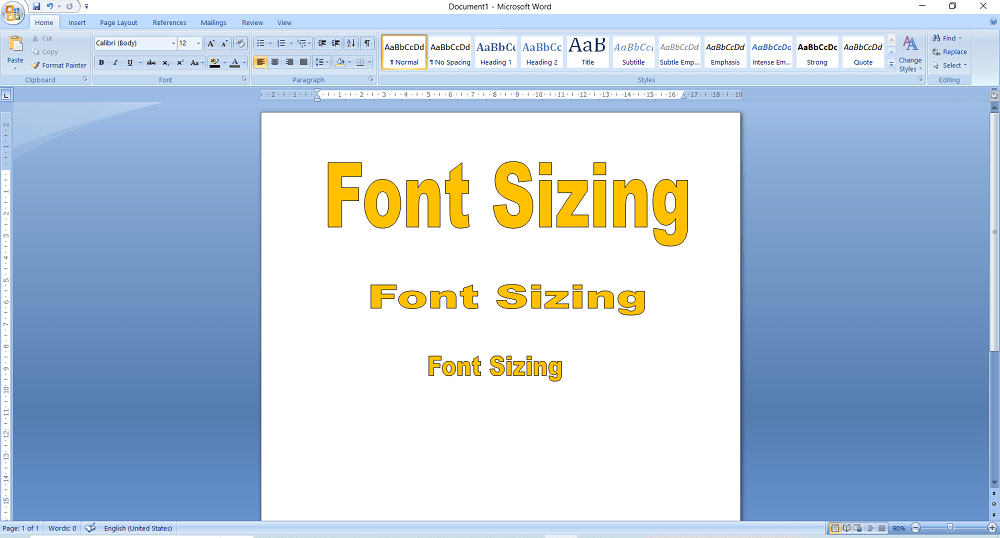
Increase or decrease font size in Word using keyboard shortcuts

MS Word Shortcuts for Increasing Font Size

Increase Font Size in MS Word Using These Shortcuts

  • Choose the text whose size you want to increase gradually.
  • The Ctrl +] key.

MS-Word Shortcuts for Reducing Font Size

In MS Word, you can reduce the font size in a number of different ways. Shortcut keys and other Word commands are included. Below is a discussion of them.

  • Choose the text whose size you want to decrease gradually.
  • Then click Ctrl + [

Other MS-Word Commands for Increasing or Decreasing Font Size

The Font Size commands are located in the Font group on the Home tab and allow you to change the font size. Take a look at the image below. Ctrl+Shift+P is a keyboard shortcut for changing the text size.

  1. The text that you want to enlarge or reduce is highlighted.
  2. Press Ctrl+] to raise the text size. (Hold down Ctrl while pressing the right bracket key.)
  3. Ctrl+[ can be used to reduce the text size. (Hold down Ctrl while pressing the left bracket key.)

The keyboard as mentioned above, shortcuts has been tested to function with Word 2010 through Word 2019. Make sure you are pressing and holding the Ctrl key down when pressing the left or right bracket key if the shortcuts aren't working for you. The text's size changes by one point with each stroke of a bracket key.

Here are the steps to changing the text size

  1. To alter the font size, choose the text that has to be changed. If you wish to start typing fresh text in different font sizes, place the insertion point where you want the modification to take place.
  2. Choose one of these:
    • On the Formatting toolbar, select the desired font size by clicking the downward pointing arrow next to the Font size list box. You could use a fraction (E.g., font size 10 and 8).
    • Your desired font size can be entered by using Ctrl+Shift+P. As an alternative, you can browse the list of font sizes one at a time by using the up- and down-arrow keys and then choose the font size you want by using the Enter key.
    • Select a shortcut key by pressing:
      Ctrl+Shift+>: The font size is increased to the next greater point size that is available in the Font size list box.
      Ctrl+Shift+<: Reduces the font to the next smaller point size offered in the list box for font size.
  3. Enter the text you want to appear in the chosen font size if you didn't choose the font size before selecting the text. Finally, select a new font size to complete the process.

Unable to use a shortcut key to increase/decrease font size

  1. Check to see if the keyboard shortcuts have been allocated correctly in the Customize Keyboard dialogue box (File > Options > Customize Ribbon > Customize).
  2. Select File > Options > Customize Ribbon > Keyboard Shortcuts. Customize and, if you haven't already, try hitting "Reset All..." Alternatively, find the GrowFont and ShrinkFont commands under "All Commands," then, with the "Enter new shortcut key" control selected, press the Ctrl+Shift+> and Ctrl+Shift+ key combinations, respectively.

Related Topics

What is an Alignment?

The phrase aligns, or alignment refers to how text is positioned on the screen. Left-aligned text, for example, Left align, provides a straight line on the left side of the...

4 minutes read.

How to use Computer Keyboard?

A computer keyboard is an essential input device for any computer. It allows users to type characters, numbers, and symbols into your computer and includes special keys that are used...

8 minutes read.

Computer: Registers Memory

Registers in Computer The Registers are the type of computer memory, which is used to accept, store quickly, and transfer the data and instructions that are immediately used by the CPU (Control Processing...

5 minutes read.

What is an Online Service?

An entity that offers online access to various types of data for diverse purposes is known as an online service. Online banking, education, news, shopping, dating, computer support websites, social networking...

3 minutes read.

What is a Slate PC?

Slate PCs are smaller versions of Tablet PCs with screen diagonals ranging from 7 to 12 inches. It has a desktop operating system and is an IBM PC-compatible computer. The...

4 minutes read.

What is a touch screen?

The touch screen has been proved a revolution for every sector, such as electronics, communication, the service industry and the daily lifestyle, etc. It is one of the types of...

6 minutes read.

Computer Hardware

The computer hardware includes the physical parts or components of the computer, such as to monitor, keyboard, mouse, motherboard, etc. We need software for the instructions that can be stored...

5 minutes read.

What is Google Chrome?

Google Chrome, released on December 11, 2008, is a free Internet browser. The benefits of Chrome include synchronization with Google service and accounts and automated translation and spell checking. It...

6 minutes read.

How does a Computer work?

How does a Computer work? As humans we always built tools that helps up to solve our problems. All the early inventions unlike wheelbarrow, hammer, printing press, or a tractor, helped...

8 minutes read.

What does Alt+F do?

The computer is one of the most basic needs of every user. Without a computer we cannot do anything, almost in every field. In computer, there are many file menu options...

4 minutes read.

What is Procedural language?

A procedural language is a PC programming language with many capacities, guidelines, and explanations that should be executed in a specific request to achieve a task or program. As a...

10 minutes read.

What is a Start Button?

In daily life as windows users, everybody uses the start button on their personal PC. Users can access all the available apps on the system with the help of using...

4 minutes read.

What is MsConfig?

Microsoft Windows starting issues can be resolved using the system application MSConfig. In Windows Vista, Windows 7, Windows 8, and Windows 10, it is officially called System Configuration or Microsoft...

3 minutes read.

How to fix the "no input signal" error message?

How to fix the "no input signal" error message If the computer monitor shows the error message, which is "No input Signal," try to troubleshoot the operation by following: The computer is...

4 minutes read.

How to Fix a Windows CD-ROM, DVD, or Disc Drive Issue?

If your CD-ROM, DVD, or disc drive is not working properly in Windows, you can try a few troubleshooting steps to fix the issue. These steps include checking the connections,...

6 minutes read.

Internet Explorer Shortcut Keys

While using internet explorer, when we use shortcut keys, our work will be done faster when compared to the job done without using them. The reason is internet explorer is...

23 minutes read.

How to use a computer keyboard

Alphanumeric, function, control, and arrow keys are on the keyboard. The left hand holds the "asdf" keys, while the right-hand holds the "jkl;" keys. To advance or switch between boxes,...

9 minutes read.

Data Warehouse

It is a system that consolidates the data collected from many sources into a single and central data storage. In basic terms, it is a data repository that can be...

10 minutes read.

What are the Advantages of Computers?

A computer is an electrical device capable of storing, processing, and retrieving data. It can usually accomplish a range of things that make life easier. Computers conduct instructions written in...

7 minutes read.

What is an AC Adapter?

An AC adapter is an external power source that changes the direct current (DC) required by an electronic device from the alternating current (AC) supplied by a wall outlet. So,...

4 minutes read.