
×

What is a Case fan?

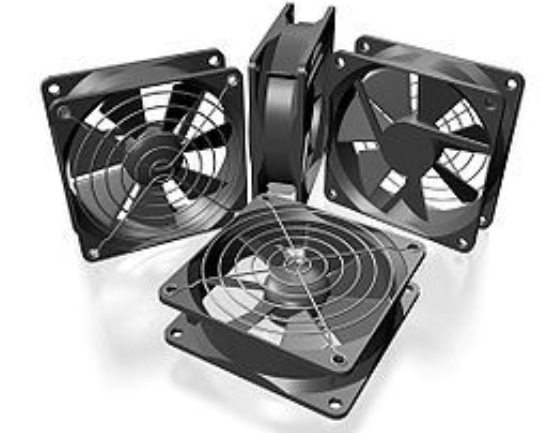
A case fan, sometimes known as a system fan, is a component of a computer that is attached to the front or rear of the device's chassis. Case fans aid in cooling down and expelling heated air from the case. Without them, parts of your computer may experience malfunctions, damage, or even a crash. A computer fan has two functions: it may push warm air out of the computer case while also pulling in cooler air from the outside and into the computer case. It can also flow air across a heat sink to cool a CPU or other computer component.
What is a Case fan

Types of fans found in computers

  • Case fan
  • CPU fan
  • Power supply fan
  • Video card fan

Here, we are going to discuss Case fan.

Case Fan

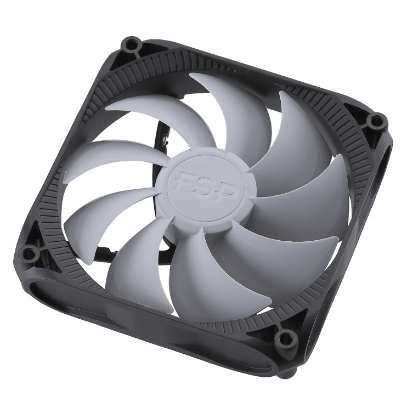
Case fans help in cooling down and expelling heated air from the case. They come in a wide range of sizes, but the most popular ones are 80mm, 92mm, and 120mm (12cm) with a 25mm width. The heated air is expelled from a computer case, A/V equipment case, or other electronic equipment using an electric fan. The fan speed can be changed as needed and is typically temperature controlled. The cooling system often consists of multiple fans, including the power supply fan, CPU coolers, heat sinks, and case fans.
What is a Case fan

Installing  Case fan

A computer case's front, rear, or side is typically where case fans are installed (connected) using four screws, snap-in brackets, or a combination of the two. Depending on the type of computer case, case fans mounted on the front can be fastened using screws or snap-in brackets. If the case fan is brand-new, the installation screws are already included.

Let's look at how to install a computer case fan:

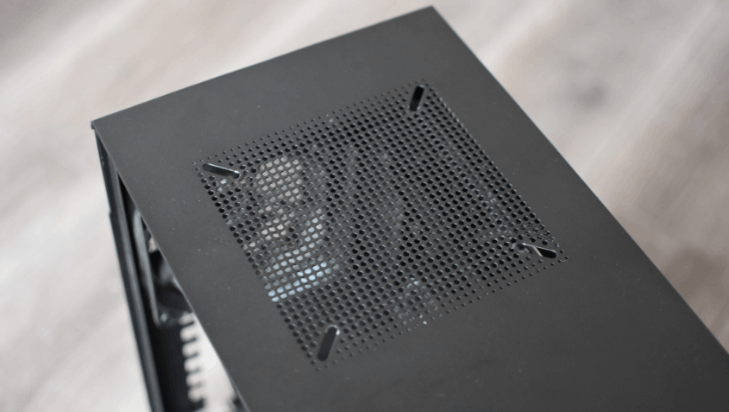
Step 1: Locate a free fan slot on your computer. These are typically located at your case's front, top, and back; some models could have one or two slots on the case floor.
What is a Case fan

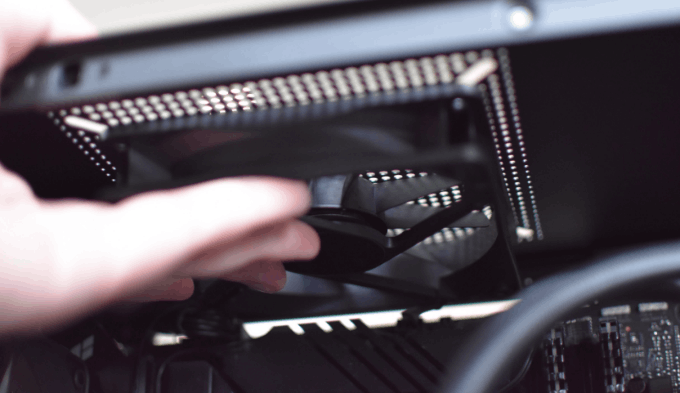
Step 2: With one hand, position the fan so that the screw holes match the holes in the casing. Try to position the cable such that it faces your motherboard or the fan hub since doing so will prevent it from being stretched over the fan once it is connected.
What is a Case fan

Note: When adding a fan to a case side without mounting brackets or screw holes, the case needs to be physically altered to make room for the fan.

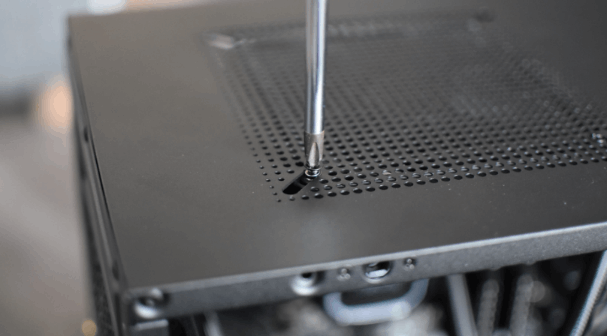
Step 3: With your other hand, take your screwdriver, and mount the fan to the casing using the screws already there. After you've inserted the first screw, it ought to be secure enough that you may release the fan and use both hands to make any necessary adjustments to the screw alignment, tighten the screws more quickly, and so on.
What is a Case fan

Step 4: Connect the cable now that the fan is in place. Start by tucking it beneath the motherboard tray into the cable management area, or at the very least, away from other components.

What is a Case fan

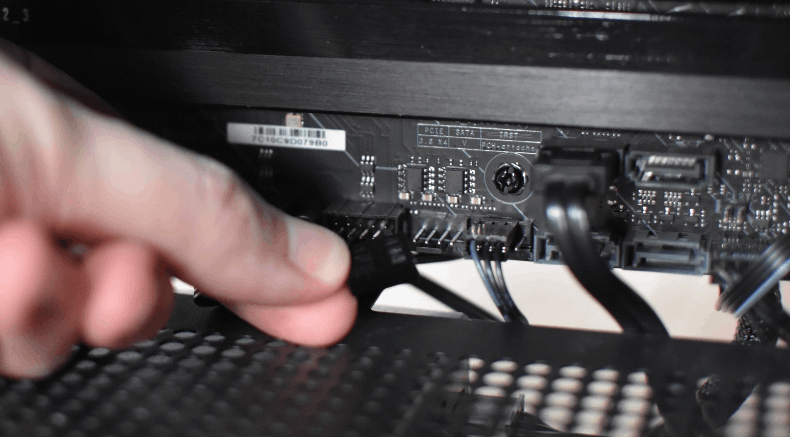
Step 5: Connect the wire to the system fan header or fan hub 4-pin connector on your motherboard.
What is a Case fan

Note: A case fan can operate without requiring drivers to be installed.

Ensure that the fan is blowing air in the proper direction with your hand after turning on the computer.

Removing Case fan

It may be essential to clean or replace a fan, which may be done by simply removing the computer's case fan. The procedures for removing the majority of computer case fans are listed below.

Unplug the fan.

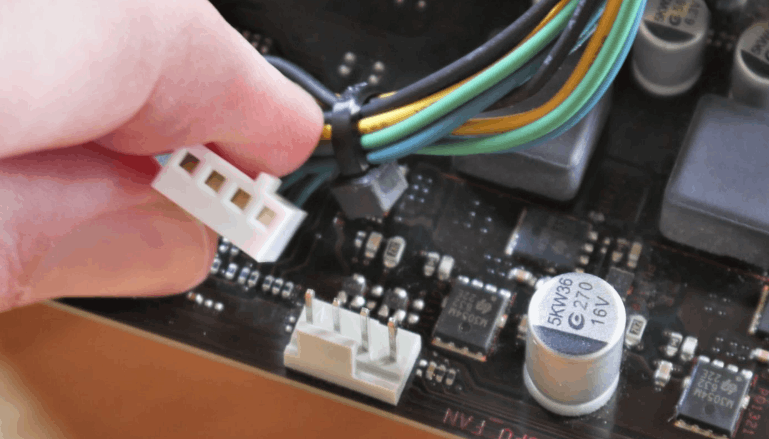
The computer's motherboard should be connected to the fan via a two, three, or four-pin power cable. Find the location of this cable's motherboard connection, then remove it by gripping the connector end and pulling it up on the connector. Before being removed from the computer, the fan has to be disconnected from the motherboard or another power source.

The image displays an illustration of a typical power fan cable and connector.
What is a Case fan

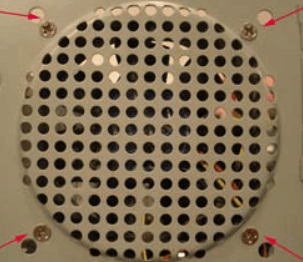
Remove the fan's screws or clips.

Remove the fan from the computer once it has been detached from the motherboard or power supply. Many case fans include little clips that can be pulled or pressed into the case, or they are screwed into the case.
What is a Case fan

Related Topics

Why has my IP address changed

IP Address: Internet Protocol address, in short form, is known as IP address. This address could pose security liability, and these addresses are building blocks of the internet. IP addresses...

6 minutes read.

What Are Bottom Row Keys?

The bottom row keys, also known as the "home row" keys, are important for several reasons: The bottom row keys are where the fingers rest when not typing and are the...

7 minutes read.

Why am I unable to increase the resolution in Windows?

If you cannot raise the display resolution in Windows, take these actions. Identifying and resolving video driver issues If Windows doesn't let you raise the screen resolution, your video drivers can be...

3 minutes read.

Introduction and Features of FoxPro

Microsoft Visual FoxPro (VFP) is an environment of Object-oriented programming (OOPs). The relational database engine is available in the Microsoft Visual FoxPro (VFP). It was developed by Microsoft in the...

3 minutes read.

What is Protocol?

A protocol is a set of rules for formatting and processing data in networking. These rules govern the users on the network stating the instructions to format and process the...

7 minutes read.

What is an Output Device?

The equipment that accepts input or data from a computer commonly for display, projection, or physical reproduction. For example, the image depicts an inkjet printer, an output device that creates...

6 minutes read.

What does Alt+Esc do?

The computer is one of the most basic needs of every user. If we use some shortcut keys to do the same operation, then it will be good and time...

3 minutes read.

Features of Multimedia

Multimedia consists of two words. One is "multi", and another is "media". Multi means more than one, and media means medium.  So, we can say that Multimedia is a type of...

3 minutes read.

What is automation?

Automation means the use of machinery and technologies to make tasks operate automatically and without human involvement. It uses electrical and computer-controlled technologies to replace manual tasks. For example, robots...

6 minutes read.

What is CD-ROM?

An optical disc called a CD-ROM (Compact Disc Read-Only Memory) stores digital data, such as software, music, and videos. It is read-only, meaning that data can be read from the...

4 minutes read.

What is REM?

Rem is a short form of the remark. In the system, a file remark is placed to skip line loading. By placing "REM" in front of a line, a remark...

3 minutes read.

Characteristics of Computer

Characteristics of Computer: The computer system has a logical program to solve complex problems. The features of computer make it fast and powerful. The computer with powerful features can perform...

3 minutes read.

How does a computer process data into information?

What is data Data is a type of information. Data can be in the form of images, integers, or strings of letters. All data must be entered into the personal computer...

3 minutes read.

Block Diagram of Computer

Computer Block Diagram System: Mainly computer system consists of three parts, that are central processing unit (CPU),Input Devices, andOutput Devices. The Central Processing Unit (CPU) is divided into two parts...

5 minutes read.

What is Line In?

Basically, Line-In is an audio jack that is present in an audio device, which is used to connect the other audio output and input devices like speakers, microphones, etc. A...

6 minutes read.

Use of Internet

The Internet, sometimes known as "the Net," is a global system of computer networks. It is a network of devices that allows users at any one computer to obtain information...

13 minutes read.

How to installation or uninstallation Microsoft Paint

Instead of Microsoft Paint, we can also call it MS paint. Sometimes, it is also known as Paint. Dan McCabe programmed the first version of Microsoft Paint and also introduced...

3 minutes read.

What is Cable Modem?

A common piece of gear that links computers to your ISP is the cable modem. A cable modem, unlike other types of modems, uses coax cable to proxy that connection...

7 minutes read.

What are the currently available antivirus programs?

An antivirus program or software is a kind of software used to detect viruses in the system and protect the computer or network from attacks. Whenever the virus gets into the...

4 minutes read.

What is Optical Disk?

The optical disk is an electronic data storage medium that reads and writes data by using optical storage techniques and technology. There are mostly three types of optical disk available...

9 minutes read.