
Receiving S.M.A.R.T. status bad backup and replacing error
S.M.A.R.T. or SMART stands for self-monitoring, analysis, and reporting technology. The computer hard drives, including HDDs and S.S.D.s, have a mechanism built into them. It is possible to utilize it to keep an eye on the hard drive's health, spot and notify impending hard drive failure, and reduce the chance of an unplanned system shutdown and data loss. A tool called S.M.A.R.T. monitors the hard drive's "health" and alerts the user to potential issues. It functions as an early warning system, giving the computer owner the time to back up any crucial files before the hard disc fails. You notice an error warning that says, "S.M.A.R.T. Status BAD, Backup and Replaces for Pri Master Hard Disk. "When your computer turns on, the hard drive is experiencing a problem. To resume, press F1.
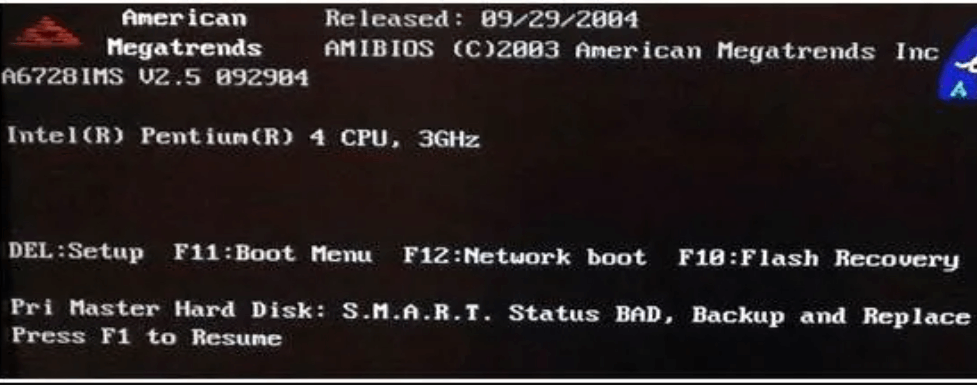
Methods to Fix SMART Hard Disk Error
Your hard drive won't typically fail right away following the SMART status poor warning, giving you time to back up your computer and transfer your data to a new one. The next issue may be how to correct the SMART problem. Consider three distinct approaches for various circumstances:
- Turn off the S.M.A.R.T. error in the BIOS.
- Back up and replace.
- Reboot and recover.
Turn off the S.M.A.R.T. error in the BIOS.
A SMART SELF-TEST is another name for SMART. It is quite simple to disable the BIOS. Every system manufacturer globally strongly opposes the error should be disabled. If the user does not take the data that has been saved seriously, it can be disabled. Any drive, whether internal or external, may experience SMART error problems. Therefore, it is not linked to any particular type of drive. Solid State Drives, sometimes known as S.S.D.s, are another type of drive that experiences the mistake.
Step1: The system must be restarted by the user. Once finished, hit F2 or the volume down button as follows:
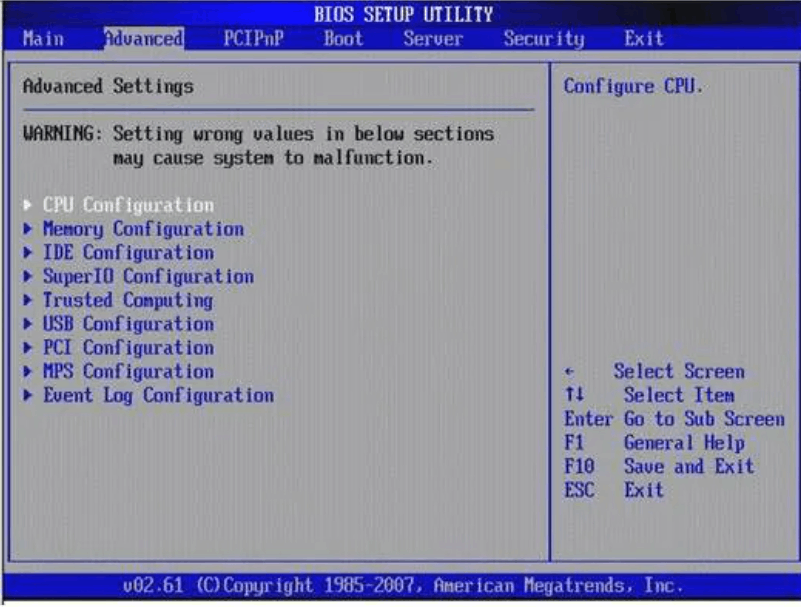
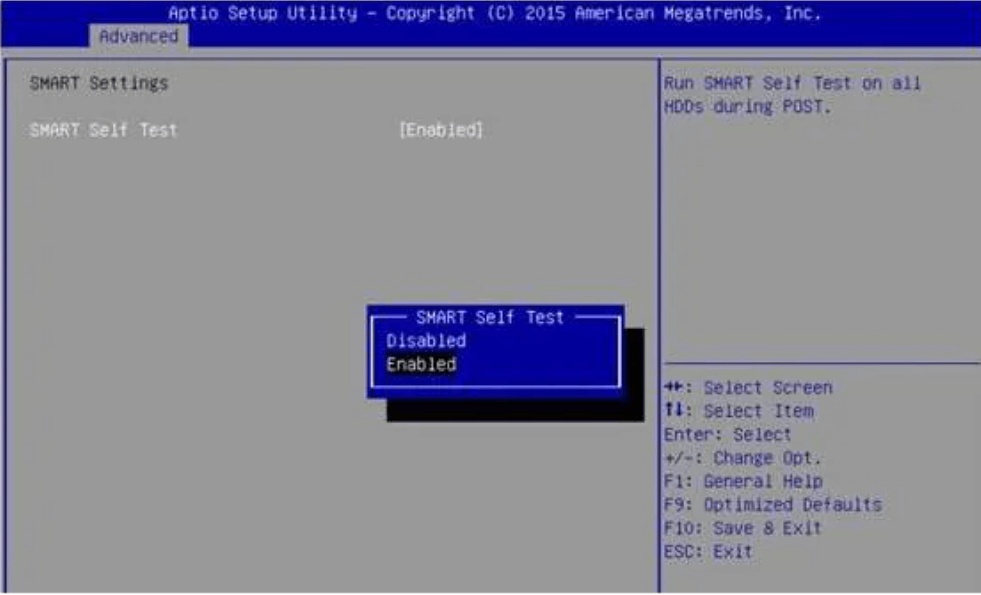
Step2: Next, navigate to advanced > SMART settings > SMART self-test > Disabled.
Back up and replace
If you have a SMART, hard drive issue, you should back up all of the data on the drive and get in touch with the drive's manufacturer right once to arrange for a replacement. You may store vital data quickly and easily with a hard drive data backup tool. You could make a good decision by choosing A.O.M.E.I. Back upper Professional. It enables you to back up data from external storage devices, hard drives, computer systems, and partitions. Everything can also be cloned and restored. Back up all the data on the hard disc that will eventually fail if you are faced with "S.M.A.R.T. Status BAD, Backup and Replace." After that, use the detailed instructions to back up the machine and fix the SMART hard disc problem.
Step1: Download and run
A.O.M.E.I. should be downloaded and installed after the S.M.A.R.T. error. Upper Professional should be backed up in case of backup. Run it, then choose "Backup" from the top menu.
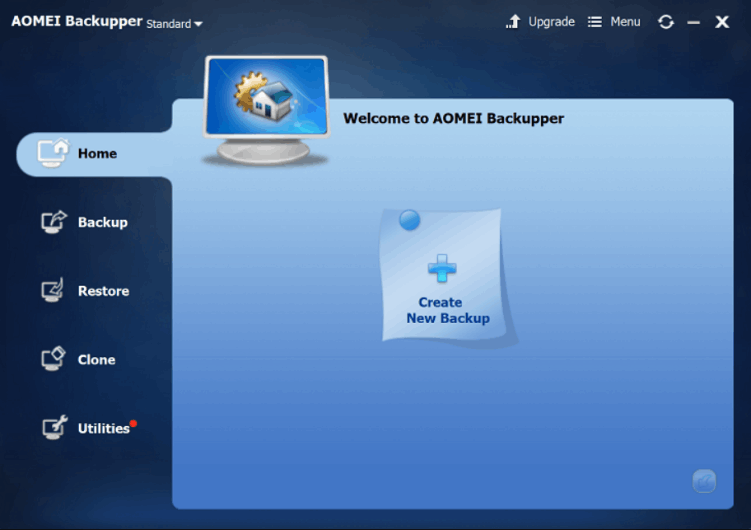
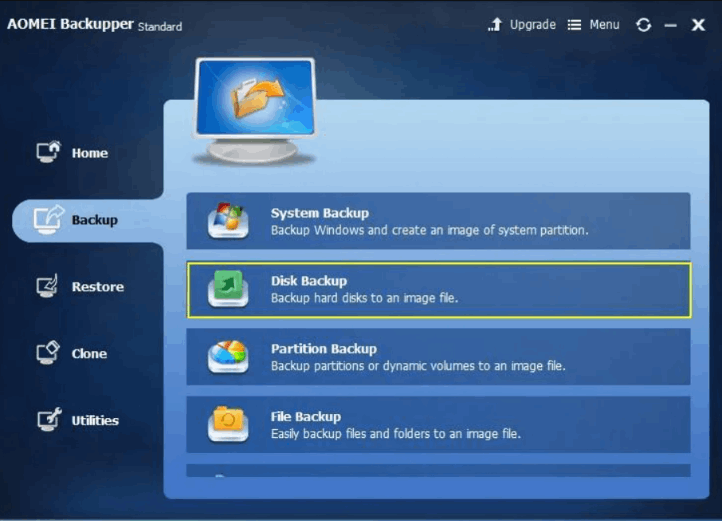
Step2: Select Disk Backup
Then it would be beneficial if you continued in a backup mode. You can use the backup application to create backups of hard drives, systems, partitions, and information based on your requirements. We'll use "Disk Backup" as an example in this case.
Step3: Add a disk to backup
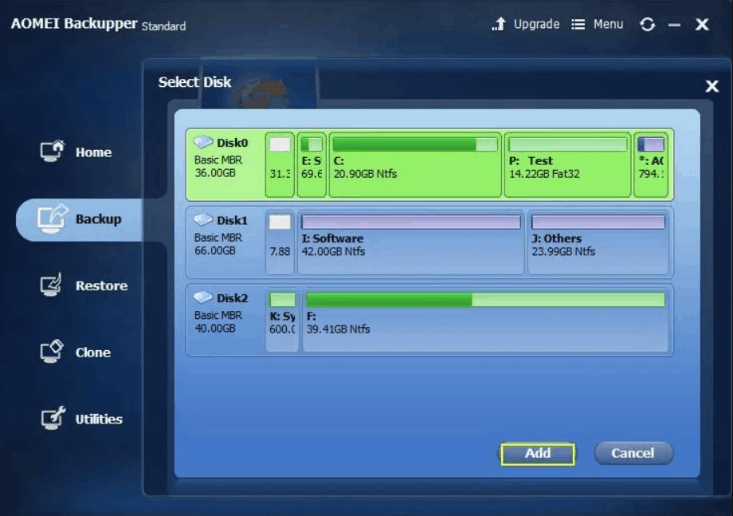
A pop-up window will appear by selecting "Select the discs you need to backup" from the menu. You can also delete the selected disc or add new discs. Select the failing hard drive and press "Add" to proceed.
Step4: Choose the backup location
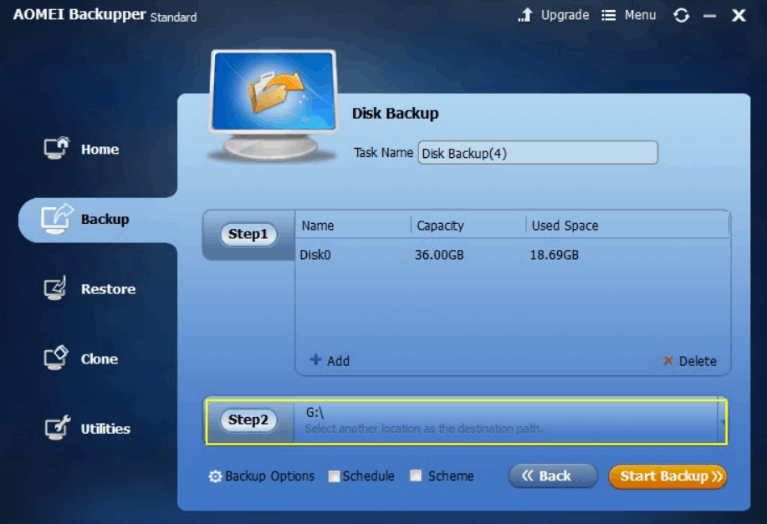
After that, select the backup drive by clicking "Step 2." It would be best to copy them to an external hard drive or N.A.S. system, though you can back up your files to a different computer hard disc.
Step5: Get backup started
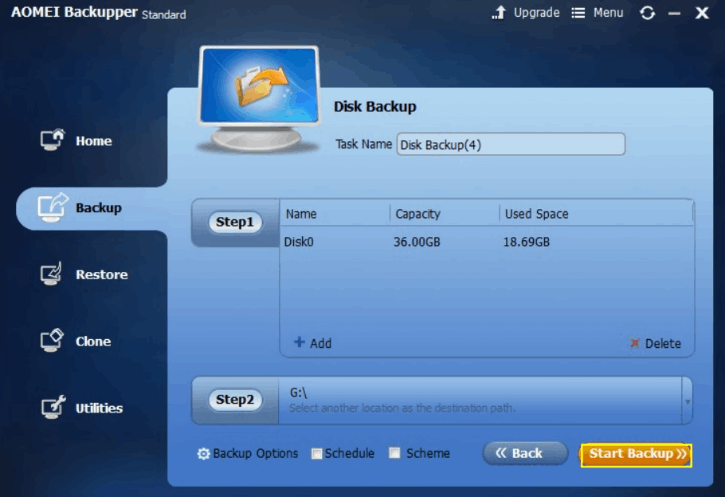
Finally, to start the procedure, click "Start Backup." Before you click, you can adjust a few backup settings, remark on the task, or change the task name however you like.
Reboot and recover
All users are urged to back up their data quickly if SMART status bad is obtained. A SMART error indicates that the hard disc may crash anytime. If the machine cannot boot owing to an error, the O.S. file was probably corrupted by faulty sectors.
You can easily enter W.I.N.P.E. mode using the Recoverit Data Recovery program to recover data from the corrupted hard disc. On an ordinary P.C., download and install the application.
Click the Start button, then choose the "Recover from Crash Computer" option. The steps that a user must do in this regard have been listed as follows, and please adhere to the following easy instructions to recover lost, erased, or corrupted data from your computer:
- Connect the bootable media to the computer that isn't starting up, then configure the computer to start up from the USB drive.
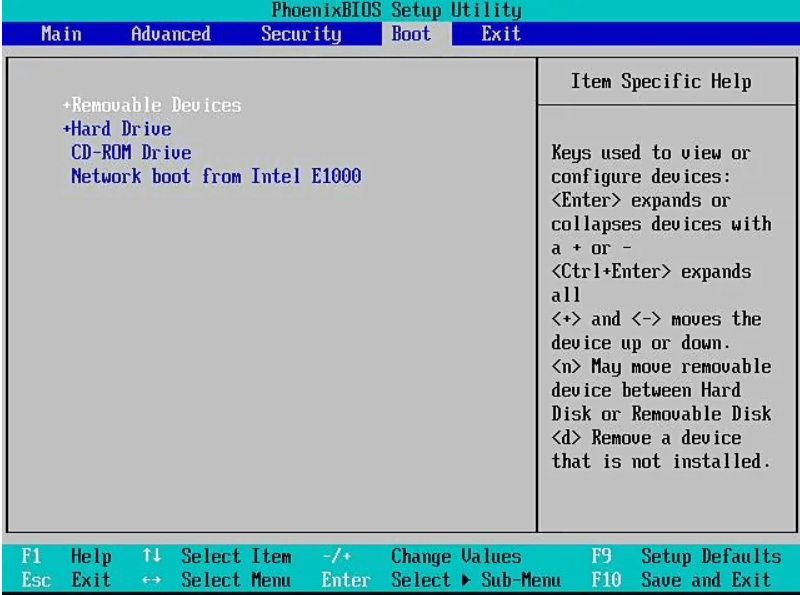
- Once the USB disc has successfully booted, Recoverit will launch right away. It offers two modes for data recovery: Hard Disk Copy mode and Data Recovery mode. To recover your data from the crashed P.C., please pick one of them.
Note: The hard disc may crash anytime if the SMART error is encountered. Therefore, no software ever discovered the crashed hard drive. Therefore, no software ever discovered the crashed hard drive. The user must, however, retrieve every piece of data from the infected device.