
Six Generation of Computer
The main aim of introducing this generation of computers is to bring wireless connection (Wi-Fi, Bluetooth) to connect different devices to the network. This Technology was designed in 1900 and emerged in 2000. The sixth generation of computers is different from another in terms of size, speed and tasks.
Tim Berners-Lee invents the sixth generation of the computer. Six generation computers are also known as Intelligent computers based on Artificial Intelligence. In the 6th generation of computers, semiconductors are used as raw materials in processors. As AI continues to develop, most of us still consider ourselves in the fifth generation. The key feature of 6th generation computers is the excellent use of Nanotechnology.
Nanotechnology increases the capacity of computers ability and reduces their weight. Through this generation, we can see the birth of artificial intelligence. It enables a computer with the self-organize feature. Sixth-generation computers can turn the entire industry on its head. It has taken advanced computing to a different level. This generation was focused on gaming and processing power.
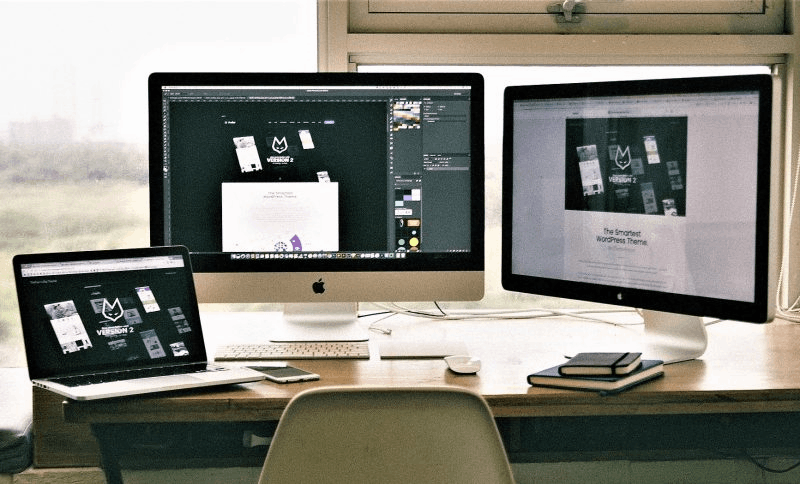
Characteristics of the sixth generation of computers:
- Due to the development of Technology, a processor has been required, which will promote its progress regarding the capacity of the computer of this generation.
- This generation of computers is to reach all possible places and make wireless connections such as Bluetooth and Wi-Fi.
- Machines involves micro-level devices like personal computers or PCs, laptops, and smartphones and macro-level appliances like supercomputers.
- It helped in the advanced development of computer multimedia by combining images or texts with sound.
- Natural language processing is a component of Artificial intelligence, and it provides the ability to develop a computer program to understand human language.
- Computers have become more innovative, faster and smaller. Advanced mechanics are being developed.
- Parallel computing quickly solves more significant problems using more processors. Distributed computing brings multiple computers together to solve a common problem.
Advantage of sixth generation computers
- They can perform automation and can be operated without any user commands.
- Ultra-reliable external latency communications (URLLC) are one of the many features of this generation, as these computers allow the transfer of data more efficiently.
- All the generations before the 6th generation are limited to Bandwidth, which means the limited transmission of data; but with the help of 6th generation computers, we can send large amounts of data quickly.
- The computer's size decreased due to replacing vacuum tubes with transistors.
- Due to their smaller size, they are more reliable. Also, it has brought physical connectivity.
Disadvantage of sixth-generation computers
- Fraud: Due to the rise of the 6th generation, there is an increase in several crimes, or cybercrime leading to the loss of sensitive information.
- Social isolation: The development of the 6th generation has attracted the younger generation and left them in isolation as they cut off all their interaction with their close or loved ones.
- Spread of miss information: The Internet has made any information accessible to the user, and it may be false facts leading to misinformation.
- Invisible network: It helps to create a hidden network that is protected from network devices' view, making it easy to get hacked.
- The availability of the internet has improved the lives of man. It is an open space for data transmission, which attracts hackers to get sensitive data hacked, causing huge losses.
- It needs a cooling system, also, requires constant maintenance.
Featured computers of the sixth-generation computer:
- Laptop – A laptop is a small, portable device that can easily be carried anywhere and integrates display, speaker and pointing devices into a single unit.
- Multimedia devices- Multimedia is a device that allows us to enjoy many different media in one device. Mobile devices are tiny and can be carried anywhere daily. They can perform many functions as a personal computer, such as memory, storage capacity and connection to the wireless network.
- Pocket computer (PDA)- A pocket computer or Personal Digital Assistant is a handheld device that is easy to handle or to carry as it is small in size. It stores contacts, e-mail, appointments, tasks, games and exchange messages.
Related Posts:
- Generation of Computer
- Second Generation of Computer
- Third Generation of Computer
- Fourth Generation of Computer
- Fifth Generation of Computer
- Low Level Language in Computer
- Middle-level language in Computer
- High-Level Language in Computer
- Characteristics of Computer
- Types of Computers
- Computer Fundamentals Tutorial