
×

What is an Icon?

The majority of people nowadays use the word "icon" to refer to a small, selectable or unselectable image that appears on a computer's graphical user interface (GUI) or the web and points to or represents something else.

A person or thing admired greatly, especially for making a big contribution to or having significance in a certain sector, is known as an icon. The original and still prevalent definition is as follows. The term icon derives from the Greek words eikon or eikenai, which imply "to look or to seem like." Eastern Orthodox Church religious art was commonly utilized as a background.
What is an Icon

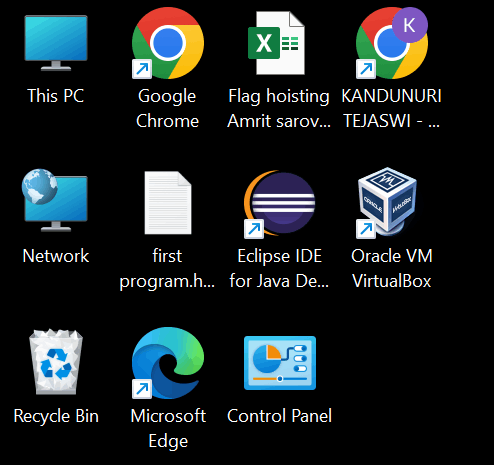
A program, feature, or file is represented graphically by an icon. A corresponding file or application opens when you click or double-click an icon or an action is carried out. For instance, double-clicking the My Computer icon would launch Windows Explorer. Apple macOS X and Microsoft Windows are two GUI operating systems that include icons.

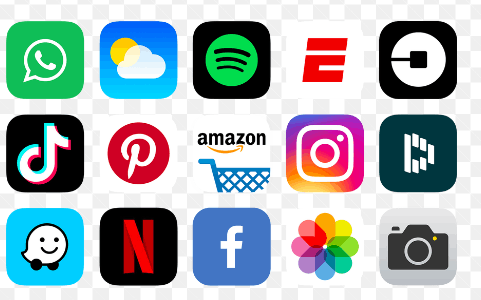
Thanks to icons, users can immediately recognize the type of file represented by an icon. The image shows examples of icons of different applications. In the context of today, an icon is a graphic shown on a computer screen that represents a feature, a program, another concept, or a unique thing that is valuable to the user. For instance, the symbol for the recycling bin, or the location where files go after they are removed, is shown by a picture of a miniature trash can on a computer running a Microsoft or Apple operating system.

An icon on one website designates the topic or information on another. The logo typically comes with a hypertext link to the other website. Icons are frequently gathered in one or two places on a website, either as separate graphic files or as an image map.

Pressing F2, entering a new name, and then pressing Enter will quickly rename any highlighted Windows icon.

Types of Icons

System types: System icons are visible along the screen's left side. During installation, Windows automatically creates these icons. System icons include those for My Computer, the Recycle Bin, My Documents, and Internet Explorer, to name a few.

Icon Shortcuts: These are the little arrow-shaped symbols in the bottom left corner. On modern systems, shortcut icons make accessing certain items like a program, document, or printer simple. The shortcut icons don't represent the thing; they just show its position.

Icons for program folders and documents

Icons for program folders and documents are not part of the operating system and reflect the actual items they refer to. Therefore, when we remove such an icon from the hard drive, we also remove the actual thing.
What is an Icon

How do icons work?

The image may not be selected, and such as a company's logo; however, it frequently appears as a little picture that may be chosen.

The associated software or website opens when you hover the mouse pointer over an icon. Icons that can't be selected could provide information on anything on the page. For instance, you can print the contents of a text box if it has a print icon next to it.

Why are icons used?

Because they are pictorial symbols, computer icons let users quickly and easily understand what they need or want. Icons give a more appealing visual representation and are more entertaining to use than traditional text-based connections.

But as you've probably seen by now, symbols also serve several other purposes.

Additional applications that employ icons

In this part, we'll review a few additional usage cases for icons.

Pictograms: A graphical representation of an object, place, or concept is called an icon, sometimes a pictogram.

Icons in mosaics are little pictures or symbols that represent larger images.

Semiotics: An icon is a symbol that depicts a thing, location, or concept in semiotics.

Of course, the term "icon" can also apply to individuals who stand in for a certain demographic or historical era.

People who are seen as cultural icons represent a certain culture. Michael Jordan, Marilyn Monroe, and Elvis Presley are a few examples of cultural icons.

Fashion icons are individuals whose looks are imitated by others. Princess Diana, Jackie Kennedy, and Audrey Hepburn are a few examples of fashion role models.

Religious icons are individuals or things that are revered by a particular religion. The Dalai Lama, Jesus of Nazareth, and the Virgin Mary are some examples of religious icons.


Related Topics

What is Composite?

Composite can have different meanings depending on the context, but generally, it refers to something made up of multiple parts or elements combined to form a whole. In materials science,...

10 minutes read.

What is AM?

AM may refer to any of the following: When referring to audio or a signal, amplitude modulation (AM) is a method of transmitting information using radio waves. In AM, the information...

4 minutes read.

What does Alt+E do?

Computer keyboard shortcut keys play a very important role in every computer user. We can do anything from the mouse and keyboard, but shortcut keys provide data in a time-efficient...

3 minutes read.

What Does Alt + L Do?

The keyboard shortcut, "Alt+L"  is frequently used to open the Developer Tab in the Ribbon. Open the program in which you want to use the Developer tab. Press and hold the "Alt"...

3 minutes read.

What is Task Pane?

Task panes are interface elements frequently appearing on the right side of the windows in Word, PowerPoint, Excel, and Outlook. Through task panes, users can access interface controls that can...

3 minutes read.

What is an AC Adapter?

An AC adapter is an external power source that changes the direct current (DC) required by an electronic device from the alternating current (AC) supplied by a wall outlet. So,...

4 minutes read.

Quantum Computing

Topics Covered What is Quantum Computing Applications of Quantum Computing How Quantum Computing works Difference between classical computers and Quantum Computers What is Quantum Computing? We all know that quantum physics...

8 minutes read.

What is VDU?

In this article, we shall discuss the VDU- visual display unit. VDU states visual display unit. This is a British term. And this is used to display pictures and text on...

4 minutes read.

What is Right-Click?

The right-click, often known as RMB (right mouse button), results from depressing the right mouse button. A computer mouse's right-click function can launch extra functionality, typically in the form of...

3 minutes read.

What is a TAB stop?

The place where the cursor stops after pressing the Tab key is known as a tab stop. The carriage moves to the next tab stop when you click the tab...

3 minutes read.

What is a Joystick?

An input device known as a joystick is frequently used to control gaming programs and, sometimes, used in graphics applications. Every game requires a controller to play. Suppose a game like...

9 minutes read.

What does Alt + T do?

Alt + T is one of the keyboard shortcuts mostly used to open the Tools present in the file menu. Usage of Alt + T Keyboard shortcut For using the Alt +...

4 minutes read.

Difference between Desktop and Laptop

What is Desktop? A Desktop Computer is designed for steady use at a particular location near a desk due to its huge size and power requirement. It uses devices for...

7 minutes read.

What is a Raster?

A horizontal scan line is an image made of lines on the interior of the screen that were traced by an electron beam to generate a raster. These lines can...

3 minutes read.

What is a Variable?

In our daily life, the variable plays an important role in programming as well as in mathematics for storing data or information. Most mathematicians tend to assume variables for solving...

6 minutes read.

What is Account Sharing?

Account sharing is the way of allowing multiple people to use a same account by sharing their username and password with others. For instance, to avoid having to pay for...

7 minutes read.

Parts of Computers Names, Definitions and Images

Computer: A computer is an electronic device, which is made up of using various hardware. The computer processes data, performs calculations, and communicates with other devices and systems. Hardware refers...

14 minutes read.

Types of Computers

Computers can be categorized in two ways: size and data handling capabilities. Based on the size, computers are divided into four types: 1. Super Computer The super computer introduced in the 1960s and developed by Seymour Cray,...

5 minutes read.

What can I do if my computer or laptop is lost or stolen?

The computer loss might bring the owner a stressful situation because it brings a loss in financial and security to the information. But there are a few steps that one...

4 minutes read.

What is HDMI: High Definition Multimedia Interface

HDMI is one of the most frequently used audio/video interfaces, which is a connector and cable that can send high-definition, high-bandwidth audio and video streams between devices. It stands for...

3 minutes read.