
Second Generation of Computer
The period of the second generation was from (1959-1965). The transistor takes the place of the vacuum tubes in the second generation. The transistor was invented at Bell Labs in 1947. It was far superior to the vacuum tube.
The transistor is allowing the computer to become smaller, faster, cheaper, more energy-efficient, and reliable than the first-generation processor. It was a great improvement over the vacuum tube. The computer of the second generation was invented by the two persons named "H.W.Brattain" and "W.Shockley."
The computers of the second generation moved to symbolic or assembly language from binary language. Due to assembly language, the programmers or coders have specified the instructions in words. Thehigh-level languagessuch asCOBOLandFORTRANwere developed at the time of the second generation.
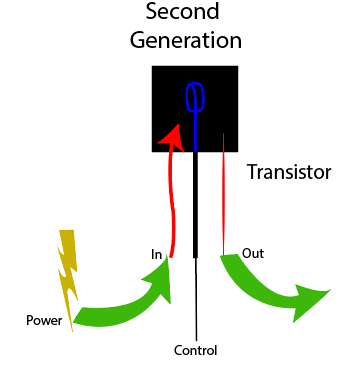
Fig: Transistor.
The computers of this generation still relied on punch cards for input and printouts for output. The computers of this generation were the first type of computers which are capable to storing their instructions in theirmemoryand moved from a magnetic drum to magnetic core technology.
The magnetic cores were used as the primary memory and the magnetic tape and magnetic disks used as the secondary storage devices in the second generation of computer. These computers can use batch processing and multiprogramming operating systems.
Features of the second generation
- We can use transistors in this generation.
- The computers of the second-generation are reliable in comparison to the first generation.
- These computers are small in size as compared to first-generation computers.
- The computers of the second-generation produced less heat as compared to the first generation.
- The computer of this generation consumed less electricity as compared to first-generation computers.
- These computers are faster than first-generation computers.
- The computer of the second generation was still very costly.
- AC is also required for these types of computer.
- These type of computers supported machine and assembly languages.
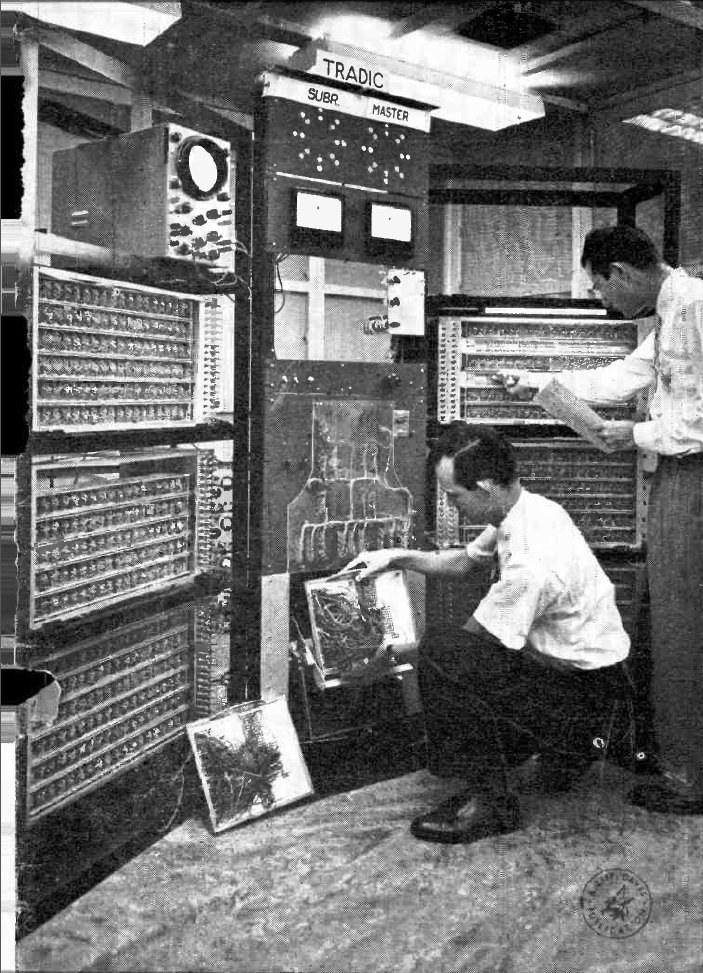
Fig: computers of the second generation.
There are some computers of the second generation, which are given below:
- IBM 7094
- IBM 1620
- CDC 1604
- CDC 3600
- UNIVAC1108
- Honeywell 400
Computer Architecture of IBM 7094
TheIBM7094 is the computer of the second generation. It was the last commercial, scientific mainframe computer, and the transistorized version of the earlier IBM 709 vacuum tube mainframe computer. These computers used various type of operating systems such as SOS, IBSYS, IBJOB, FMS, etc.
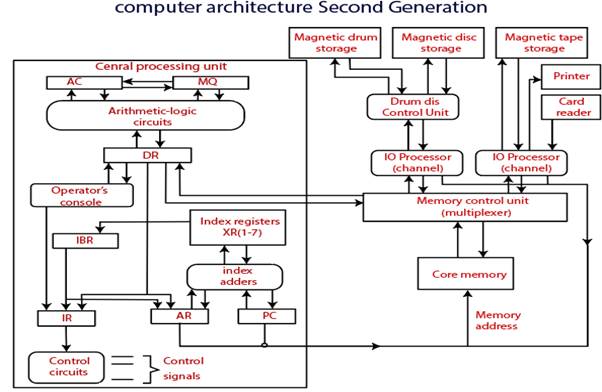
This computer has seven index registers. In April 1964, the first IBM 7094 II was installed. It has dual memory bank and also improved overlap of instruction execution. The computer systems of this generation are developed for the large scale of scientific computing. These computers have extra index registers and support hardware double-precision floating-point. The IBM 7094 has two models: the original IBM 7094, and another was 7094 II. The IBM 7094 had new data processing system in which the major speed effects are available for floating-point operations, fixed-point multiply, and divide operations.
The IBM 7094 is the data processing system that featured outstanding price and performance. It offered substantial increases in internal operating speed. These computers increase the functional capacities to match growing scientific workloads in the 1960s.
The IBM 7094 had 1.4 to 2.4 time’s internal processing speed, which depends upon the individual application. It has basic machine operating cycle of 2 microseconds. These computers have conditional transfer instructions.
IBM 1620
The IBM 1620 computer was developed by IBM on October 21, 1959. After the total production about 2000 machines, these computers were withdrawn on November 19, 1970. This was the variable word length decimal computer with the magnetic core memory.
The magnetic core memory of this computer can hold 20,000 decimal digits. The memory was accessed by using two decimal numbers at the same time in these computers. Every decimal digit has six bits. The instructions were fixed length, which is 12 decimal digit.
The architecture of IBM 1620 was very popular to the scientific and engineering community. Most of the installations of IBM1620 used the punched card to the input/output rather than paper tape. The IBM supplied various software for 1620, which are given below:
- 1620 symbolic programming system which can use assembly language.
- FORTRAN
- FORTRAN II, which required 40,000 digits or more.
CDC 1604 computer
The CDC 1604 computer was manufactured by "Seymour Cray" and his team at Control Data Corporation. It is known as the first commercially successful transistorized computer. The first 1604 was shipped to the US Navy in the 1960s.
These computers can execute about 100,000 operations per second. Every 48- bit word contained two 24 bit instructions. The CPU in these computers contained a 48-bit accumulator, a 48- bit mask register, a 15-bit program counter, and six 15 bits for index register.
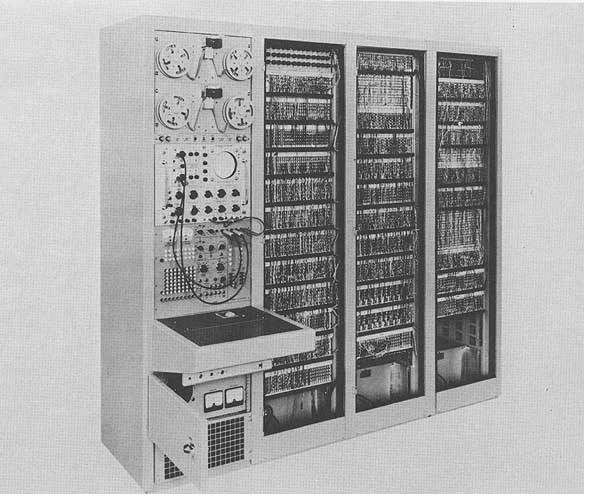
Fig: second-generation computer CDC 1604
The memory in the CDC 1604 consist of 32k 48bit words of a magnetic core memory with the cycle time of 6.4 microseconds. The memory of CDC 1604 was organized as two banks of 16k words each.
The average effective memory access time was 3.2 microseconds. There was 12-bit minicomputer, which is known as CDC 160, which was used as an input/output processor in CDC 1604 computer systems.
The significant three bits of the accumulator was converted from digital to analog. The Soviet nuclear weapons laboratory used the CDC 1604. The CDC 1604s was shipped to DASA (Defense atomic support agency) and utilized in Cuban missiles.
The Advantage of the second generation
- These computers have better probability as compared to the first-generation computer.
- These computers have better speed and capacity of calculating the data in microseconds.
- Assembly language, punch cards were used for input in the second generation of computers.
- The size of the electron component is decreased due to the presence of transistors instead of vacuum tubes.
- These computers are smaller in size as compared to the first generation.
- The accuracy of these computers was improved as compared to the previous computer.
The disadvantage of the second generation
- We required a cooling system for the use of these computers.
- The constant maintenance was required for these computers.
The computers of the second-generation are only used for a specific purpose.