
Types of Computers
Computers can be categorized in two ways: size and data handling capabilities.
Based on the size, computers are divided into four types:
1. Super Computer
The super computer introduced in the 1960s and developed by Seymour Cray, he developed CDC 1604, and that was the first supercomputer in the world. The supercomputer is a high-level performance computer to the general purpose. This kind of computers is used for scientific and engineering applications to handle extensive databases.
The multicourse processors and Graphics processing unit (GPUs) are used in the supercomputers. The supercomputer performs parallel processing. There are two types of parallel processing.
- Symmetric multiprocessing (SMP)
- Massively Parallel Processing (MPP)
The supercomputers consist of ten thousands of processors, which can perform billions or trillions of calculations per second.
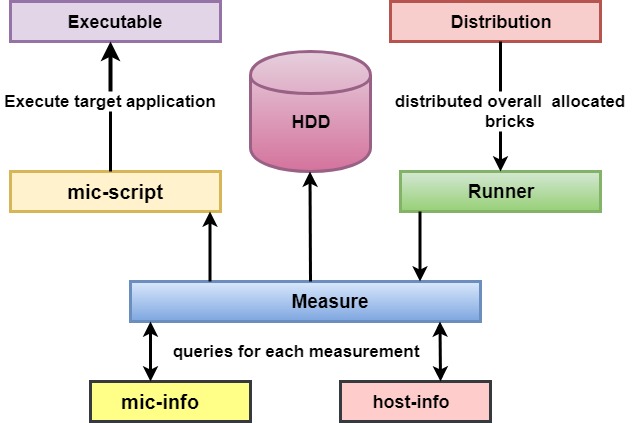
Construction diagram of a supercomputer
The fastest supercomputer of the world was the Sunway TaihuLight in the city of wixu in china. In these days, supercomputer is used in application such as aerospace, automotive and petroleum industries.
Characteristics of supercomputer
There are some characteristics of supercomputer which are given the following:
- Support more than one hundred users at a time.
- Capable of handling a massive amount of calculations, the human is not able to solve such extensive calculations.
- Many people can access supercomputer at the same time.
- The supercomputers are the most expensive computers.
- This type of computer supports a high computation speed of CPUs.
- The supercomputers have more than one CPU (Central processing unit) which contains instruction so that supercomputer can interpret instructions and execute arithmetical and logical operations.
- The supercomputer is used in applications such as national security, nuclear weapon design, and cryptography.
2. Mainframe Computer
The mainframe computers are mainly used in large organizations. These computers are used for complicated applications to process a large amount of data. The mainframe computers are the vast computer and take space of the entire room or the whole floor. This type of computers can run multiple operating systems at the same time. The mainframe computers are used for online data storage; these are used for the transaction process in banking and airlines etc.
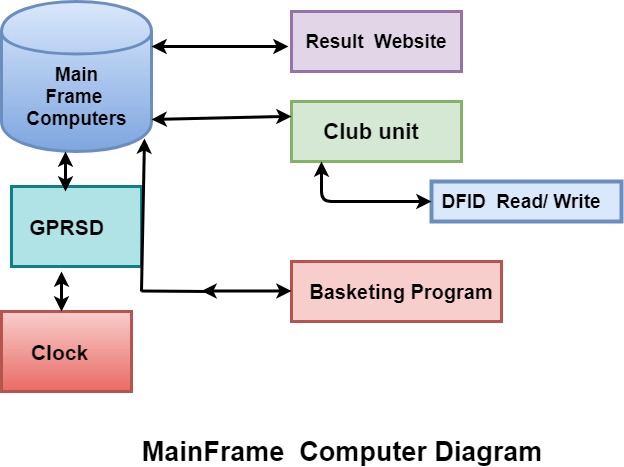
Characteristics of mainframe computer
- The mainframe computers have a large number of CPUs with high processing power.
- These computers have large memory capacity; sometimes it is more than 8 Gigabytes.
- The mainframe computer systems are able to share their workload to different processors; due to this feature, and it has increased the performance.
- The mainframe computers have centralized computing features.
- These computers can run on multiple operating systems.
- The thousands of users can operate and use the machine at the same time; it is possible due to its time-sharing ability.
- The reliability is the main feature of Mainframe systems, due to this feature its usage becomes widespread.
3. Mini Computer
The mini-computer is the type of small computer, which is developed in the mid of 1960s and developed by IBM Corporation. The mini-computer is varied between mainframe and microcomputer because it is shorter than the mainframe computer in size. The mini-computer has all the features of a massive computer, these are multi-user systems, where users can work simultaneously. These mini-computers can do time-sharing, batch processing, and online processing. The size of mini computers range from 12 inches in width to less than 7, and this size is especially attractive to the students; due to this size, they can carry their mini-computer everywhere. The tablet, PC, desktop mini-computers, cell phones, notebooks, high-end mp3 players, etc. are the types of mini-computers.
Advantages of mini computers
- The mini-computers are money-saving computers, and everyone affords it quickly, the budget of these computers are not so high.
- These computers are small in size so, anyone can carry easily anywhere.
- These are portable; we can fit those computers in laptop bags and purses.
- If we compare mini computers to others, then they have a longer battery life.
- The mini-computers are very light weighted and have full features as compare to other computers. Due to its lightweight, it’s easy to carry anywhere.
4. Micro Computers
The Hewlett-Packard (HP) developed the microcomputer in 1970. The microcomputer is also known as the device based on the single-chip microprocessor, and these computers are smaller than mainframe or mini-computer. The microcomputers contain the memory in the form of read-only memory (ROM), and random access memory (RAM).
Architecture of microcomputer
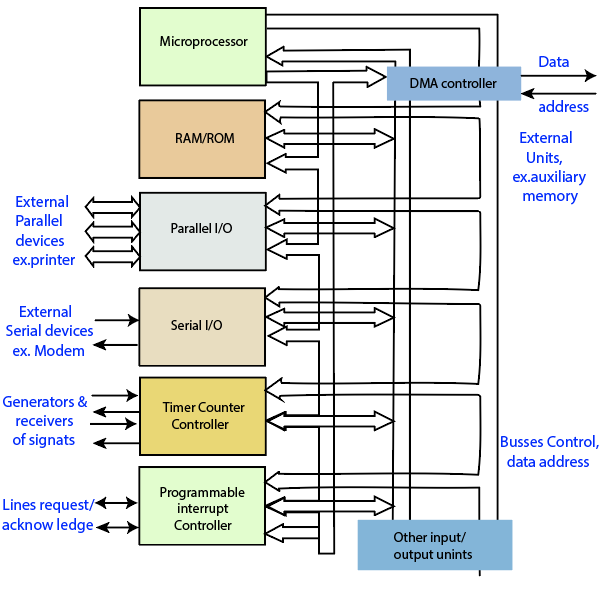
Architecture of microcomputer
The first microcomputer was Micral, released in 1973, and it was the first non-kit computer based on a microprocessor. These computers have multi-users, and it contains various components such as CPU, one single chip, a microprocessor, input/output devices, and storage unit.
Characteristics of microcomputer
- It is easily affordable due to its small in size and low cost prize.
- It has low computing power.
- The microcomputer is commonly used for personal application.
- These type of computers has its central processing unit (CPU) on an integrated circuit (chip) called a microprocessor.
Based on data handling, the computers are divided into three parts
1. Analog computer
The analog computers are used to process the analog data, this type of computer store the data in the continuous form, that data cannot have a discrete value such as speed, temperature, pressure, etc. These computers directly accept the data from the measuring device without converting it into numbers and code. The resistance of the capacitor, frequency of signal and voltage, etc. are the examples of an analog computer.
2. Digital Computer
These computers are designed to represent the calculation at high speed and solve the problem by processing the information in the discrete form. It operates the data, including letters and symbols that are expressed in the binary form 0 or 1. The digital computers can analyze and organize the vast amount of business data.
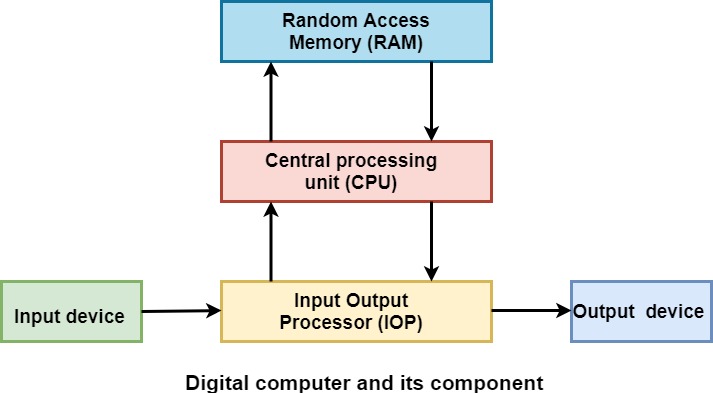
3. Hybrid computer
The hybrid computers inherit the features of analog computers and digital computers. Hybrid computers have the functionality of both analog and digital computers. The component of the hybrid computer is designed in such a way that makes the device fast and accurate. The hybrid computer is used in special applications where both analog and digital data are processed. For example, in the cement plant, the calculations are calculated with the help of digital computers.