
How to fix the "no input signal" error message?
How to fix the "no input signal" error message
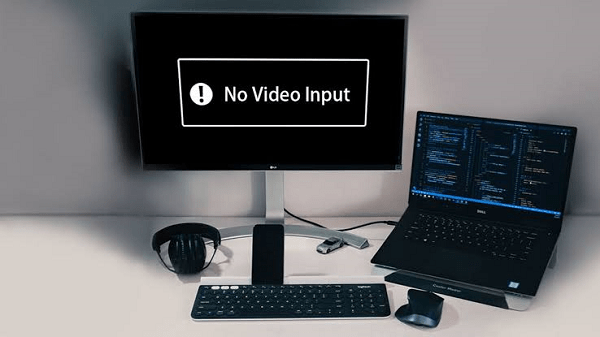
If the computer monitor shows the error message, which is "No input Signal," try to troubleshoot the operation by following:
The computer is not transmitting a signal.
Please verify that the computer has power. If your system is turned off, it cannot transmit the signal, and because of it, the system will show a "no input signal" message on the screen.
Monitor not connected properly
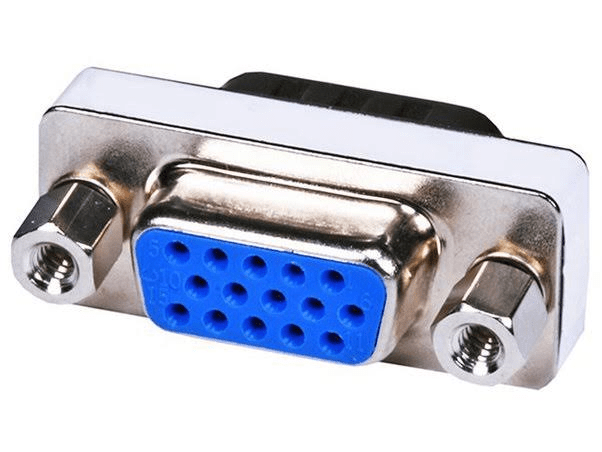
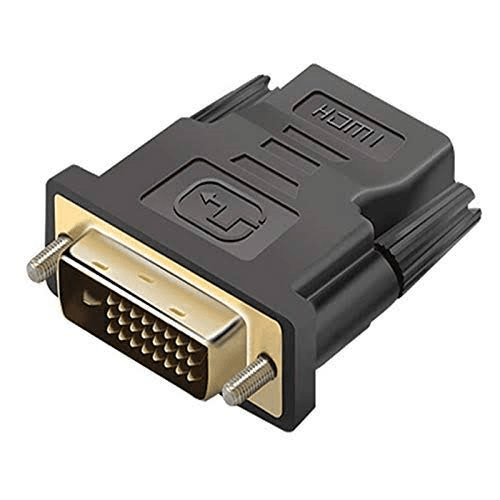
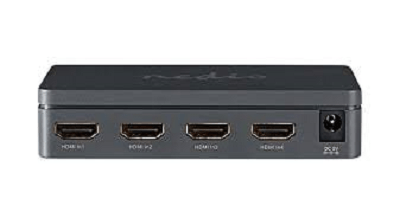
Make sure that the display cable is securely and accurately plugged in on the backs of both the computer and the monitor. The VGA, DVI, HDMI, or DisplayPort connector on the monitor cable is used to attach it to the rear of your computer. The photos below provide examples of video card connectors for VGA, DVI, HDMI, and DisplayPort.
VGA Connector
DVI Connector
Modern Video Ports
By removing the cable from the back of the display and reconnecting it, you can make sure the monitor cable is not slack. In order to ensure sure, the cable is not slack, it is also a good idea to rock it back and forth.
Note: When disconnecting the cable, inspect the cable's termination to ensure that none of the pins is bent. The cable may be faulty and has to be replaced if any of its pins are bent or damaged.
The monitor wire should then be unplugged from the computer's back and reconnected. Please make sure the cable connection is secure while connecting it to the computer. Screws can be tightened to secure a VGA or DVI-style connector, such as the ones displayed above.
Note: A video card and an onboard video may be found in some systems. You will have two distinct connections for your display on the rear of your computer when using this kind of PC. If you see more than one and the display isn't working, try the other VGA, DVI, HDMI, or DisplayPort connections.
Incorrect input selected
VGA, DVI, HDMI, or DisplayPort connectors can be used to connect newer displays to computers. Use the appropriate input selection for these kinds of monitors. Use the buttons on the monitor's front or bottom edge to access the settings. Look for options to select the connector type and cable that your monitor uses (such as VGA, DVI, HDMI, or DisplayPort).
Bad hardware
The monitor or video card is likely broken if the connections appear to be in order. The motherboard of the computer might possibly be broken, which would prevent a signal from reaching the video card and monitor. Connect a different monitor to your computer or your display to a separate computer to determine which component is malfunctioning. Testing the motherboard for flaws is advised.
1. Your computer's monitor is broken if a different one works on it.
2. If your monitor works on another computer, your video card might be broken.
Note: If your computer has onboard video and you think your video card is broken, you need to get a new motherboard. Alternatives to replacing the motherboard include installing a new video card.
Computer not posting
Check to see if your machine starts up after the POST procedure. In some cases, if the POST procedure is unsuccessful and the computer cannot boot properly, the message "No input signal" may show.
The motherboard may be at fault if the POST procedure fails and the computer won't boot up. A computer motherboard failing the POST test is frequently caused by a fault in the motherboard or a defective capacitor.
The monitor works for a while, then loses signal
The monitor or computer may be overheating if it operates for a time before failing and showing the "No input signal" message. If the display overheats, it will switch off to prevent additional damage. If the computer overheats, it may stop sending a signal to the monitor and shut down to stop further damage of the computer hardware.
In most cases, fixing an overheating monitor is not worthwhile. It will probably cost more to fix than to purchase a new monitor. Because of this, we advise exchanging a hot monitor.
If the computer is overheating, the fans that keep the processor, video card, or power supply cool may have ceased functioning. Make sure the fans are spinning by checking them. When the computer is turned on, the fans must be replaced if they are not rotating at all. Utilize a software diagnostic tool, such as HWMonitor, to check the RPM of the fans if they are operating. The fans could not be rotating quickly enough, signaling that they need to be cleaned or replaced because they are damaged or clogged with dust.