
What is a Slate PC?
Slate PCs are smaller versions of Tablet PCs with screen diagonals ranging from 7 to 12 inches. It has a desktop operating system and is an IBM PC-compatible computer. The interface differs in several ways because it is made to be used by your fingers on a touch screen while employing multi-touch gestures. Only the virtual keyboard is utilized for text entry, though you could theoretically connect an external physical keyboard to the tablet using the Bluetooth interface. Microsoft created the idea in collaboration with important laptop manufacturers, namely Hewlett-Packard.
The most portable type of computer is a tablet PC. It doesn't need a keyboard and is just as powerful as a contemporary PC. Instead, you can update information using "digital ink" technology by writing on the display (or "tablet") with a digital pen or "stylus," just like you would in a patient's paper chart. The two primary varieties of tablet PCs are convertible tablet PCs, which are essentially laptops with screens that can be rotated and folded into the keyboard to produce tablets, and slate tablet PCs, which are tablets without associated keyboards (though one can be added).
Here we are now mainly discussing Slate tablet PC. A Slate PC is a notebook computer that uses an electronic pen instead of a keyboard to input data. Slate PCs are especially helpful in circumstances where keyboards are uncomfortable or superfluous. Slate PCs can typically translate legibly typed block letters into their ASCII equivalents. But even though handwriting recognition technology is advancing quickly, they still need to read a script.
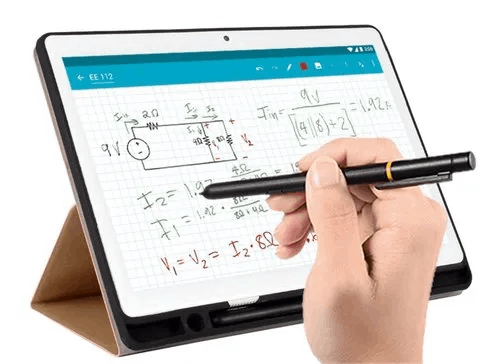
Thanks to a large range of features and programs that allow them to be relatively equal to standard laptop computers, tablet computers are becoming increasingly popular. The interface is the only significant difference. Since slate tablet PCs are currently the most popular form of tablet PC on the market and have been for some time, if you're looking to buy a new tablet, you may be wondering what exactly a slate tablet PC is. The term "slate" connotes a flat surface most frequently used for writing. Children used chalk slates in the classroom in the past to complete their assignments and hold them up for the teacher to see. The same fundamental idea holds with tablet PCs in the slate style. Even though laptop computers are portable, you must set them down on a surface to use them.
A slate tablet PC is a computer that resembles a large screen and lacks any external input devices. There is no touchpad, trackball, keyboard, or mouse. Slate tablet computers are intended to be held in one hand's palm while using the other to operate a touchscreen interface. Depending on the model, they may include a few openings along the outer border and are thin. A digital keyboard and all the other components you need to use the computer are readily available on the screen. Slate tablet computers provide a wide range of options further enhanced by the touchscreen interface, from composing documents to working in spreadsheets to even altering images. This new interaction style is being incorporated into more apps and games, altering how users interact with computers.
The invention of the tablet computer is commonly given to Alan Kay of Xerox, who drew out the concept in 1971. Apple Computer's Newton tablet computer was the first widely sold, although it was not a financial success. Since then, tablets have become a practical form of computing because of advancements in battery life, display resolution, handwriting recognition software, memory, and wireless internet connection. The slate-style tablet, like the Apple iPad, Microsoft Surface, or Amazon Kindle Fire, is the most popular. For most slate-style tablets, external keyboards are available; some keyboards even serve as docking stations for the gadgets.
While the Apple iPad comes quite near to being a "true" computer in terms of capability, hard-core PC enthusiasts frequently dismiss it. However, the HP Slate 500, introduced as a business-class device by HP, was one of the first fully tablet-style PCs to hit the market. It's not surprising that HP rapidly ran out of them once they released them just before Christmas 2010. A range of EEE tablet PCs from Asus also stunned attendees at CES 2010. Since Asus fully embraced the new technology, several Asus tablet PCs are available. Consider various tablet styles from manufacturers like Samsung and their Android tablets and tablets with the Apple and Microsoft operating systems. You can anticipate that almost every significant manufacturer will enter the fray as these types of devices become more popular on the market.
Some Examples of Slate tablet PC
- DOMO slate SL49 OSB 10.1”
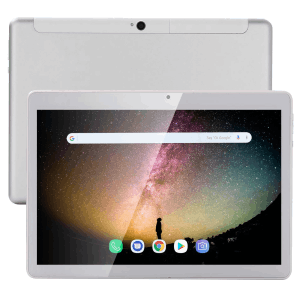
- Samsung Series 7 slate PC
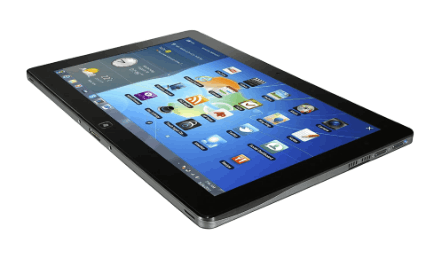
- Google Pixel Slate 12.3-Inch
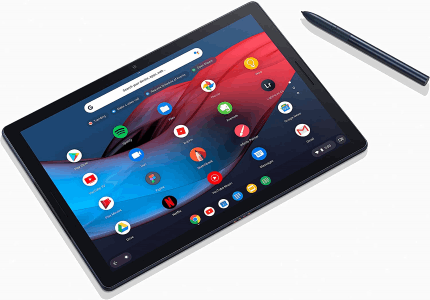
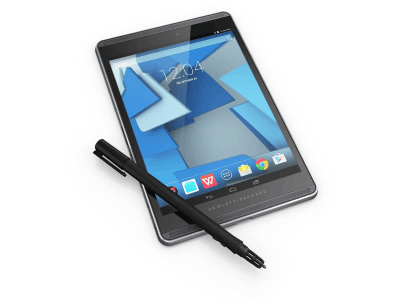
- HP Pro slate 8
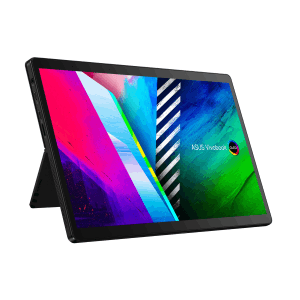
- Asus Vivo book 13 slate tablet PC
Advantages of Slate tablet PC
- Portability
- Longer product life span
- Efficient and clear screens
- Built-in features and add-ons