
×

What is a Header?

A document or data packet's header is a section that contains metadata or other information required for processing the main material.

In information technology, "supplemental data" is frequently used to describe any additional data that comes before the actual data. The data typically begins with the header. Important information, including the source and destination addresses, packet type and size, and other specifics, are contained in the header when data is delivered in datagrams. Similar to this, the header serves distinct functions in various document formats.

A header is an individual line of text at the top of a printed page. The title of the book you're reading, which is repeated on each page, can be a header.

A chapter title is one type of header, often known as a "page header," and it is frequently written at the top of every page. Because it is printed at the top, or head, of the page, it is known as a header. Page numbers might be used as headers when formatting a lengthy essay for school. In any case, the primary text of a document is separated into a header, which is sometimes printed in a bigger or bolder type.

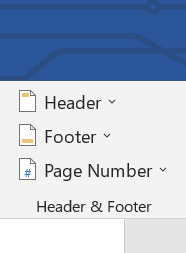
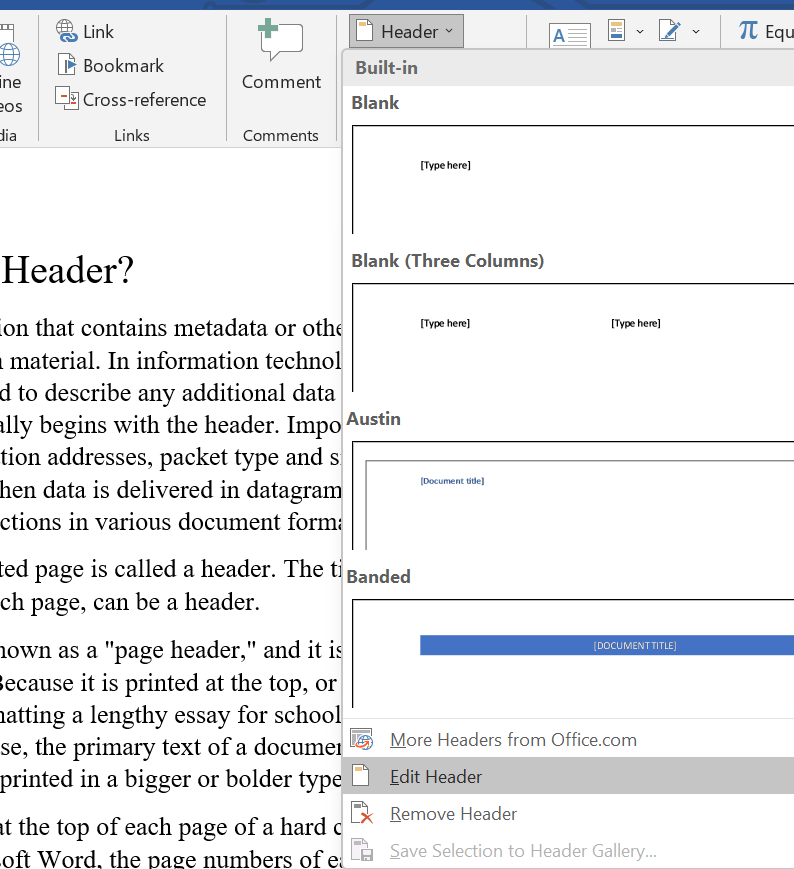
The text usually appears at the top of each page of a printed or digital document, known as a header or heading. For instance, in Microsoft Word, the page numbers of each page could be displayed in a document's header. On the other hand, an electronic or printed document's footer is located at the bottom of each page.

The web page's top section containing the firm name and logos is known as the header or web page header. Between the opening and closing header> tags, a navigation bar is frequently included to make it easier for visitors to travel between popular website sections.
What is a Header?

Data delivered as part of the HTTP network protocol is an HTTP header. Important information like the origin and type of the HTTP request are transmitted between a browser and a web server via the header.

A header is a term used to describe the pins on the motherboard that enable adding more ports to the computer. For further information, see our definitions of the 1394 and USB headers.

A header, sometimes called an email header, is data included at the start of electronic communication and contains information about its contents. The message's source, destination, and other details needed to decode and comprehend it are all identified in the header.

A header for a file is information that appears at the start of the file and provides more information about the file. For instance, the bit depth, size, and resolution of some picture files may be included in the header.
What is a Header?

A header is a file, data packet, or message section that carries important information in addition to the data itself. From one document to the next, the header's contents change.

Following are the few illustrations of header contents:
Email:
  An email text message comes after the email header. It includes facts about the sender, receiver, subject, date, and other relevant information.

HTTP message:  Every message transmitted using the HTTP protocol has a header with information about the user agent, content type, HTTP version, and other variables.

Data packet: Information on the kind of payload, the sequence number, the IP addresses of the sender and recipient, etc., are all contained in the header portion of a data packet sent over the Internet.

Word processing documents: A word processing document's header is where you may include extra information like the author's name, the number of pages, the date, etc.

Graphics files: The picture size (width and height), depth, quality, format, colors, etc., are all mentioned in the graphics file's header.

Archive/binary file: A signature that identifies the file format and suitable software used to open or edit the file is present in the archive or binary file header.

Program source code: Certain processing data and/or assembly files are inserted into a source file using header files.

HTML document: Metadata and the document's title are stored in the header section, which is determined by the <head> tag.

A header may be required (for an HTML page) or optional (for other applications) (e.g., data packet). It may be used for a variety of things, including identity, authentication, and verification. The path taken by a data packet from the sender to the receiver may also be determined using the header of the data packet.


Related Topics

Where can I ask questions on the internet?

The internet is a great resource of knowledge and information where you can find all types of questions like imaginable questions, past answers, and much more. However, there are times...

6 minutes read.

What is A4?

A4 is a standard paper size widely used for printing documents and other materials. It is 210 x 297 millimeters or about 8.27 x 11.69 inches. It is part of...

7 minutes read.

Basic Network Troubleshooting

The term Basic Network Troubleshooting means to determine the issue related to the network through a continuous process and solve them using practically examined and reliable solutions. The methods that...

9 minutes read.

What is SAN?

A storage area network, sometimes known as SAN, is a specialized, quick network that provides network access to storage devices. Hosts, switches, storage components, and storage devices make up standard...

7 minutes read.

How Much is 1 Byte, Kilobyte, Megabyte, Gigabyte, etc?

In this article, we will discuss some of the data-storing units, which are helping to store data in the memory of the device. They are all types of memory units...

6 minutes read.

What is a Mechanical Mouse?

A computer mouse with a metal or rubber ball on the underside is a mechanical mouse. The mouse's internal sensors detect any movement of the ball when it is rolled,...

3 minutes read.

How to installation or uninstallation Microsoft Paint

Instead of Microsoft Paint, we can also call it MS paint. Sometimes, it is also known as Paint. Dan McCabe programmed the first version of Microsoft Paint and also introduced...

3 minutes read.

Why my computer monitor shows no display or black screen

Often, people face the problem of getting a blank screen or no display on their computer monitor. There might be multiple causes to this, but it all lies around the...

6 minutes read.

How to test if a Website or Web Page is down?

The web server hosting a website, the routers, and other hardware connecting your computer to the server could all fail. The web server or routers may be unavailable due to...

6 minutes read.

How to fix problems in Windows after installing new software

Sometimes users face problems after installing new software in the windows operating system. Go along with the below steps to correct and fix them. Uninstall the software program or reinstall it If...

4 minutes read.

What is CMOS?

A compact device or system that stores data or information on the computer is used to save BIOS settings on pc motherboards. It is referred to as non-volatile bios memory....

3 minutes read.

What is a Case fan?

A case fan, sometimes known as a system fan, is a component of a computer that is attached to the front or rear of the device's chassis. Case fans aid...

3 minutes read.

What does alt + space do?

The Alt+ Space is a keyboard shortcut created by using Alt and spacebar key, and the shortcut is used to display the program's window menu that is presently opened in...

3 minutes read.

What is Back Quote?

A back quote, also known as a grave accent or backtick, is a punctuation mark used in various programming languages to denote a literal string or command in the command...

6 minutes read.

Uses of Computer

What is the use of computer in our daily life? 10 uses of Computer in Different Fields 1. Education The computer is playing a key role in modern education. In these days, Students...

5 minutes read.

Advantages and disadvantages of Email

What is Email? A fast method of business communication is email. It is difficult to imagine a workplace where email is not used for internal and external communication. The advantages of...

3 minutes read.

What is CAD (Computer-aided design)?

The process of modeling physical structures and material qualities in two or three dimensions using specialized software on a computer is known as computer-aided design, or CAD. Nowadays, it has...

6 minutes read.

What is Binary?

There are four types of the number system in computer applications through which we represent the different numbers. Before moving to binary numbers, let's discuss the rest of the number...

5 minutes read.

What is a Calculator?

What is a Calculator? A calculator is a manufactured device that enables us to solve complex mathematics easily. It helps to save a lot of time and energy as well. They...

3 minutes read.

What is a Dynamic Website?

There are two types of websites. First static and second dynamic website, but before we go for dynamic, we should know about the static website so that you can easily...

4 minutes read.