
×

What is Task Pane?

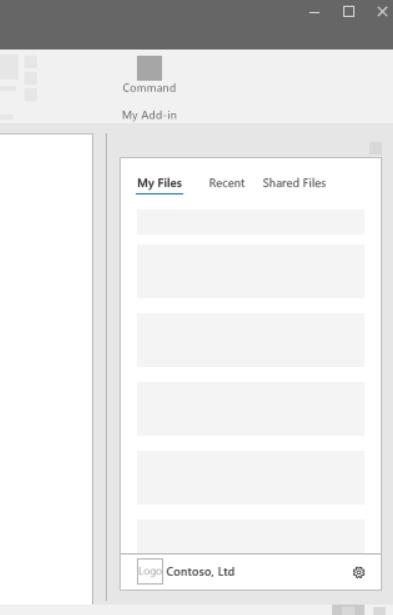
Task panes are interface elements frequently appearing on the right side of the windows in Word, PowerPoint, Excel, and Outlook. Through task panes, users can access interface controls that can run code to edit documents or emails or display data from a data source. Beginning with Windows XP, Microsoft Office has a dockable dialogue windows feature called a task pane. A user can edit the data contained in a document using this dialogue. A feature of Microsoft Office called the task pane can be found in Office 2002 (Windows XP), Office 2003, and later editions. It makes regularly used features, information, and instructions easily available to consumers.

The task pane has one or two pages, each of which has been divided into portions for convenient viewing. Using a compatible version of Microsoft Office, users can open the task pane by pressing CTRL + F1 on their keyboard or by choosing View, Task Pane, from the menu. The task pane's screen appearance can be changed to view, dock, undock, add pages, and utilize other similar MS Office functions.
What is Task Pane

Types of Task Pane

A task pane is a versatile windows pane on the right side of an Office application's windows. The global task panes that are present in all Office programs are described in the list that follows:

  • Startup task pane - Office programs' default task pane is the Startup task pane.
  • New File Task Pane – it permits you to begin a new file in a specific application and offers the option to open recently used files and access several document templates.
  • Office Clipboard Task Pane - enables you to see items you have cut and copied to the Office Clipboard.
  • Clip Art Task Pane - enables you to browse the Office Clip Gallery and add clip art to documents created with Office applications.
  • Search Task Pane - allows you to look for files using any Office application.
  • Research Task Pane – This new task windows can use various research and reference services. Many of these references are available online through resources like Microsoft Encarta.

In more detail, let's see how Startup task pan can be enabled or disabled in an Office program. Other task panes do have a similar type of enable or disable methodologies.

For Office programs, the Startup task pane is the default one. When you launch your Office software, it automatically shows up to the right of the document windows. This task pane's starting location can be modified, and you can choose whether or not to prevent it from opening when an Office program does.

To relocate the Startup task windows to a new location, follow these procedures:

  1. Open the desired Office program.
    Here we are taking MS Word as an example Office program.
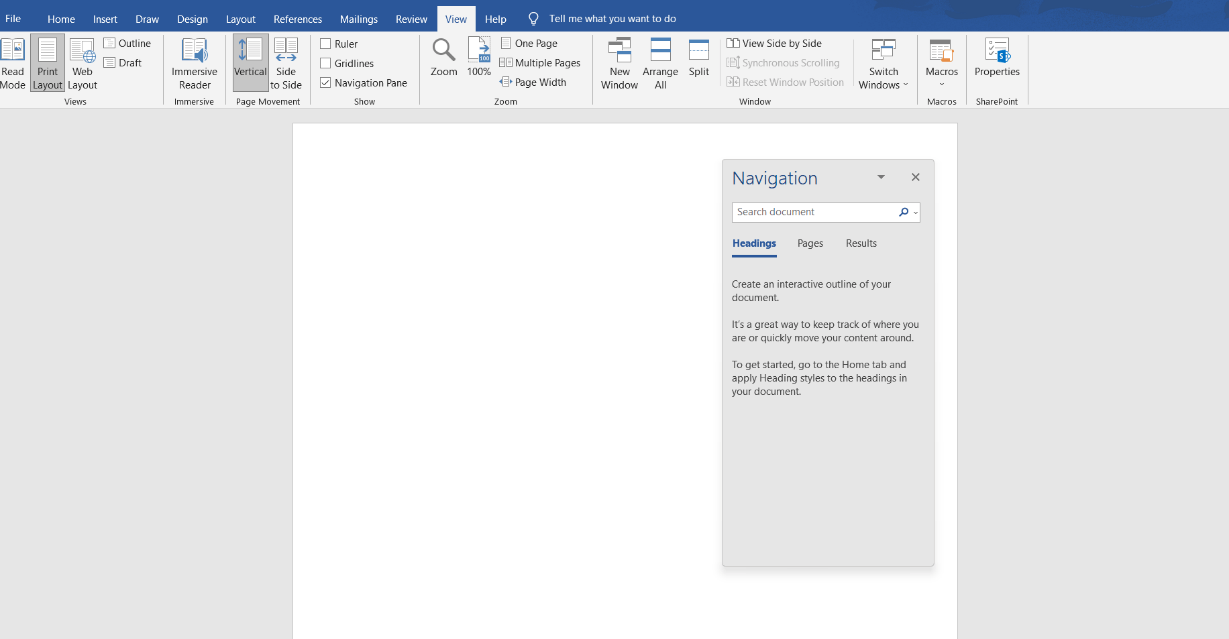
  2. Drag the task pane's title bar to the desired location by clicking and holding down the mouse button when you restart the Office application and the task pane displays in the new location.
What is Task Pane

To Disable the Startup task pane from displaying when you launch an Office program, follow these procedures:

  • Open the desired Office program (MS Word)
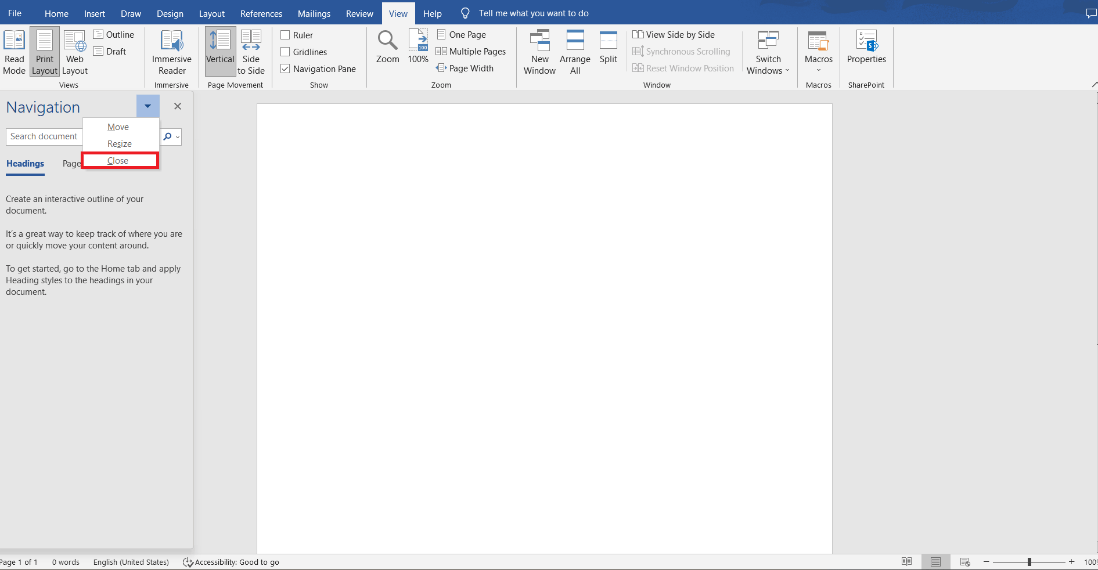
  • At the top of the task pane, click the drop-down arrow and choose the close option.
What is Task Pane
  • When you restart the Office application, the Startup task windows does not appear.

In rare circumstances, taking the earlier actions won't disable this feature. Modify the Windows registry if this happens. The necessary methods for removing the task pane feature from the Windows registry are listed below.

  • Close all running applications, including all instances of Microsoft Office.
  • Select Start.
  • Press Run.
  • Type regedit into the Run windows and hit Enter.
  • Open the following registry key in the Registry Editor.
    HKEY_CURRENT_USER\Software\Microsoft\Office\11.0\Common\General
  • Find the "DoNotDismissFileNewTaskPane" key in the section above. To remove this registry key, select it and press the Delete key.
  • Registry Editor should be closed.

After performing the procedures mentioned earlier, Microsoft Word shouldn't open with the Office task pane the next time.

To enable the Startup task pane when you launch an Office program, follow these procedures:

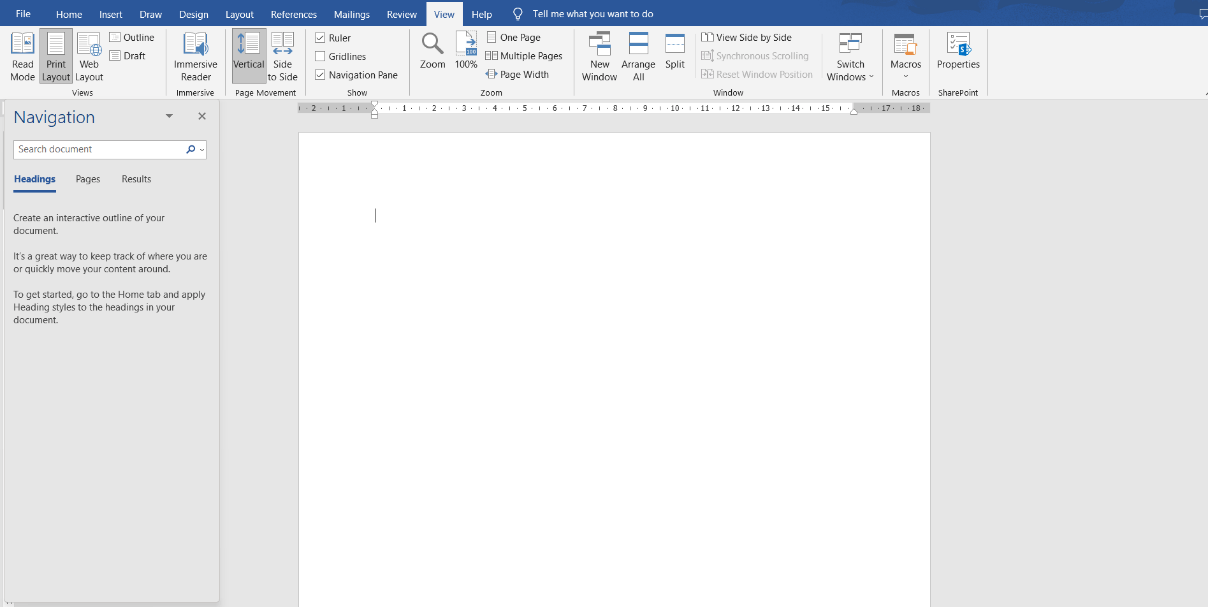
  • Click to check the Startup Task Pane box under Show on the View tab, and then click OK.
What is Task Pane
  • When the Office program is restarted, the Startup task windows opens.

Related Topics

What is a Memory Slot?

The memory slot, often known as a RAM slot, is what enables computer memory chips or sticks to be inserted in computer. It helps in determining the type of RAM to be used...

11 minutes read.

What is a Digital Assistant?

It is a voice assistant or a predictive chatbot that is programmed in such a manner that it can answer the queries of the user or can perform certain simple...

8 minutes read.

What is braille reader?

An electronic device known as a braille reader, sometimes known as a braille display, which enables a blind person to read the text on a computer monitor. Braille is a...

3 minutes read.

How to open a Microsoft .wps or Works file in Word

The WPS file format is a legacy one for Microsoft Works. Until 2007, when Office 2010 took its place, Microsoft Works, the company's first office suite, was released. The .wps...

3 minutes read.

Memory Hierarchy

Memory Hierarchy: In computer architecture, the Memory Hierarchy separates computer storage into the hierarchy based response time. It is developed to organize the memory in such a way that it...

5 minutes read.

What is Serial number?

A serial number, sometimes shortened to Serial No., SN, S/N, or SNID, is a special number used for inventory and identification. A product's serial number enables a business to recognise...

3 minutes read.

Why has my IP address changed

IP Address: Internet Protocol address, in short form, is known as IP address. This address could pose security liability, and these addresses are building blocks of the internet. IP addresses...

6 minutes read.

What is a Taskbar?

A taskbar is a graphical user interface component that serves several functions. Usually, a list of the running apps is displayed on it. The taskbar's arrangement and specific appearance vary...

4 minutes read.

How to View or Change the Screen Resolution of a Monitor?

The images you see on your computer screen are made up of "pixels," millions of minimal components. These pixels produce the colors, patterns, and videos you see on your monitor....

4 minutes read.

How do I open and edit the Windows registry

Before knowing how to open and edit the windows registry, let's understand what a registry is. The registry is a central database that consists of information, applications, hardware, and software...

4 minutes read.

How to Fix a Windows CD-ROM, DVD, or Disc Drive Issue?

If your CD-ROM, DVD, or disc drive is not working properly in Windows, you can try a few troubleshooting steps to fix the issue. These steps include checking the connections,...

6 minutes read.

What is the Pg up Key (Page up Key)

The Pg Up key is a computer key located between the keyboard and the numeric pad or on the numeric pad number 9. It can also be referred to as...

2 minutes read.

What are Recordable DVD Drives?

DVD recordable, also known as DVD-R, is a type of optical disc storage media that is used to store and record digital data. It was developed in 1997 by the...

5 minutes read.

What is a Login Script?

Simply, a Login Script means a Script that has all the necessary set of instructions which is run line by line by the login interpreter whenever a user logs into...

4 minutes read.

What is WAP?

WAP or Wireless Application Protocol was released in 1999. This protocol allows users to communicate through a wireless network such as mobile phones, tablets, etc. This protocol became quite popular...

12 minutes read.

What is an Online Service?

An entity that offers online access to various types of data for diverse purposes is known as an online service. Online banking, education, news, shopping, dating, computer support websites, social networking...

3 minutes read.

What is PC

PC stands for personal computer that allows the user to perform certain functions that can reduce the load of daily tasks and be effectively used by an individual. Ed Roberts...

12 minutes read.

What is Data?

In our daily life, you can see everybody is dealing with information and data to analyze things. Data can be of different forms and can be converted to the required...

6 minutes read.

How to Reset CMOS or BIOS Settings?

If the system is having issues booting, experiencing errors during boot, or having other anomalous issues that cannot be fixed. You will need to access the BIOS setup utility on...

11 minutes read.

What is an Expansion Card?

An expansion card is also called an add-on card, or an adapter card is a Printed Circuit Board (PCB) on the motherboard and fixed into an expansion slot. An expansion...

6 minutes read.