
×

What is a Calculator?

What is a Calculator?

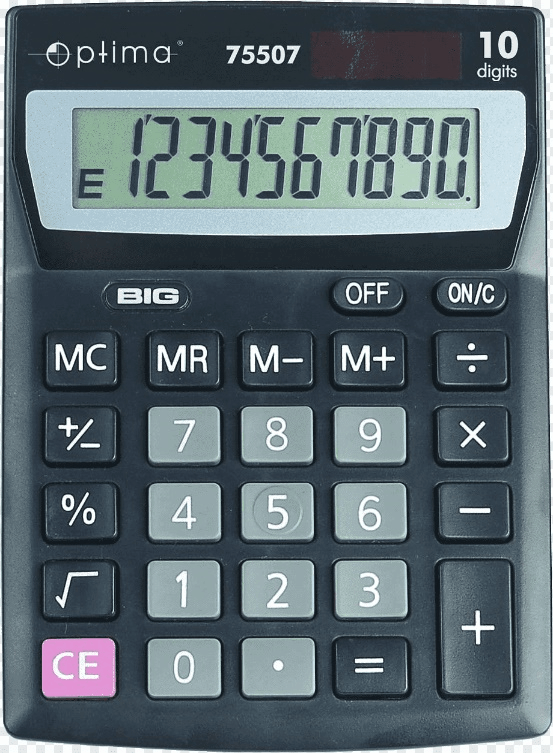
A calculator is a manufactured device that enables us to solve complex mathematics easily. It helps to save a lot of time and energy as well. They are small and portable devices with minimal maintenance requirements. A calculator is an electronic device that is used to perform different mathematical calculations on numbers. It is also a mechanical device, so that it can be a hardware device and software as well. Below picture is an example of calculator.
What is a Calculator?

A basic calculator can only perform basic mathematical and arithmetical calculations, such as, addition, subtraction, multiplication, division, etc. The calculator takes input from the user as an operand (operands are the numbers given for calculation or operation), and it allows the user to choose the operator (operators are the symbols that represent action or operation to be performed using the operands).

There are advanced calculators that can perform various complex operations like square root, hyperbolic functions, logarithm and antilog, exponential operations, trigonometric functions, etc.

Evolution:

The calculators, in modern times, require either cells/ batteries or electricity to operate. Basically, calculators do their processing based on the programmed functions and given input. First calculator was mechanical, which was invented in 1642 by Wilhelm Schickard.

Few tools were reported to work as a calculator in ancient times (before 2000 BC):

Abacus, Slide rule, Pebbles, Counting boards, Pascal's calculator, etc.

Most of the aids, as mentioned earlier, do not require power for operation.

Modern calculators:

Electronic calculators are referred to as modern calculators. These calculators need electricity as a source of power, and these are easily available in various different shapes and sizes, and the price varies from cheap to expensive. Digital calculators can be downloaded from the internet, and these are also provided as inbuilt features from various smartphone or smartwatch companies; these are easily accessed on the personal computers as well. 

Types of calculators

We have seen a rapid evolution in calculator devices and witnessed an amazing updating rate in this area over the last few decades. There are different calculators designed for the different needs of users. Some of them are mentioned below:

1) Basic calculator
What is a Calculator?

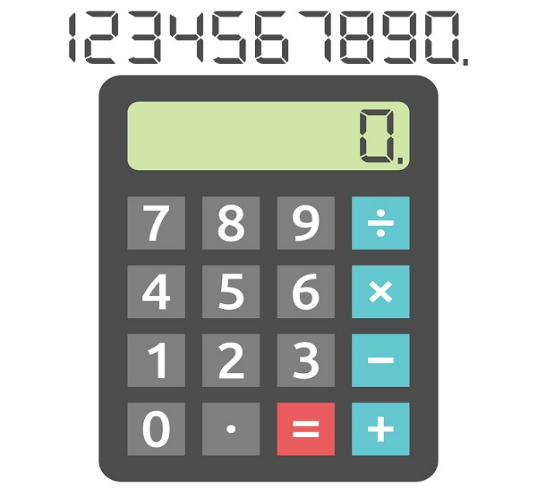
Basic calculators majorly have four basic functionalities and can only perform arithmetic addition, subtraction, multiplication, and division. And, some basic calculators can also perform percentile functions. These calculators are cheapest in price and are small in size that can be carried in a pocket.

These have four to five symbols to represent the operators: +, -, *, /, =.

2) Scientific calculator
What is a Calculator?

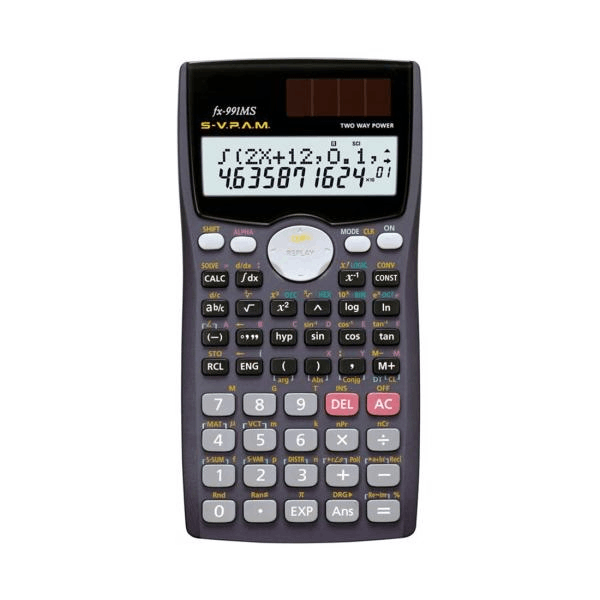
As per the name suggests, it is designed to perform scientific calculations. These calculators usually have more operator symbols than the basic calculator. It can find square root, exponential functions, trigonometric, logarithms, percentile etc. These calculators carry a large screen to display large numbers and large calculations.

3) Financial calculator
What is a Calculator?

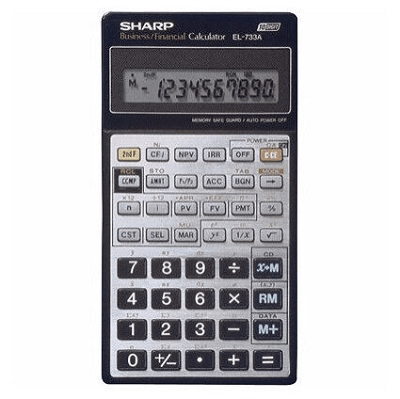
As per the name suggests, these calculators are designed to deal with the financial data and perform the required functions. Its features are similar to scientific calculators, but its specialty is that we can print the entire calculation on a paper tape while using this calculator. Furthermore, it is a valuable tool for financial calculation as it provides a hard copy for record-keeping also.  

4) Graphing calculator
What is a Calculator?

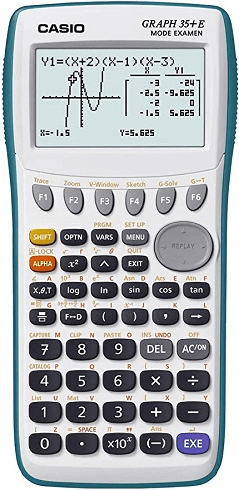
These are the electronic devices that carry similar features to scientific calculators. It is able to graph various equations, like mapping the coordinates of the trigonometry. It can perform calculus, and it is very beneficial for visual learners.

Design of a Calculator

Input: All electronic calculators have a keyboard through which the user can provide input to the device in the form of an operator and operand. An electronic calculator contains number keys from 0-9 (some calculators also have 00 and 000 as clickable keys to enter big figures directly), operation symbols like +, -, *, /, %, =, ^, etc. 

Display output: All the electronic calculators usually have an LCD (liquid crystal display) to display the output to the user. The large-sized display allows us to see a large number of digits.

Memory: Basic or standard calculators can only store one value at a time, but other calculators can store multiple values at a time under the name of a variable.

Power source: Electronic calculators work through a source of power, and they need a power supply to continue their operation. Most of the calculators use cells/batteries, solar energy, and electricity as their power source.


Related Topics

What is Keyboard?

In modern times, computer is one of the most important digital technologies for any human being. People will also efficiently correlate these new technologies with the increasing daily-by-day technology. Today’s environment, all...

7 minutes read.

What is Bracket?

A bracket is one of two large, forward- or afterwards-facing punctuation marks that is frequently used to separate a section of text or data from its surroundings. Depending on the...

3 minutes read.

What is a CSV file?

A plain text file known as a "Comma Separated Values" (CSV) file holds data by separating data items with commas. When data has to be interoperable with a wide range...

5 minutes read.

What are Toggle keys?

keys that are used to turn on or off a function or the keys used to switch between two functions is called the Toggle key. The caps lock key, scroll...

3 minutes read.

What is a Joystick?

An input device known as a joystick is frequently used to control gaming programs and, sometimes, used in graphics applications. Every game requires a controller to play. Suppose a game like...

9 minutes read.

Types of Computers

Computers can be categorized in two ways: size and data handling capabilities. Based on the size, computers are divided into four types: 1. Super Computer The super computer introduced in the 1960s and developed by Seymour Cray,...

5 minutes read.

What is Case Badge?

A case badge is a small label or symbol fixed to the outside of a computer case, typically on the front panel that displays the manufacturer's name or logo. Some...

6 minutes read.

Internet Explorer Shortcut Keys

While using internet explorer, when we use shortcut keys, our work will be done faster when compared to the job done without using them. The reason is internet explorer is...

23 minutes read.

What is Analog Monitor?

Analog monitors are primitive color monitors that were popularly used as television screens. The monitors were developed using cathode ray tubes, which were quite big. They were designed in such...

4 minutes read.

Autoexec.bat and config.sys Information

Basically, the Config.sys and Autoexec.bat files are made for MS-DOS and Windows 3. x to load the device and operating system to work effectively. The most recent versions of MS-DOS...

7 minutes read.

What is a bit (Binary Digit)?

A bit is the short form of Binary digit, which is the basic unit of information in computing and digital communications. It is a binary value, meaning it can have...

9 minutes read.

What is Device Driver?

Device Driver A device driver is a specific type of programming application that permits one equipment device (like a PC) to interface with another equipment device (like a printer). A device...

6 minutes read.

Difference between Optical Fibre and Coaxial Cable

What is Optical Fibre Cable? Optical fibre cables are thin, transparent glass or plastic strands that transmit data through light signals. They are commonly used in telecommunications and internet infrastructure, as...

7 minutes read.

Advanced Encryption Standard (AES)

What is Encryption? In cryptography, encryption is a way to convert data into secret data so that nobody can understand that except those with encryption keys. There are various algorithms for encrypting...

3 minutes read.

What is Cat 5?

In our daily life, every person is opted to use different technologies and is successful in implementing the new opted technologies. Every day people are interested in making new inventions...

4 minutes read.

Increase or decrease font size in Word using keyboard shortcuts

Instead of using the mouse, which might take a long time to change the font size in MS-Word (Grow or Shrink Font Size), you can change the font size quickly...

3 minutes read.

Now that I’ve got a Computer, what can i do?

Most often, people buy a computer to do their job, like students buy a computer to learn, code, etc. But all the users will need to learn their computer's complete...

4 minutes read.

What is Monitor?

Monitor is the display unit of the computer. It is the output device, which is responsible for displaying the content to the user. It is also called the Display terminal....

8 minutes read.

What is a Login Script?

Simply, a Login Script means a Script that has all the necessary set of instructions which is run line by line by the login interpreter whenever a user logs into...

4 minutes read.

Types of Area Networks (LAN, WAN, MAN)

Computer Network When two or more computers/devices are connected to transfer files and data or to communicate to each other then the medium is referred to as a computer network. In a...

3 minutes read.