
×

How to determine Which Version of Microsoft Office I'm using?

Many people who use Windows computers also use Microsoft's Office package. While it is simple to tell what version of Windows you are using just by glancing at your desktop, it might be more difficult to determine which version of Office you are using.

1. Knowing the version while opening any Office app

Any Microsoft Office application you launch immediately displays a Starting screen before loading. The name of the app you are using and its version are displayed on this screen for a brief period.
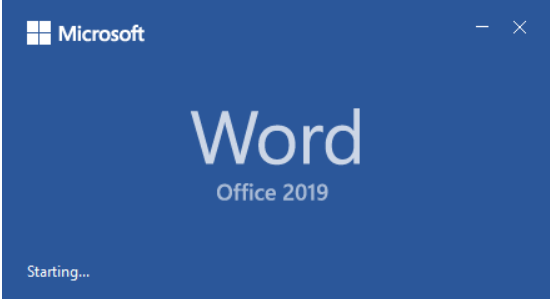
How to determine which version of Microsoft Office I'm using

In the screenshot below, it says Office 365 if you use a Microsoft Office 365 subscription. With this subscription, you can access the most recent version of Office created by Microsoft.
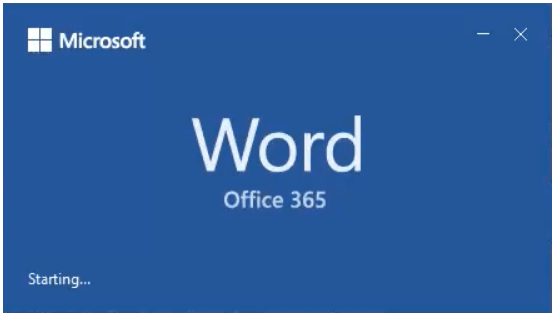
How to determine which version of Microsoft Office I'm using

The opening of the Word in Microsoft Office 2010 can be viewed below:
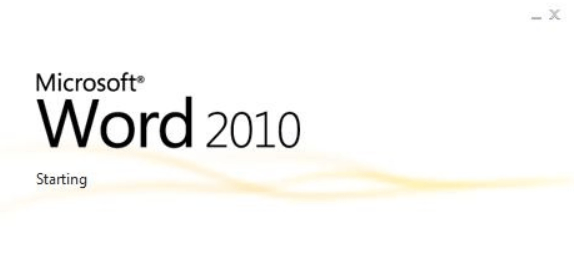
How to determine which version of Microsoft Office I'm using

Unfortunately, neither this method nor the precise product version and build number disclose whether you use a 64-bit or 32-bit version of Microsoft Office.

2. Knowing the version via the Control panel or Settings Menu

Additionally, you can utilize the Settings app or the Control Panel.

Open the Control Panel, then choose Programs and Features from the list of available options. Wait for the list of installed applications on your device to load, then scroll until you find a program with a Microsoft Office-sounding name. The edition and version of Microsoft Office you use are listed in the following section you use are listed in the section that follows. You can also see the precise product version number displayed at the bottom of the Control Panel window if you click or press on it.
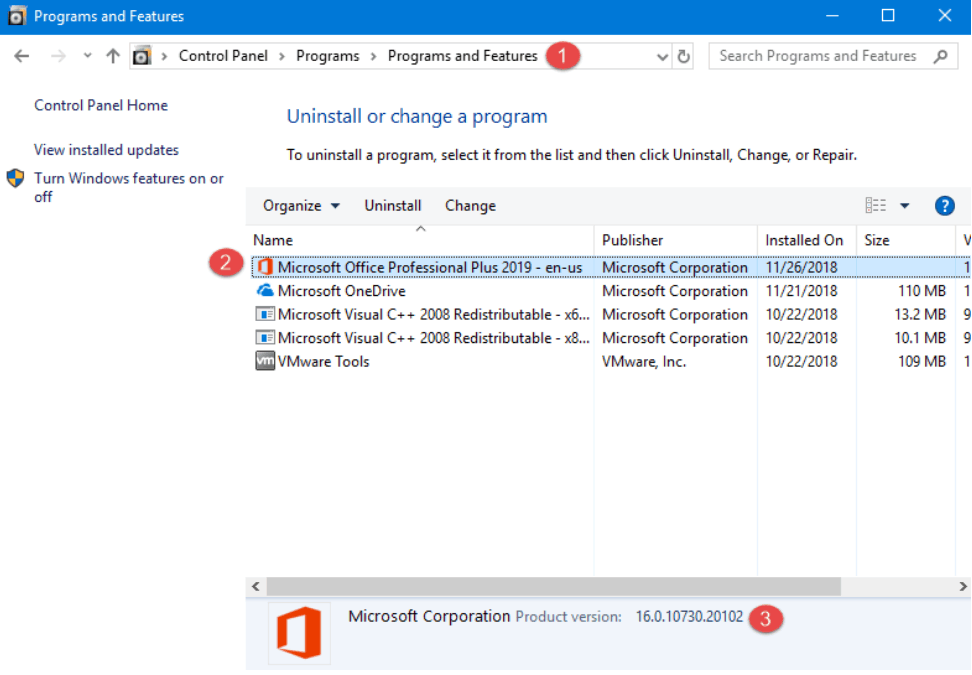
How to determine which version of Microsoft Office I'm using

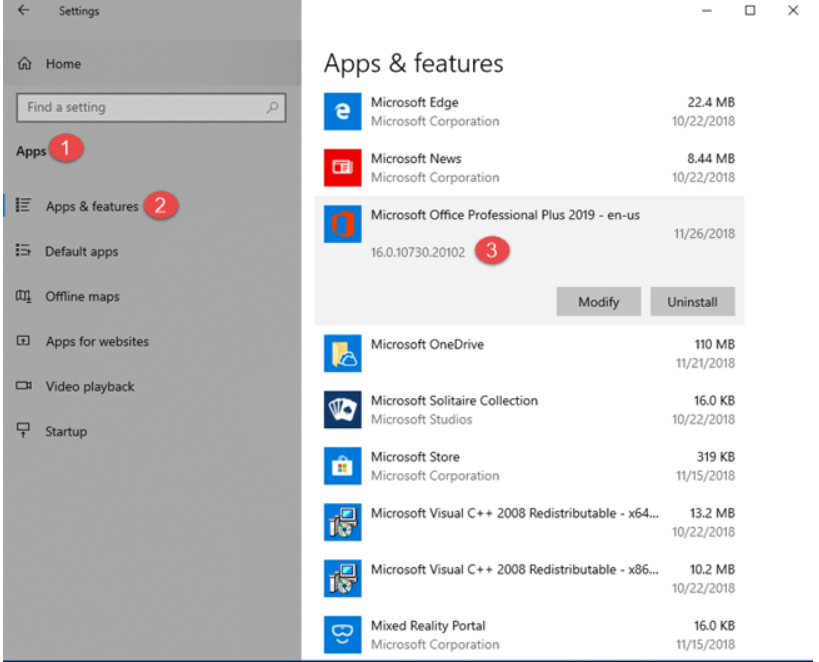
If you are using Windows 10, go to Settings, Apps, and finally Apps & features. Find a listing for Microsoft Office under the installed programs. The edition and version are the parts of the term that come after Microsoft Office. The precise product version number of the Microsoft Office suite that you have is visible if you click or tap on it; it is located beneath its name.
How to determine which version of Microsoft Office I'm using

3. By looking at the menu

Even if it can assist some users in figuring things out, this approach is no longer a great one since the release of Microsoft Office 2019:

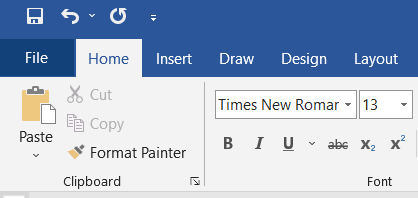
The first process is to launch one of the Microsoft Office apps. Any application can be launched, including Word, Excel, PowerPoint, Access, and others. Next, take a look at the ribbon interface, which is the top menu's left side. You can tell which version of Office you have by looking at the File button. You are using Microsoft Office 2016, 2019, or Office 365 if the File button is rectangular, has sharp edges, and begins with an uppercase letter. There are no obvious cosmetic distinctions between these Office versions.
How to determine which version of Microsoft Office I'm using

The File tab in Microsoft Word 2019 would look as above.

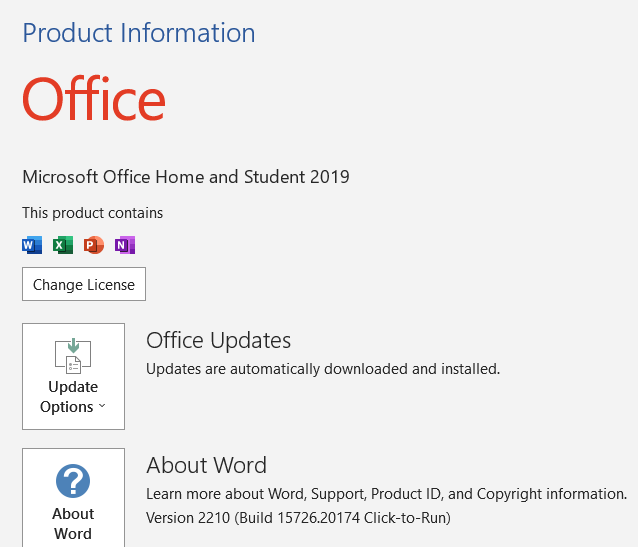
Then click on the account section, and you can view the account and product info that was installed in the corresponding device.
How to determine which version of Microsoft Office I'm using

We can see that Windows Office 2019 had been installed on the device.

Additionally, you may find out if you have the 32-bit or 64-bit version of Office by clicking or tapping on About Word or About after the name of the software you've launched.

How to determine which version of Microsoft Office I'm using

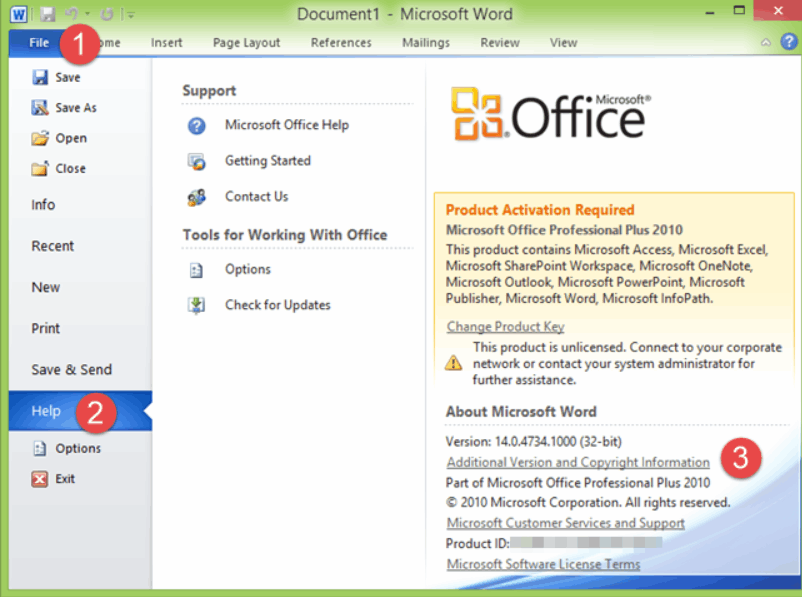
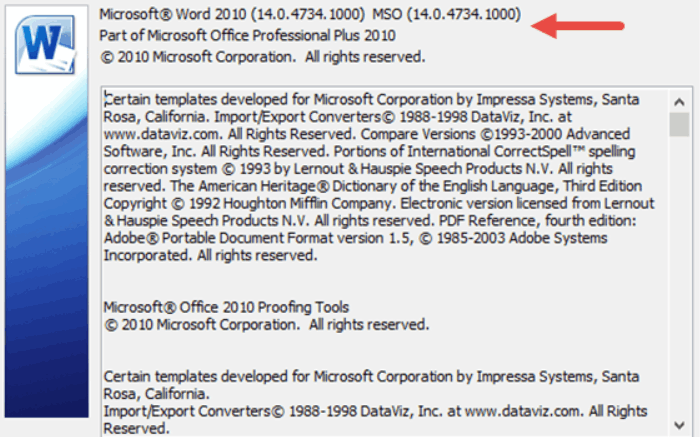
If you are using Microsoft Office 2010, you should notice a Help option in the File menu in place of an Account entry. The actual version and suite's architecture (64-bit or 32-bit) are displayed on the right side of the menu when you click or press on it.
How to determine which version of Microsoft Office I'm using

4. Using Command Prompt or PowerShell, examine the Windows Registry to see what version of Office you have installed.

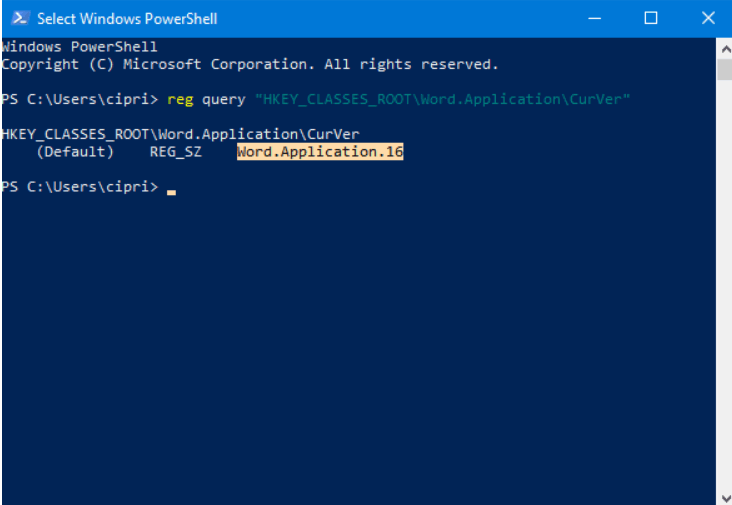
The Command Prompt or PowerShell can be used as a last approach, depending on your preferences. We decided to launch PowerShell. Type the reg query "HKEY CLASSES ROOTWord.ApplicationCurVer" in the command-line window and hit Enter. View the output that is being shown.
How to determine which version of Microsoft Office I'm using

You can tell what version of Microsoft Office you have by the number that follows "Word. Application":

  • 16.0 signifies the presence of Microsoft Office 2016 or 2019, or Microsoft Office 365.
  • Your version of Microsoft Office 2013 is 15.0.
  • 14.0 indicates that Microsoft Office 2010 is installed.
  • 12.0 indicates that Microsoft Office 2007 is installed.

Another problem is that in the Windows Registry, Office 2019 and Office 2016 are no longer distinguished by a different version number.


Related Topics

Why does my Laptop not turn on?

Your laptop's power button is pressed, but nothing happens. When your laptop doesn't turn on, there aren't many technological hiccups more annoying. You are not required to accept that your...

4 minutes read.

What are the Disadvantages of Computers?

Although there are various advantages to using a computer, there are also hazards and disadvantages (like most things in life). Computers, if not used properly, can create a variety of...

6 minutes read.

What does Alt+B do?

Generally we can do all the operations with the help of mouse and keyboard. Whatever we want to do, mouse is essential part of the computer system. But it takes...

3 minutes read.

How to Reset CMOS or BIOS Settings?

If the system is having issues booting, experiencing errors during boot, or having other anomalous issues that cannot be fixed. You will need to access the BIOS setup utility on...

11 minutes read.

What is automation?

Automation means the use of machinery and technologies to make tasks operate automatically and without human involvement. It uses electrical and computer-controlled technologies to replace manual tasks. For example, robots...

6 minutes read.

What is Meatballs Menu?

The three horizontal dots menu called as Meatballs Menu, which is an icon, that can help the user with additional options.  A menu icon in a computer indicates that there...

3 minutes read.

Computing Power

Computing power comes at how fast a machine can perform a task. When a command is given to any computer, it is broken down into mathematical series of problems. A...

3 minutes read.

How to edit the registry from the command line

Editing from the command line is one of the ways of editing the registry. Still, before editing the registry, it is always recommended to back up the registry and computer...

4 minutes read.

What is Printer?

Printer is a hardware equipment that can be connected to a system. It can take textual and graphical content from the system and display it on a medium. It allows...

10 minutes read.

What is an Executable File?

An executable file (EXE file) contains a set of instructions, when the user clicks on the file icon, the system can immediately execute. The file extension for an executable file...

4 minutes read.

What is a Joystick?

An input device known as a joystick is frequently used to control gaming programs and, sometimes, used in graphics applications. Every game requires a controller to play. Suppose a game like...

9 minutes read.

Now that I’ve got a Computer, what can i do?

Most often, people buy a computer to do their job, like students buy a computer to learn, code, etc. But all the users will need to learn their computer's complete...

4 minutes read.

What is RJ Cable?

Registered Jack is referred to as RJ. It serves as a network interface or a telecommunications medium. RJ Cable enables voice and data equipment to interact with network devices. It is...

4 minutes read.

What is Analog Monitor?

Analog monitors are primitive color monitors that were popularly used as television screens. The monitors were developed using cathode ray tubes, which were quite big. They were designed in such...

4 minutes read.

What is a Server?

The computer which processes the request and delivers the data to the other client over any network is called a Server. The server could be local or internet. These are specialized...

6 minutes read.

What is a Software Suite?

A software suite is a grouping of computer programs and applications with comparable user interfaces that work together. It is a set of two or more software packages or programs...

3 minutes read.

Use of Internet

The Internet, sometimes known as "the Net," is a global system of computer networks. It is a network of devices that allows users at any one computer to obtain information...

13 minutes read.

Introduction and Features of FoxPro

Microsoft Visual FoxPro (VFP) is an environment of Object-oriented programming (OOPs). The relational database engine is available in the Microsoft Visual FoxPro (VFP). It was developed by Microsoft in the...

3 minutes read.

Binary Subtraction using 2’s Complement

There are a total of four binary operations; binary subtraction is one of them. The binary subtraction is carried out by applying the subtraction procedure to two binary values (numbers...

3 minutes read.

Fifth Generation of Computer

The period of the fifth generation is 1980-onwards. The VLSI technology develops into ULSI (ultra large scale integration) technology in the fifth generation. These are used in the production of...

6 minutes read.