
What is Printer?
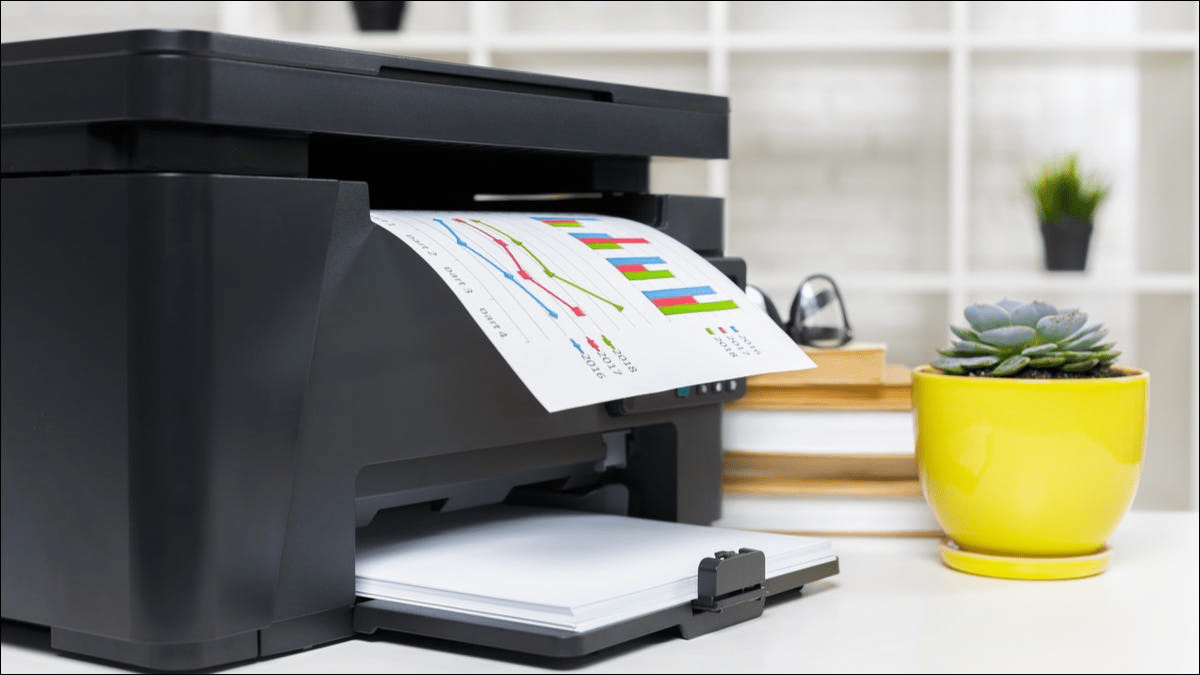
Printer is a hardware equipment that can be connected to a system. It can take textual and graphical content from the system and display it on a medium. It allows the user to print a hard copy of the digital content available on the system. The printer can have different sizes, speeds, resolutions, and specifications depending on the purpose they need to serve. The printers can also be further classified into impact and non-impact printers. Both these printers are generally used for personal use.
Impact Printer: The printing cost is relatively low for these printers, making them a popular choice for personal use. They are somewhat similar to that of a typewriter as for every character that is to be printed, and an ink impression is made on the sheet. An example of an impact printer is a dot-matrix printer.
Non-Impact Printer: The printing cost is higher, but so is the resolution of the printed content.
Inkjet printers and laser printers are two popular printers. The ink is spread on the page, while the laser printer uses a laser to extract the ink from the paper.
Types of Printers
The most popular printers available in the market for personal use are Inject Printer and Laser Printer. With the advancement in technology, a series of printers were developed to accomplish different objectives.
Below is the list of all the available printers in the market.
- Plotter
- Dot Matrix Printer
- Line Printer
- Solid Ink Printer
- Inkjet Printer
- Laser Printer
- LED Printer
- Multifunction Printer
- Thermal Printer
Plotter
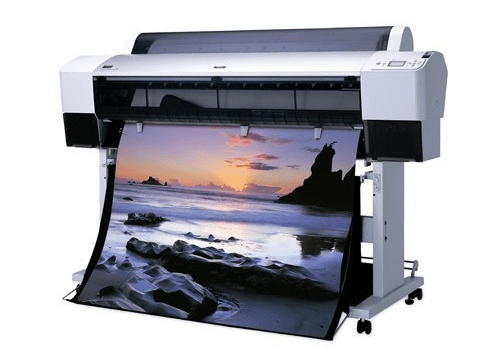
It is hardware equipment that performs the same role as a printer but is quite different in function, unlike other printers that use ink to print the content. It uses a pen or pencil to print vector graphics. This was preferred to print the architectural layout or the schematics. It was one of the most primitive devices that allowed the user to get a hard copy.
The plotter can be further classified into:
- Drum Plotter: The page is rolled on the drum, and the marker moves about the drum, printing the content on the page. The drum moves back and forth while the marker moves horizontally along the drum.
- Electrostatic Plotter: The sheet is provided with a negative charge, and the ink that is to be spread on the sheet is charged positively. The ink is attracted by the electrostatic force produced and is spread on the sheet.
- Cutting Plotter: This is a relatively advanced type of printer; it allows the user to print shapes and objects out of it. This is preferred for making signboards.
Advantages of using a Plotter
- The quality of the image produced is relatively better.
- The user can produce the images on a larger sheet of paper. It also allows the user to print the content on any flat surface.
- It provides the option of storing frequently used images or templates on the disk.
- The quality of the image is not compromised, even if produced multiple times.
Disadvantages of Plotter
- It is difficult to set up and requires a large amount of space.
- The cost of printing and maintenance is more expensive than other printers.
- It is not suitable for personal use.
Dot Matrix Printer
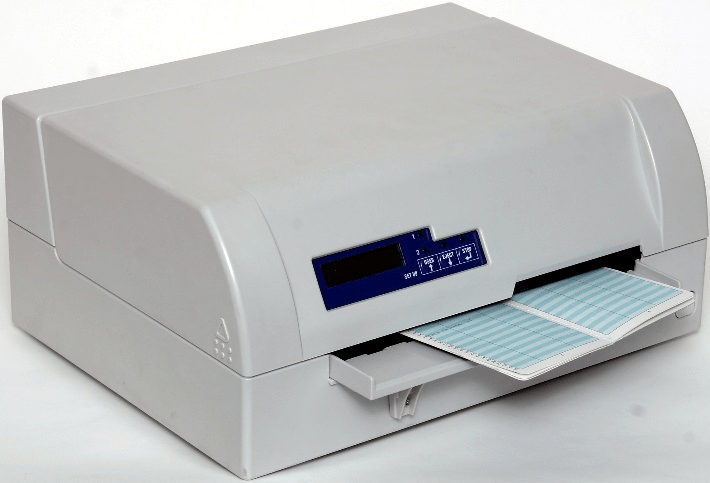
This printer is also known as the pin printer because it uses pin-like structures called heads to create an impression on the page to form the texts or images. It was developed by IBM in 1957 and was a non-impact printer. It was in 1970 when a non-impact version of the Dot-Matrix Printer was launched by Centronics. The resolution of the image printed by this printer was low. Therefore, it was preferred to print non-reusable textual content such as package delivery invoices.
Advantages of Dot-Matrix Printer
- The major advantage of this printer is its low printing cost. This printer can be easily purchased from the shops.
- It is easy to set up a dot-matrix printer, and the maintenance cost is also low.
- The image produced may lack quality, but they are the exact copy of the original image.
Disadvantages of Dot-Matrix Printer
- It takes quite a time to even print a single page as every impression is created by head hitting the paper.
- The quality of the resulting hard copy is quite low.
- The user needs to ensure that each sheet is correctly oriented and the alignment of the sheet is performed manually.
- It produces a continuous noise while printing; this is the noise of a pin colliding with the page.
Solid Ink Printers
The objective of developing this printer was to save space and money. It reduces the wastage of ink that happens while spraying the ink on a sheet. These printers stream the ink along with the page. They are different from conventional printers as they use melted ink to print the content. The image produced provides a better colour combination. The cartilages required for this printer are different. Tektronix first launched it.
Advantages of Solid Ink Printers
- The picture produced is of high resolution. The colours are bright and vivid. We can print high-quality content on a range of flat sheets.
- The cartridges are biodegradable and are not harmful to humans. The inks are prepared with vegetable oils and do not melt or leak.
- The printing speed is high. We can print one piece of paper per minute.
- It is easy to maintain, and the ink can be replaced easily. Moreover, the printing cost is also quite low. The space required to set up a Solid Ink Printer is very less.
Disadvantages of Solid Ink Printers:
- We cannot produce numerous pages in one go as it requires cool downtime.
- The printed content may fade with time.
- The electricity consumption is more than the laser printer.
Inkjet Printers
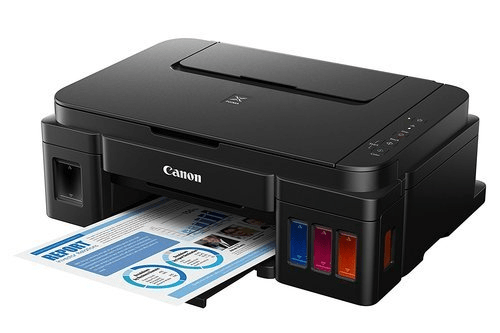
They are quite suitable for personal use. It is a popular choice that is used in both homes and industries. The printing process involves spraying the ink using magnetic plates on the paper. It has five components: a paper feed assembly, print head, cartridge, belt, and stabilizer belt. The cartridge can produce a combination of colors providing a high-quality output with a vivid picture display. The printing cost is less than any other printer available on the market.
Advantages of using Inkjet Printers
- Users can generate high-quality output with vivid colour displays.
- The printing speed is high.
- They are easy to use and do not require time to warm up or cool down.
Disadvantages of using Inkjet Printers
- It may generate an early notification of an empty cartridge.
- It does not support the highlighting of the text.
Laser Printer
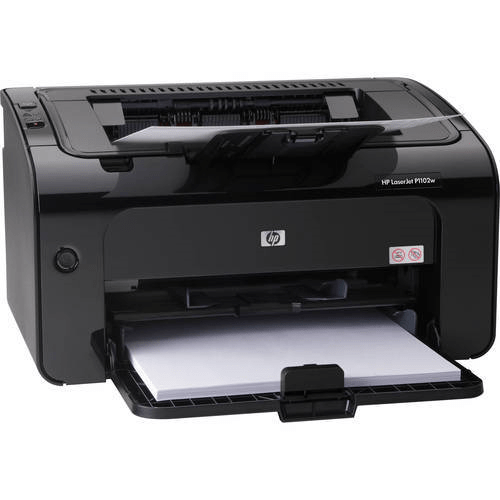
This printer was developed in 1971; the printing technology is based on the application of laser. The printer generates an electric charge that produces a laser beam that produces the drum's print. The drum is then rolled into the dry ink, and then the ink is transferred to the piece of paper. Once the content is printed on the paper, then the drum is discharged.
Differentiate between Laser and Inkjet Printer
| Based on | Laser Printer | Inkjet Printer |
| Cartridge | The ink is in powder form. | Wet ink is sprayed over the sheet. |
| Cost of Printing | The cost of printing is quite low. | The printing cost is very high. |
| Quality when the sheet is wet | The quality is not compromised even if the sheet is wet. | If the surface is wet then the print will be blurred. |
Advantages of a Laser Printer
- Numerous pages can be printed at once.
- The speed of the printer is very high.
- It is cheap as well as the productivity of the printer is high.
Disadvantages of a Laser Printer:
- It produces a small amount of carbon.
- It requires more space to set up.
- It sometimes requires warming up.
LED Printers
The technology used in the LED printer is similar to a laser printer. The light emitted from the diode is focused along the length of the drum. The only difference between a laser printer and an LED printer is that it uses light-emitting diodes, while the laser printer is equipped with a laser in the print head. They are a relatively newer technology that is eventually getting popular in the market.
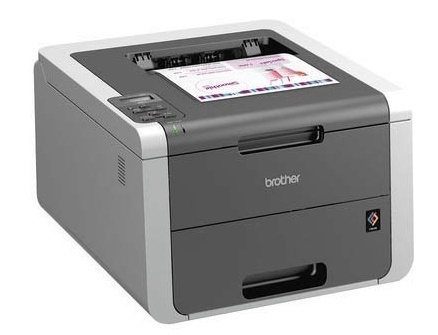
Advantages of Using LED Printer
- The user can extend the warranty of the printer.
- The manufacturing cost is relatively less than that of the laser printer.
- It can print on 3D objects too.
Multifunction Printer
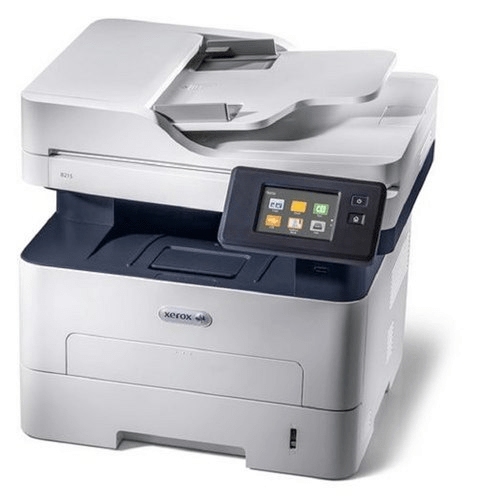
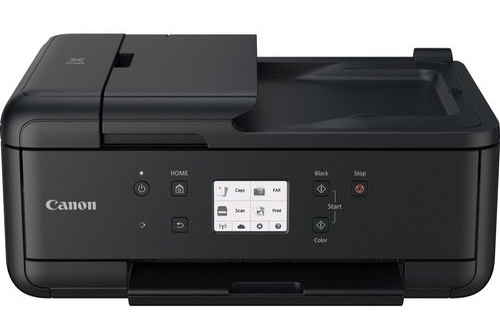
This printer is also known as an All-in-One printer. This single device allows the user to print, scan, photocopy and fax the content. The printing cost is low, and the company can reduce the cost of multiple hardware by purchasing it. It reduces the complexity of the workflow.
Advantages of Multifunction Printers
- It reduces the number of hardware required to perform different functions.
- The space required is very less, as a single machine can perform the functions of a printer, a fax machine, and a scanner.
- The speed of operation is relatively higher than any other printing device available.
- The cost of setting up a Multifunction printer is very less in comparison with the cost of setting up individual machines.
Disadvantages of using a Multifunction Printer
- It consumes more ink; therefore, these printers' printing cost is high.
- It prints the pages in a first-come, first-serve order.
- We cannot assign priority to a task; all the tasks are lined up in a queue. Therefore, it is not possible to simultaneously complete the work.
- There is a single machine performing all the tasks; if the machine breaks down, all the process in the organization is halted.
3D Printers
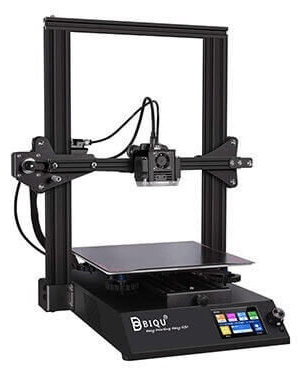
This is the most advance and innovative technology. The first 3D printer was introduced in 1984. This printer has a wide range of applications in the engineering, the automobile industry and the medical field. It can be used to create 3-dimensional models, prototypes, or reconstruct parts. It can also be used to produce spare parts that are not manufactured now. Special software is used to design the objects that can be printed using a 3D Printer. The prototype of the final object is created using Computer-aided design software. This prototype is generated in a 3D environment and has 3 dimensions. This is sent to the printer, and the printer creates the object not at once but layer by layer.
Advantages of 3D Printer
- It allows the developer to develop a 3D model for better understanding.
- It is a cost-efficient method to produce the model of the object.
- It is easily accessible, and the quality of the product is high.
- The product has exact dimensions as specified by the user; the user can incorporate numerous shapes in the product.
Disadvantages of 3D Printer
- This technology is under development. There are certain limits to the design that it can produce and the material used for producing the models.
- The process is very time-consuming and expands a lot of energy compared with traditional methods.
- The initial cost is high and cannot be used for mass production.
Thermal Printer
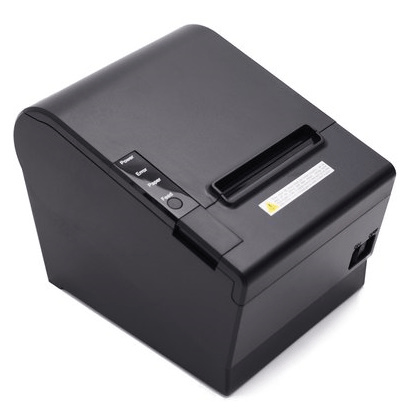
This printer is also known as the electro-thermal printer. The electricity is to produce heat in the pins. These pins hit the paper to produce the image. They do not require ink to produce the image. The image is directly produced from the heated image. The cost of printing is very low and is used in sectors where time is of the essence. The sectors that use the technology are airlines, banking, and entertainment.
Advantages of using a Thermal Printer
- There is no halt in the printing process till the machine is connected to the electricity supply as it does not require any ink or ribbons.
- The set-up is very simple as only limited operations are required to be performed.
- While printing, it does not produce any noise, so it is most suitable for offices and corporations.
- They are cheap, and the speed to print monochromic print is relatively very high from other printers.
Disadvantages of using a Thermal Printer
- It is not suitable for printing colour prints.
- The continuous heating of the print head can lead to its wear and tear. So when once broken then we need to replace it.
Printer Interface
In previous models, there were 36 plugs, but to reduce the size of the new models, these plugs were replaced with USB drives. The interface for the Printer I/O operations includes:
- Printer Languages: These are the commands sent from the computer to the printer specifying the content and its properties, including the colour and dimensions that are to be printed. Mostly, the commands are written in either Postscript language or Printer Control Language.
- Postscript Language: This language can be understood by humans as it uses English phrases to instruct the printer about the appearance of the content. Adobe launched this language in 1985. It was introduced with additional features such as vector graphics and outline fonts. The user does not need to install the language explicitly. It comes already installed and can be used for any device that produces an image using printheads or dots.
- Printer Control Language: They use escape codes to instruct the printer about the document that is to be printed. Humans cannot understand the escape codes, and they contain a command sequence and a series of numbers. Initially, this language was developed for dot matrix and inkjet printers. In 1984, it was used in the printers, and the quality of the content was drastically increased.
- Fonts: They determine the look of a particular character. With the font change, there can be a change in the characters' size. Two kinds of font determine the style of the characters; they are resident font and soft font.
- Resident Font: They are also called the internal fonts installed on the printer hardware. They are permanent fonts and cannot be deleted. A printer must have a resident font; there can be multiple resident fonts.
- Soft Font: These fonts are installed by the user on the flash drives of the computer. The user can purchase soft font to enable the printer to print the content in the particular font.
Qualities of a Printer
- There are many models and types of printers available in the market, but there are certain qualities that the user should check before finding a suitable printer. These qualities are as follows:
- Resolution: The printer's resolution determines the sharpness of the image printed by it. The higher the picture resolution, the better the image will be. Usually, the resolution of a printer is specified in terms of dpi (dot per inch).
- Speed: When purchasing a printer for an organization, the printer's speed becomes a crucial feature to consider. An average printer can produce 3-6 pages of print per minute. But the expensive printers can print a lot more.