
What are Storage Devices?
Computing hardware is capable of storing the information and can also be processed. Information on the storage can be stored permanently as well as temporarily.

It is one of the core components of a computer system's hardware.
The point to be noted here is that the BIOS is on the storage itself, so it is concluded that the computer will not run as it should. Even in some cases, it will not boot up.
Need for Storage Device
A computer without any storage will not run and not even boot up. It would be considered a dumb terminal. It cannot process any instruction because it cannot hold any information.
Contrary to the importance of storage, a computer can run without a hard drive with the help of a network. Still, the proper functioning of the computer is impossible. The user can only see the information.
The good functioning of computer requires storage as it allows you to store information. With storage devices, you can quickly perform daily tasks like browsing, typing, and programming.
Classifying the Storage Devices
Computer Storage devices are classified into two parts:
Primary Storage Devices
Primary storage is directly linked to the motherboard, so it is also referred to as the main memory or internal memory. Its internal memory fits into the computer and is comparatively fast, which means that the files read and write quickly. The RAM and Cache Memory are general examples of primary storage devices. These types of storage are generally volatile.
Secondary Storage Devices
In the past years, secondary storage was stored externally, but now it also integrates internally into the computer. In basic terms, it can be found internally as well externally.
The function of this memory is that they are used for the non-volatile storage of data.
Examples of secondary storage devices are CD, DVD, pen drive, and HDD.
Some Common Storage devices available in the market
1)Primary Storage Devices
i)RAM: The processor directly accesses RAM, so the information stored in it is accessed immediately. It stands for Random Access Memory.
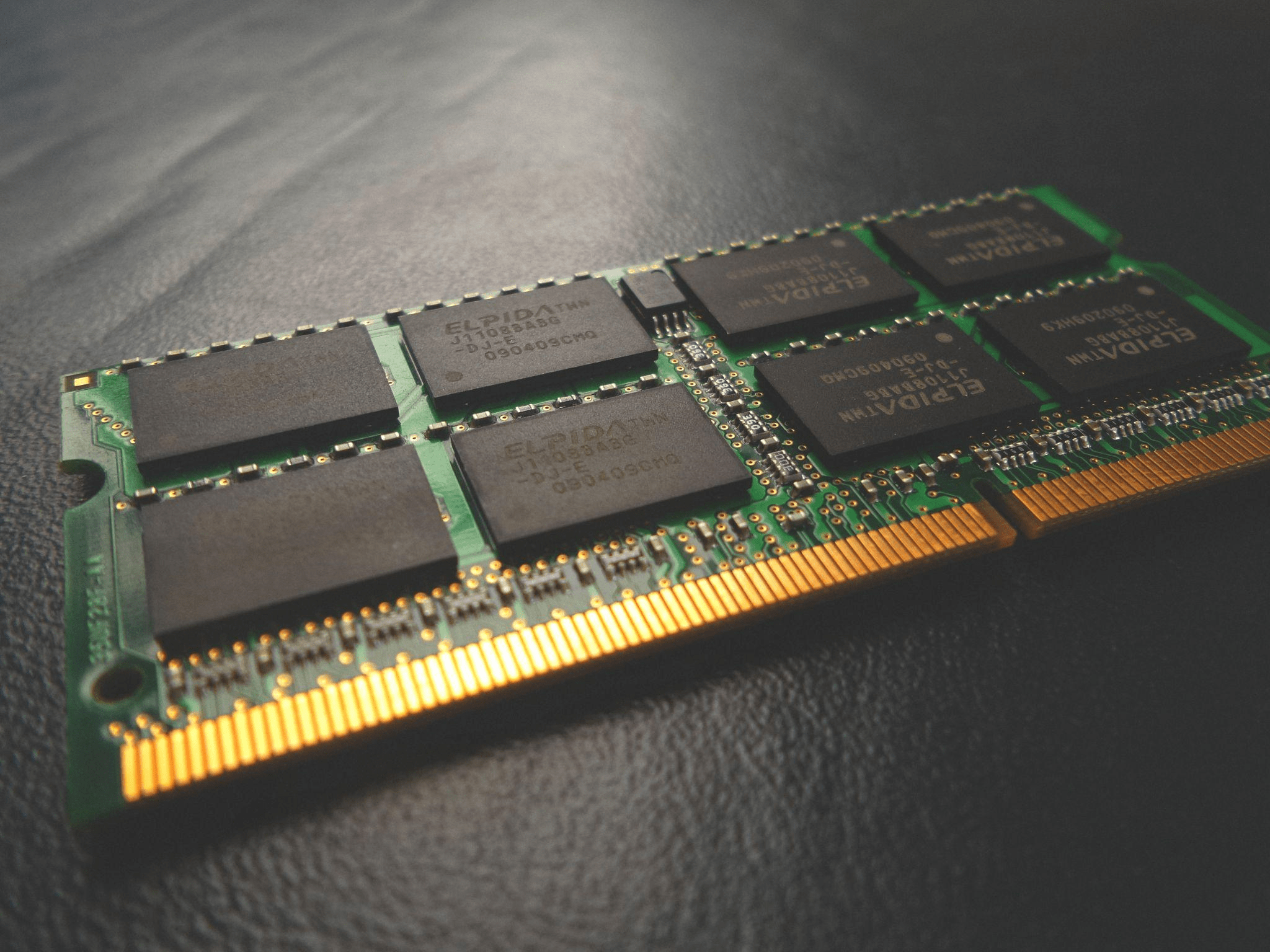
The process is brought to the CPU through RAM from the hard drive. It is a volatile memory, So it loses the information when the computer is turned off. Storing data and instructions during operations in a computer is done by it.
The data which is to be entered with the input device is stored in it.
RAM is helpful in loading the applications from the hard drive to the CPU, browsing the web, editing files, and keeping the task on hold. You can run any time those tasks which are on hold.
It runs any task in the background through which user can do another operation and any time he can switch between the applications.
RAM is nearly always an active component of the computer. RAM affects the performance of the device. Its sizes range from 1GB to 128GB, depending on the users' computer specifications.
Following are the different kinds of RAM:
- SRAM: SRAM stands for Static Random Access Memory.
It uses multiple transistors for every memory cell. There is no continuous requirement for refreshing the memory like DRAM. It is more expensive than DRAM. Memory is retained till the power is supplied. It is used in cache memory. Its access speed is from 2 nanoseconds to 10 nanoseconds.
- DRAM: DRAM stands for Dynamic Random Access Memory. It uses transistors that are arranged in a row and column manner. Capacitors are also used in DRAMfor holding the information in bits. Its access speed is from 50 to 150 nanoseconds. It is continuously refreshed to store information. DRAM is cheaper than SRAM.
- SDRAM: SDRAM stands for Synchronous Dynamic Random Access Memory.
It is faster than DRAM. It is widely used in computers and other devices.
ii)ROM

It stands for Read-Only Memory. This is a non-volatile memory, which means that data stored in the memory cannot be deleted when the power goes off. The instruction used to start a computer are stored in ROM.
This process is referred to as bootstrap.
Following are the different types of ROM:
- PROM: Programmable Read-Only Memory. These are programmable ROMs. A unique program is used for this. Although it is programmable, but it does not mean that you can perform it every time. It is done only once.
- EPROM: Erasable Programmable Read-Only Memory is capable of being erased and writing new data.
2)Magnetic Storage Device
i)Floppy Disk:

The use of floppy disks is stopped currently. It is made up of a plastic cartridge and has a protective covering. It is also called a floppy diskette.
ii)Hard Disk:

It stores data and retrieves data with magnetic storage. It is a non-volatile storage, and the stored data can be modified. Nowadays, most computers have HDDs as their secondary storage. It is a collection of stacked discs.
The data on a hard disk is stored electromagnetically in concentric circles.
The read-write speed is decent in HDDs as per today's world scenario, but not as fast as SSD.
Storage can range from a GB to TB.
iii)Magnetic Card:

It's a card in which data is stored with iron-based particles that can be modified by rearranging them. The information is stored on the band of the card, which is a magnetic material. Generally, it is known as a swipe card among ordinary people.
iv)Tape Cassette:

In typical personal terms, it is a music cassette. It is a container in a rectangular design. The data is stored in the analog of the magnetic tape inside the cassette.
Tape Cassette was used to record audio files in the past years, but nowadays, it is not easy to find.
v)Super Disk:

It is introduced by 3 M's storage group, Imation Corporation. It is generally called LS-240 and LS-120. It is usually used by OEMs and is popular among them. It can store up to 240MB.
3)Flash Memory Devices
It is pretty cheap, and its size is compact, so it is relatively easy to buy anywhere.
Some of the examples of Flash Memory devices:
i)Pen Drive:

It is sometimes referred to as USB Flash Drive because it integrates the USB with Flash storage. It is directly connected to the USB port of the computer and laptops. Its speed is quite fast, and it is very efficient to use.
Due to its portability, it is very famous among the population. Its storage ranges from 1GB to 256GB.
ii)SSD:

A Solid State Drive is a mass storage device like HDD. It is more reliable and last longer than HDDs. It has no mechanical parts like HDDs, So it doesn't consume much energy. It is lightweight and much faster than HDDs which is highly preferred. But, the excellent performance of SSD comes at a higher cost.
SSDs are an alternative to HDDs. Its size is varies from 120GB to 2TB.
iii)SD Card:
A Secure Digital Card is used to store data in electronic devices like phones, digital cameras, etc. Due to its compact size, it can fit inside small devices. Its storage can vary from 512MB to 2TB.

iv)Memory Card:
It is used in digital Cameras. It stores a large amount of data on a compact device. It is available on different stores. To read the data of memory card on the computer, you have to get a separate card reader.

v)Multimedia Card:
Abbreviation MMC is integrated into a circuit that is used in car radios, digital cameras, etc.

4)Optical Storage Devices
Optical storage devices are the type of secondary storage device. It is a removable storage device.
The thing to remember is that when we talk about CDs, copying music, pictures, and videos from a user's pc to a blank Optical Disc is called "burning."
It means to write on the optical disc.
Although we also have a different term for copying data from optical disc to pc, which is "ripping."

i)CD:
It stands for Compact Disc. It contains tracks and sectors on its surface to store data. It is made up of polycarbonate plastic in circular way.
Storage capacity is around 700MB.
These are of two types:
- CD-R: It stands for Compact Disc read-only. These are specialized types of optical discs because we can write the data only once which can not be erased.
- CD-RW: It stands for Compact Disc read Write. We can write or erase data in this type of CD multiple times.
ii)DVD:
Digital Versatile Disc is a circular flat optical disc used to store data. It comes with two variants, one with a single layer and another with a double layer, having respective storage of 4.7GB and 8.5GB.
DVD looks exactly like a CD, but the difference comes in the storage capacity.
There are two types of DVD:
- DVD-R: It stands for Digital Versatile Disc read-only. These are types of DVDs in which data is written once, which cannot be erased. Generally, these were used in storing movies and programs.
- DVD-RW: It stands for Digital Versatile Disc read Write. It stores simple type of data. You can assume by the name that data in it can easily be written and erased.
iii)Blu-ray Disc:
It is just an optical disc like CD and DVD but has a high capacity, up to 25GB.
To use this optical disc user needs a separate Blu-ray reader. The Blu-ray tech is used because information stored in optical format can hold a large amount of data due to the high density and long wavelength of blue color in the spectrum.
5)Cloud and Virtual Storage
Cloud storage and virtual storage are also a part of secondary memory.
As technology grows daily, the way we store data also changes.
So now we can store our data on the cloud or, in simple terms, store it in data centers or on someone else device.
Many companies offer these services, like Google, Amazon, etc. In this, the server has to be paid rent so that we can use storage from the service provider.
There are multiple benefits like users can access data from anywhere and can easily share the data with many people without using any physical devices. Mostly large amounts of data are transferred through it.
For Example, Google provides Google drive as a service to use as cloud storage.